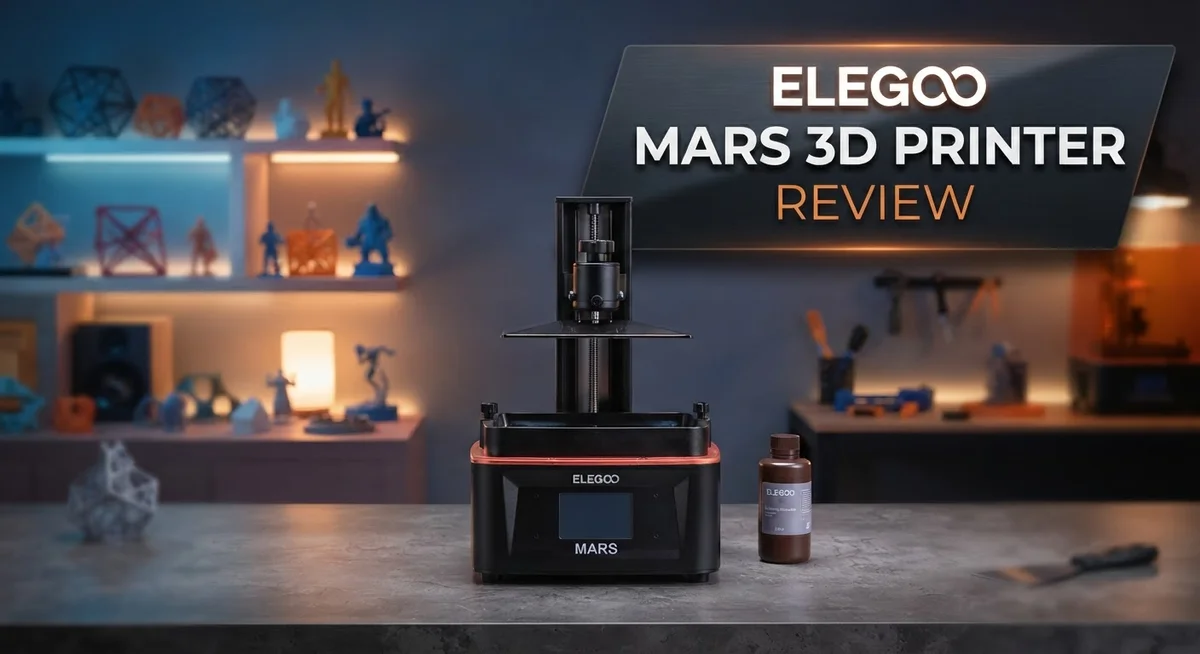
Elegoo Mars 3D Printer Review: Features, Performance, and Comparison
Do you want a 3D printer that gives you sharp, clean results every time? The Elegoo Mars series might be exactly what you need.
This printer uses resin technology to create detailed models. It works great for miniatures, prototypes, and small design projects.
In this review, we break down everything you need to know. We will cover the specs, the pros, the cons, and how this printer compares to other models. By the end, you will know if the Elegoo Mars fits your printing needs.
In a Nutshell
- Crisp Screen Technology: The monochrome LCD screen delivers sharp resolution. This means fine details show up clearly on every print.
- Fast Printing Speeds: This printer moves quickly through each layer. You get finished models without long waits.
- Compact and Lightweight: The small footprint fits easily on any desk or workbench. You won’t need extra space to set it up.
- Simple Leveling Process: Getting the printer ready takes just a few steps. Even new users can start printing fast.
- Great for Small Models: This printer shines when making miniatures and intricate designs. Hobbyists love the fine detail it captures.
- Post Processing Takes Effort: You’ll need room and patience for cleanup after printing. Resin handling requires care and proper ventilation.
- Slightly Less Detail Than Rivals: Some competing printers edge out this model on ultra fine detail. Still, the quality remains solid for most projects.
Key Specifications and Display Technology
The display technology in the Elegoo Mars series represents a significant leap forward in resin printer capabilities. The 7 inch 9K monochrome LCD screen sits at the heart of the printing process, delivering exceptional clarity and precision to your projects.
This screen operates at 8520×4320 resolution, which means each pixel maps directly to your final print. Monochrome technology works differently than color displays you might use on phones or computers. Instead of showing images, this screen acts as a precise mask that controls light exposure. The result is sharper detail and smoother surfaces on your finished models.
The monochrome approach offers real advantages for resin printing. Light passes through the LCD in exact patterns, curing resin layer by layer. Your prints emerge with crisp edges and fine details that rival much more expensive equipment. The screen’s high resolution means you can print intricate miniatures, board game pieces, and jewelry with stunning accuracy.
Print speed connects directly to display performance. The Mars 4 achieves maximum speeds of 70mm per hour, which represents solid performance for the resin printing category. Faster printing doesn’t sacrifice quality here. The advanced screen technology ensures each layer cures properly regardless of speed.
Understanding the display helps explain why leveling becomes so simple on this printer. The LCD screen sits directly above your resin vat, creating a straightforward optical path. You don’t need complex mirrors or laser systems to manage. This simplicity makes the leveling process quick and accessible, even for first time users.
The screen’s durability matters too. Monochrome LCDs handle extended use without degradation. Your Mars printer continues producing sharp results after hundreds of print hours. The technology proves reliable across different resin types and printing conditions.
Display technology fundamentally shapes your printing experience. A quality screen means consistent results, easier maintenance, and prints that match your expectations. The Elegoo Mars series invests heavily in this core component, which explains why these printers earn trust from hobbyists and professionals alike. The balance between resolution, speed, and reliability creates a printing experience that simply works.

- 【9K High Precision Mono LCD】Featuring a 7-inch mono LCD with 9K ultra-high resolution and 18 μm...
- 【Blazing Fast Speed with Tilt Release Innovation】Boasting a blazing fast speed of up to...

Last update on 2026-10-21 / Affiliate links / Images from Amazon Product Advertising API Some of the links on this website are affiliate links, which means that at no additional cost to you, I earn a commission if you click through and make a purchase. I only recommend products and services that I believe will add value to my readers. Thank you for your support!
Print Quality and Detail Capability
The Elegoo Mars delivers impressive print quality that catches the eye right away. The 9K monochrome LCD screen produces sharp details on your finished models. Each layer prints with precision, giving you clean edges and smooth surfaces.
This printer handles miniature work exceptionally well. Hobbyists love it for tabletop gaming pieces, collectible figures, and jewelry designs. The high resolution means you can capture fine details that other printers struggle with.
Print speed reaches 70mm per hour at maximum settings. Faster speeds don’t always mean better quality, though. The Mars lets you slow down when you need extra detail on complex parts. You control the balance between speed and precision.
The monochrome LCD technology plays a huge role in detail capability. Unlike older LCD printers, this screen delivers uniform light across the build platform. This consistency means fewer failed prints and more predictable results across different designs.
Surface finish quality stands out as a real strength. Your prints emerge smooth without the rough texture some resin printers leave behind. This reduces post processing work significantly.
Small details stay sharp even on larger models. The printer handles intricate features like thin walls, small text, and delicate structures. You won’t see the pixelation that plagued earlier resin printer generations.
One honest note: some competing printers do edge ahead on ultra fine detail. The Elegoo Saturn and Saturn 8K models offer even crisper prints if you need maximum precision. For most users though, the Mars quality exceeds expectations.
The compact size doesn’t limit detail capability. Smaller build platforms actually help maintain consistent print quality. You get uniform curing across every layer without the complications of managing larger surfaces.
Overall, the Mars series punches above its category for print quality. Whether you’re printing tabletop miniatures, prototypes, or artistic pieces, the results impress. The combination of fast speeds and sharp resolution makes this printer a genuine workhorse for detailed work.
Ease of Use and Leveling System
Getting your Elegoo Mars printer ready to print happens fast. The leveling system works smoothly, and beginners pick it up without frustration. You don’t need special skills or experience to get started.
The leveling process itself takes just a few minutes. The printer guides you through each step with clear on screen prompts. You lower the build platform until it touches the resin surface, then lock it in place. That’s really it.
The intuitive control panel makes navigation simple. Buttons are large and easy to find. The menu structure follows a logical flow. New users can adjust settings without consulting the manual repeatedly. Everything sits where you’d expect it to be.
One standout feature is the automatic leveling assist on newer Mars models. This function removes much of the guesswork. The printer helps ensure your platform sits perfectly level every time. Consistent leveling directly improves your print success rate.
The build platform itself feels sturdy. It connects securely to the Z axis. You won’t experience wobbling or shifting during prints. This stability matters because uneven movement ruins details and causes print failures.
Maintenance between prints stays manageable. The resin vat opens easily for cleaning. You can access the build platform without tools or complicated procedures. Quick cleanup between jobs keeps your workflow moving.
The screen’s high resolution also supports ease of use. You see exactly what the printer will create before starting. This preview function helps you catch problems early. You avoid wasting resin on failed prints.
One thing to note: while leveling itself is simple, post processing requires more effort and space. After printing, you’ll need a separate area for washing and curing your models. This step demands patience and proper ventilation. Plan your workspace accordingly.
Overall, the Elegoo Mars removes barriers for new users. The leveling system feels forgiving without sacrificing quality. You spend less time fighting the equipment and more time creating. This balance makes it an excellent choice for anyone entering resin printing.
Top 3 Alternatives
Anycubic Photon Mono

- 【7'' 10K High Resolution】Photon Mono 4 boasts an impressive 105% increase in print precision...
- 【Powerful Light Source】The time-tested Anycubic LighTurbo matrix light source technology...
Last update on 2026-10-21 / Affiliate links / Images from Amazon Product Advertising API Some of the links on this website are affiliate links, which means that at no additional cost to you, I earn a commission if you click through and make a purchase. I only recommend products and services that I believe will add value to my readers. Thank you for your support!
The Anycubic Photon Mono stands out as a solid choice for resin printing. This printer uses a monochrome LCD screen that speeds up printing compared to older technology. You get faster exposure times and quicker layer curing, which means your prints finish sooner.
The build platform is easy to access, and cleanup becomes straightforward. The printer connects to your computer via USB, making file transfers simple. Many users appreciate the consistent print quality and the machine’s reliability over extended use.
Creality Halot-One

- 9K ULTRA-HIGH RESOLUTION: Bring fine details to life with a 6.8-inch 9K LCD...
- PLUG & PLAY FOR BEGINNERS: Start printing right out of the box with a factory pre-leveled build...
Last update on 2026-10-21 / Affiliate links / Images from Amazon Product Advertising API Some of the links on this website are affiliate links, which means that at no additional cost to you, I earn a commission if you click through and make a purchase. I only recommend products and services that I believe will add value to my readers. Thank you for your support!
Creality’s Halot-One brings affordability without sacrificing performance. This printer features a large build area, so you can create bigger objects or print multiple items at once. The LCD screen technology delivers sharp details and smooth surfaces on your finished pieces.
Setup takes minimal time, and the interface feels intuitive for beginners. The build platform removes easily, letting you access your prints without frustration. Users report excellent customer support from Creality when questions arise.
Prusa SL1S

- The CW1S is a multi-purpose device, which takes care of pre-printing and post-processing tasks...
- Recommended accessory for the Original Prusa SL1S, but it’s compatible with all the other tabletop...
Last update on 2026-10-21 / Affiliate links / Images from Amazon Product Advertising API Some of the links on this website are affiliate links, which means that at no additional cost to you, I earn a commission if you click through and make a purchase. I only recommend products and services that I believe will add value to my readers. Thank you for your support!
The Prusa SL1S represents a premium option for serious makers. This printer includes an integrated wash and cure station, eliminating extra steps after printing. The dual linear rail system keeps everything stable and precise throughout the printing process.
Prusa’s software is exceptionally user-friendly, guiding you through every step. The machine produces highly detailed prints with minimal post-processing needed. The build quality feels robust, and the warranty coverage gives you peace of mind. This printer suits anyone seeking professional results and long-term reliability.
Post-Processing Requirements and Workflow
Post processing with the Elegoo Mars demands real preparation and commitment. You cannot skip this step if you want finished prints. The resin stays uncured and sticky until you complete the cleaning and curing stages.
Cleaning your prints requires isopropyl alcohol (IPA). You’ll need a dedicated container for this solvent. Most users keep a wash station separate from their main workspace. The alcohol removes excess resin from your models. This step takes 5 to 10 minutes per print depending on size and complexity.
After washing, your prints need drying time. A simple air dry works, though some users prefer compressed air to speed things up. Wet prints can trap IPA in small crevices, so patience here matters.
UV curing comes next and cannot be skipped. Uncured resin remains soft and fragile. You need a UV curing chamber or lamp to fully harden your prints. This step typically takes 10 to 30 minutes depending on your equipment and print thickness. The curing process transforms your model from tacky to solid.
The workspace itself requires careful setup. IPA fumes need proper ventilation. You should work in a well aired area or use a fume hood. Gloves and eye protection keep you safe during cleaning. Resin can irritate skin, so safety gear matters here.
Storage of used IPA adds another consideration. Spent solvent cannot go down the drain. You’ll need to store it properly or arrange disposal through appropriate channels. Many users filter and reuse their IPA to reduce waste and costs.
Some prints need additional finishing work. Rough spots may require light sanding. Support marks need cleanup with files or sandpaper. Paint and sealing come after the print fully cures and finishes.
The entire post processing workflow takes significant time and space. Budget at least 30 to 60 minutes per print for cleaning and curing alone. Add more time if your prints need finishing touches. This reality separates casual users from committed ones. The Elegoo Mars handles printing beautifully, but the work behind the scenes demands real effort and proper setup.
Build Volume and Design Versatility
The Elegoo Mars printer gives you a solid build platform that handles a wide range of creative projects. The 7″ LCD screen with 9K resolution means you can print intricate details across the entire surface.
Your build volume accommodates miniatures, tabletop gaming pieces, and small to medium sized models with ease. The compact footprint fits nicely on a desk or workbench without consuming excessive space. This design choice makes the Mars series accessible for home workshops and small studios.
Design versatility shines through multiple model options within the Mars lineup. The Mars 3, Mars 4, and Mars 4 Max each offer different capabilities for different needs. If you need more space, the Elegoo Saturn provides a larger build area while maintaining the same user friendly approach.
The monochrome LCD technology enables consistent printing across the entire build platform. Every corner receives uniform light exposure, which means uniform print quality. You can confidently place designs anywhere on the bed without worrying about edge degradation.
The printer excels at producing detailed miniatures and intricate designs. Small features emerge crisp and well defined. Gaming miniatures, jewelry components, and dental models all print with impressive clarity. The 70mm per hour maximum speed lets you balance quality with reasonable print times.
One practical consideration: the build platform size influences your design planning. Larger objects may need splitting into multiple prints and post assembly. This approach works well for most users once you understand the workflow.
The versatility extends beyond just what you can print. The straightforward leveling process means you can switch between different resin types and materials more easily than with competing systems. This flexibility opens up possibilities for experimenting with various printing applications.
The Mars series proves that compact build volumes don’t limit creative potential. Whether you’re printing prototype parts, miniatures, or functional components, the platform handles the job. The combination of resolution, screen quality, and build area creates a practical sweet spot for most users entering resin printing.
Pros and Cons
Pros
- High resolution 9K monochrome LCD screen delivers crisp, detailed prints every time
- Automatic leveling assist on newer models removes guesswork and saves setup time
- Perfect for miniatures and intricate designs with excellent detail reproduction
- Intuitive control panel makes operation simple, even for first time resin printer users
- Compact, lightweight design fits easily into most workshop spaces
Cons
- Post processing requires significant space, toxic materials like isopropyl alcohol, and substantial time commitment
- UV curing step cannot be skipped and adds extra workflow steps after printing
- Workspace setup demands careful planning for chemical storage and print cleaning
- Some competing resin printers deliver even more detailed results in specific applications
Who Should Buy It
The Elegoo Mars works best for specific types of users. If you’re new to resin printing, this machine welcomes you with open arms. The controls feel intuitive. The leveling process doesn’t intimidate beginners. You’ll get quality results from day one.
Hobbyists and miniature enthusiasts should seriously consider this printer. You want crisp details on your tabletop gaming pieces. You need consistent results across small to medium designs. The Mars delivers exactly this. Your miniatures will look professional and sharp.
Are you a tabletop gamer? The Mars excels at printing custom pieces, terrain, and character models. Your gaming collection becomes unique and personalized. Friends will notice the quality immediately.
Jewelry makers find real value here too. Fine details matter in your work. The 9K monochrome LCD screen captures delicate features with precision. Your designs emerge exactly as you imagined them.
However, skip this printer if you lack workspace. Post processing demands serious space and preparation. You need room for IPA cleaning stations. UV curing equipment takes up additional area. Chemical storage requires careful planning. Your workshop must accommodate these requirements comfortably.
Don’t buy this if you avoid chemical work. Isopropyl alcohol handling is unavoidable. Proper ventilation matters. Safety precautions are non negotiable. This isn’t a hands off experience.
You should also reconsider if you want massive build volumes. The Mars offers solid capacity for most projects. But if you print large terrain pieces or oversized models regularly, the Saturn line provides more space. Larger builds need the Saturn’s expanded platform.
Skip the Mars if you demand minimal post processing. Every single print requires washing, drying, and UV curing. This workflow takes real time. Some users find this tedious rather than enjoyable.
The ideal Mars owner embraces the resin printing process. You appreciate fine details. You have workspace available. You’re willing to handle chemicals safely. You want a reliable machine that produces excellent results. You enjoy hands on creation. The Mars becomes your perfect printing partner when these qualities match your situation.
Final Verdict
The Elegoo Mars stands out as a reliable choice for anyone starting their resin printing journey. It delivers consistent results without complicated setup steps.
This printer earns its reputation through steady performance. Users report fewer failed prints compared to other entry level machines.
The learning curve stays gentle. New users pick up the workflow within a few attempts. Software compatibility with Chitubox and Lychee adds flexibility for slicing files.
Community support plays a big role too. Forums and groups share settings, troubleshooting tips, and creative projects freely.
If you want a printer that just works, the Mars delivers. It handles everyday projects without constant fiddling or guesswork.
Durability matters for long term use. The build quality holds up well through regular printing sessions. Parts rarely need replacement within normal use periods.
For those eyeing bigger projects, the Saturn or Mars 4 Max offer larger build plates. These models suit users who outgrow smaller build volumes quickly.
However, most hobbyists never need that extra space. The standard Mars size fits typical miniature and prop making needs.
Think about your long term goals. Will you print mostly small figures? Or do you plan larger cosplay props and functional parts?
Your answer shapes which Mars model fits best. Each version in the lineup serves slightly different printing needs.
The resin ecosystem around Elegoo also helps. Third party resins work well, giving you more color and material choices.
Final thought: the Mars rewards patience and proper setup. Users who follow the process see fantastic detail every time.
This printer suits makers who enjoy the full resin printing experience. It rewards attention to detail and consistent maintenance habits.
Skip it if you want instant results with zero effort. Resin printing always demands some commitment.
For everyone else ready to learn, the Mars offers a solid path forward. It combines ease of use with genuine print quality that satisfies most project needs.
Frequently Asked Questions
Does the Elegoo Mars work for beginners?
Yes, absolutely. The Mars printer removes most barriers to entry. The leveling process takes just a few minutes once you understand the steps. The control panel shows everything clearly, so you won’t feel lost navigating menus. Most new users print successfully on their first or second attempt.
What types of prints does this printer handle best?
The Mars excels at small, detailed objects. Miniatures for tabletop games come out crisp and clean. Jewelry designs benefit from the high resolution. Character models and terrain pieces look fantastic. If you print items under 4 inches, you’ll see excellent results. Larger projects need the Saturn or Mars 4 Max instead.
How much time does post processing actually take?
Post processing adds significant time to your workflow. After printing, you’ll need to rinse prints in isopropyl alcohol, cure them under UV light, and let them dry. This entire process takes 30 minutes to 2 hours per batch, depending on print size. You cannot skip the UV curing step. Plan your workspace carefully before buying, since you’ll need dedicated areas for cleaning and curing.
Can I use this printer in a small apartment?
Space becomes your main challenge. The printer itself is compact and lightweight. However, post processing demands room for chemical storage, a cleaning station, and a UV curing area. If your apartment lacks a dedicated workspace or good ventilation, reconsider this purchase. The chemical smell and safety concerns make cramped spaces problematic.
How does print quality compare to other resin printers?
The Mars produces sharp, detailed prints that rival more expensive models. The 9K monochrome LCD screen on newer versions delivers crisp edges. Some competing printers offer slightly finer detail, but most users won’t notice the difference for typical projects. For hobbyists and gamers, the quality absolutely meets expectations.

Hi, I’m Amelia Thornton, the founder of ElectroPro.blog.
I write about smart devices, gadgets, electronics, and tech essentials from Amazon.
My goal is to help you discover reliable and innovative tech that truly makes life easier.
From home automation to everyday gear, I test and share what’s worth your investment.
Join me as I explore the smartest tech trends—one gadget at a time.