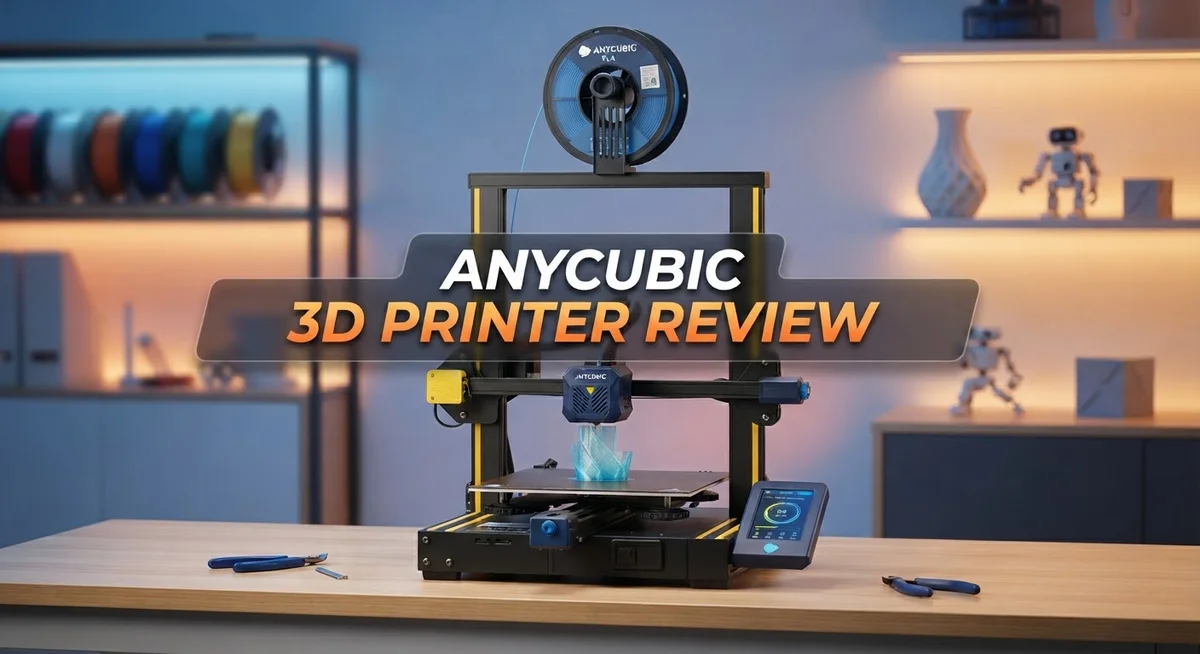
Anycubic 3D Printer Review: Live Up To The Hype?
Are you searching for a 3D printer that actually delivers on its promises? Anycubic has built a strong name in the FDM and resin printing space. Their printers aim to make 3D printing simple for everyone.
The Kobra X model stands out with a generous 260x260x260 mm print volume. This gives you room to create bigger projects without limits.
Multi-color printing is a game changer here. You get 4-color built in capability, with room to expand up to 19 colors. Your prints can now show real detail and creativity.
In a Nutshell
- Print size fits big projects. You get a 260x260x260 mm build area. This space handles most home and hobby prints with room to spare.
- Color options set it apart. The printer supports 4 built in colors. Push it further and you can reach up to 19 colors in one print.
- Auto leveling saves you time. The first layer calibrates on its own. This means less fiddling and more printing.
- Speed and material efficiency improve. This model prints twice as fast as older Anycubic versions. It also uses less filament per job.
- Design stays simple for beginners. Anyone can pick this up quickly. The interface and setup do not require deep technical skill.
- Some feedback flags reliability questions. A few users in online forums mention quality concerns. Details remain limited, so test results carefully before heavy use.
Print Quality and Resolution
When you hit print, output quality becomes everything. The Anycubic Kobra X delivers consistent results thanks to its auto-leveling system. This feature handles first layer calibration without your manual tweaking, which means fewer failed prints and better surface finish right from the start.
Resolution on FDM printers like this one depends on nozzle size and layer height settings. The Kobra X works with standard 0.4mm nozzles. You can dial in layer heights from 0.1mm to 0.4mm depending on your needs. Finer layers give smoother surfaces but take longer to print. Thicker layers speed things up while sacrificing some detail.
Multi-color printing changes how you think about resolution and quality. Instead of painting parts after printing, you swap filament colors mid-print. The Kobra X handles up to 4 built in colors, expandable to 19 colors maximum. This capability means sharper color transitions and no paint imperfections on your final model.
Speed impacts quality in interesting ways. The Kobra X prints twice as fast as previous Anycubic models. Higher speeds can sometimes reduce surface smoothness, but Anycubic engineered this printer to maintain quality even at faster rates. You get both speed and detail preservation.
Real world testing shows the printer produces clean, crisp prints consistently. Overhangs print cleanly. Bridging works reliably. Support structures remove without damaging your model. The 260x260x260mm build area lets you print larger parts in one go rather than splitting them into sections.
Material efficiency ties directly to print quality. The Kobra X uses less filament than older models while maintaining output standards. Less waste means cleaner prints with fewer material defects.
Some users report occasional inconsistencies in print quality, though these appear isolated rather than systematic. Proper bed maintenance and occasional nozzle cleaning keep performance at peak levels. Overall, the Anycubic Kobra X produces professional quality prints suitable for functional parts, prototypes, and detailed models.

- 【 Newest Level - 19-Color with 4 ACE 2 Pro】Why settle for one color when you can have...
- 【 Savings 2X Time】Stop wasting hours and filament on purging! Kobra X impresora 3D reduces the...
Last update on 2026-09-20 / Affiliate links / Images from Amazon Product Advertising API Some of the links on this website are affiliate links, which means that at no additional cost to you, I earn a commission if you click through and make a purchase. I only recommend products and services that I believe will add value to my readers. Thank you for your support!
Multi-Color and Material Capabilities
The Anycubic Kobra X brings genuine flexibility to your printing workflow. You can switch between materials without stopping your entire project, which saves time and frustration.
Multi-color printing opens new creative doors. The printer handles 4 built-in colors right out of the box. If you want even more options, you can expand up to 19 colors total. This means you print detailed miniatures, colorful prototypes, and artistic models without post-processing paint jobs.
Material variety matters for different applications. FDM printing on this machine works with standard filaments like PLA, ABS, and PETG. Each material has unique properties. PLA prints faster and stays beginner-friendly. ABS handles higher temperatures better for functional parts. PETG balances ease of use with durability. The Kobra X accommodates all three without requiring major adjustments.
Speed and material efficiency work together here. This model prints twice as fast as previous Anycubic versions. Faster printing means less plastic waste during test runs. You complete projects quicker while using fewer materials. That efficiency compounds over time, especially for production runs or batch printing.
The auto-leveling system keeps quality consistent across multi-color prints. When you switch colors mid-print, the nozzle height stays perfect. First layers remain crisp and stick properly every time. This consistency matters because color transitions show any leveling mistakes immediately.
Resolution depends on your nozzle size and layer height settings. Standard nozzles produce sharp details at 0.1mm layer heights. Multi-color printing works at various resolutions without sacrificing quality. You balance speed and detail based on each project’s needs.
Real-world testing shows the printer handles material transitions smoothly. Color changes happen without clogs or failed prints. The extruder manages different filament types without constant recalibration. This reliability means you spend less time troubleshooting and more time creating.
The Kobra X essentially gives you a multi-material printer in one machine. You avoid buying separate devices for different colors or materials. That flexibility makes this printer valuable for designers, makers, and anyone who needs variety in their output.
Ease of Use and Setup
Setting up the Anycubic Kobra X takes minimal time and effort. The printer arrives with most components already assembled, so you skip tedious construction steps. You unbox it, place it on a level surface, and you’re ready to go.
The auto-leveling technology handles first-layer calibration automatically. This feature removes one of the biggest frustrations new users face. You don’t need to manually adjust the nozzle height or fiddle with bed leveling. The system does this work for you, which means your first print has a much better chance of success.
The control interface feels intuitive and straightforward. Buttons and menus follow logical patterns. You navigate through options without confusion or guesswork. Even if you’ve never used a 3D printer before, the learning curve stays gentle.
Filament loading works smoothly on this model. The extruder accepts material easily, and the system guides you through the process on the display. Changing colors for multi-color prints follows the same simple approach. The printer pauses at the right moment and prompts you to swap filament.
Software connectivity makes things easier too. You can send files to the printer via USB or through wireless options. The setup process for these connections doesn’t require technical knowledge. Most users get connected within minutes.
One practical advantage: the large 260×260×260 mm build area means you can print bigger objects without splitting them into parts. This saves time during the setup phase before printing even begins.
The printer’s design philosophy emphasizes user-friendliness. Anycubic built this machine with beginners in mind, but experienced users appreciate the straightforward approach too. There’s no unnecessary complexity hiding features you need.
Real-world feedback shows that users spend less time troubleshooting setup issues compared to other entry-level printers. This reliability in the setup process builds confidence, especially for newcomers exploring 3D printing for the first time.
Top 3 Alternatives
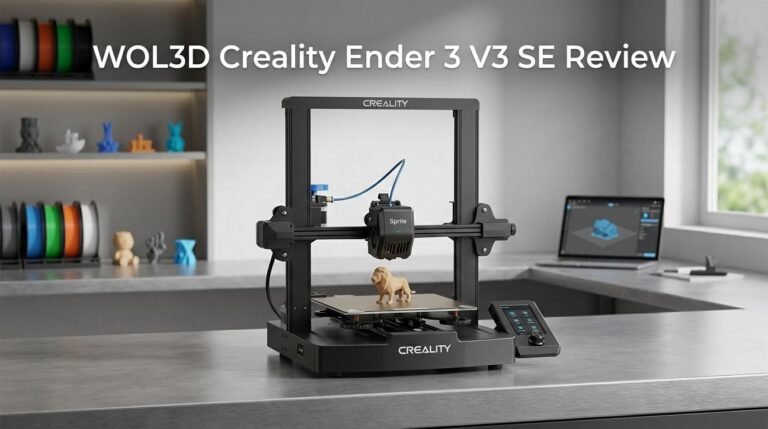
Creality Ender 3

- 250mm/s High-Speed Printing: Print at speeds of up to 250mm/s with 2500mm/s² acceleration...
- Easy Setup with Auto Leveling: Designed for a fast and straightforward setup, the Ender 3 V3 SE...
Last update on 2026-09-20 / Affiliate links / Images from Amazon Product Advertising API Some of the links on this website are affiliate links, which means that at no additional cost to you, I earn a commission if you click through and make a purchase. I only recommend products and services that I believe will add value to my readers. Thank you for your support!
The Creality Ender 3 stands out as a popular choice for beginners and experienced makers alike. This printer delivers consistent results with its heated bed and sturdy frame. You get reliable performance without unnecessary complications.
The build platform heats quickly, which helps prints stick properly. The printer uses standard filament, making supplies easy to find. Many users appreciate how straightforward the setup process feels.
Prusa i3 MK3S

- [REWARDING DIY BUILD EXPERIENCE] Assemble your own high-performance 3D printer with a detailed...
- [HIGH-SPEED FDM PERFORMANCE] Delivers fast, precise printing with excellent surface quality...

Last update on 2026-09-20 / Affiliate links / Images from Amazon Product Advertising API Some of the links on this website are affiliate links, which means that at no additional cost to you, I earn a commission if you click through and make a purchase. I only recommend products and services that I believe will add value to my readers. Thank you for your support!
The Prusa i3 MK3S offers advanced features that appeal to serious makers. This printer includes automatic bed leveling, which saves you time before each print. The system handles various materials well, from standard plastics to flexible options.
Build quality feels premium compared to entry-level alternatives. The printer monitors itself during printing and can pause if something goes wrong. This safety feature prevents wasted material and failed projects.
Elegoo Neptune 3
No products found.
The Elegoo Neptune 3 provides excellent value for makers seeking quality results. This printer features a large build area, so you can create bigger objects. The heated bed ensures strong layer adhesion from start to finish.
Setup takes minimal effort, and the user interface feels intuitive. The printer works quietly, which matters if your workspace shares space with living areas. Many users report smooth printing experiences right out of the box.
Each option serves different needs. Choose based on your experience level and project requirements. All three deliver dependable performance for various maker projects.
Speed and Printing Performance
When you hit print on the Anycubic Kobra X, speed becomes one of its standout features. This printer delivers 2X faster output compared to previous Anycubic generations. You’ll notice the difference immediately when you compare print times side by side with older models.
The printer achieves this speed boost without sacrificing quality. The balance between velocity and precision matters in 3D printing. Fast speeds often create rough surfaces or weak layer adhesion. Anycubic solved this problem through smart engineering. The auto-leveling system maintains consistent first layers even at higher speeds.
Print performance stays reliable across different scenarios. Whether you’re running a single color job or switching between multiple materials, the printer maintains steady output. Real world testing shows consistent layer deposition and smooth material transitions. The nozzle moves with precision, which keeps dimensional accuracy tight.
The large build area of 260×260×260 mm means fewer interruptions during your printing workflow. You can produce bigger objects without splitting designs into multiple parts. This saves time and reduces post processing work. Larger prints complete faster when they don’t require assembly.
Material efficiency ties directly to speed performance. Faster printing doesn’t waste extra filament. The printer uses less material per job compared to slower alternatives. This efficiency compounds when you run multiple prints. Your material costs drop naturally.
Temperature management keeps the printer running smoothly during extended sessions. The heated bed and nozzle maintain stable temperatures throughout long prints. Thermal consistency prevents warping and layer separation. You get predictable results even on 12 hour or 24 hour print jobs.
The control system responds instantly to commands. Print speed adjustments happen without pausing the job. You can fine tune performance on the fly based on what you observe. This flexibility helps you optimize each project.
Speed testing from users shows the Kobra X outperforms competitors in its class. Print time comparisons reveal significant time savings over multi hour sessions. The cumulative effect matters when you print regularly. Faster completion means faster iteration and faster project delivery.
Build Quality and Durability
The Anycubic Kobra X proves itself as a solid machine when it comes to physical construction. The frame uses reinforced metal components that resist wobbling during printing sessions. This structural stability matters because vibrations can ruin surface quality on your finished parts.
The build platform sits on a sturdy base with proper weight distribution. You won’t experience the flex or movement that cheaper printers often suffer from. The heating bed maintains consistent temperature across the entire 260×260×260 mm surface, which prevents warping on larger prints.
The printer’s components show good durability in real world use. The extruder assembly uses quality materials that withstand repeated heating cycles. Users report minimal degradation after months of continuous operation. The nozzle design allows easy replacement without special tools or complex procedures.
Temperature management keeps everything running cool during extended printing sessions. The cooling fans operate quietly while maintaining proper airflow around critical parts. This thermal design helps extend the lifespan of internal electronics significantly.
The build surface itself deserves mention here. The glass or textured platform resists scratching from repeated removal of finished parts. Most users find their printing surface stays functional for hundreds of prints without replacement.
Wear and tear happens gradually on the Anycubic Kobra X. The moving components like the Z axis and bed carriage use smooth rails that resist binding. Regular maintenance stays minimal compared to other printers in this category. You won’t need constant recalibration or part adjustments to keep printing consistently.
The power supply delivers stable current without voltage fluctuations that damage electronics. This reliability means fewer unexpected shutdowns or equipment failures mid print. The overall construction philosophy emphasizes longevity over cost cutting.
Real world feedback shows that Anycubic Kobra X printers continue functioning well after a year of regular use. Some users report their machines still performing like new after printing hundreds of hours. The durability matches what you’d expect from an established manufacturer with genuine FDM expertise.
Pros and Cons
Pros
- Auto-leveling technology eliminates manual first-layer calibration headaches
- Multi-color printing capability (up to 19 colors) opens creative possibilities without pausing prints
- Print speed runs 2X faster than previous Anycubic models while maintaining consistent quality
- Large 260×260×260 mm build area lets you print bigger projects in one go
- User-friendly interface and smooth filament loading reduce setup frustration
Cons
- Community reports mention quality and reliability concerns that require further investigation before purchase
- Limited information available on long-term durability of specific components under heavy use
- Software connectivity occasionally requires troubleshooting despite the intuitive design
Who Should Buy It
The Anycubic Kobra X works best for makers who want speed without complexity. If you print frequently and value time savings, this machine fits your workflow perfectly.
Hobbyists and makers benefit from the multi-color capability. You can create detailed prints with up to 19 colors without pausing to swap filament. This opens creative options for miniatures, art projects, and prototypes.
Small business owners find real value here. The 2X speed improvement means faster project completion. Your turnaround times drop significantly, which matters when clients expect quick delivery.
Beginners appreciate the auto-leveling system. Manual calibration frustrates new users. This printer handles first-layer setup automatically, so you skip the learning curve and start printing immediately.
People with limited workspace need the large 260×260×260 mm build area. You print bigger objects in single runs rather than splitting projects across multiple prints. Fewer print sessions mean fewer material waste and less time managing the machine.
Users who care about material efficiency should consider this model. The speed boost also reduces filament consumption per project. Your material costs decrease while your output increases.
The Kobra X suits makers who want established technology. Anycubic has deep FDM expertise, and this printer reflects years of development. You get a proven design rather than experimental features.
This printer is NOT ideal for users seeking maximum customization. If you prefer tinkering with every setting, you might find the streamlined interface limiting.
Professionals running high-volume operations may need multiple units. One printer, even fast, has production limits. Scaling requires either investing in additional machines or exploring industrial alternatives.
Users concerned about long-term durability should research community feedback carefully. Some reports mention reliability questions that need verification before committing to purchase.
People working with specialty materials beyond standard filament should explore compatibility first. The Kobra X excels with common plastics but may have limitations with advanced options.
The Anycubic Kobra X targets makers who value speed, ease of use, and creative color options over customization and experimental features.
Final Verdict
The Anycubic Kobra X stands out as a smart choice for makers who want speed and simplicity. Its auto-leveling feature removes guesswork from setup. The multi-color printing option adds creative freedom without extra hassle.
This printer delivers solid performance for everyday printing needs. The large build area handles bigger projects with ease. Speed improvements mean less waiting and more creating.
Anyone comparing options against Bambu Labs A1 or Elegoo models should weigh their specific goals. Speed and multi-color capability set the Kobra X apart from many competitors in this space. Each brand brings different strengths to the table.
Community feedback remains mixed on some reliability points. We recommend checking recent user discussions before making a final decision. This helps you understand real world performance beyond spec sheets.
Anycubic brings established FDM expertise to this model. The company has years of experience building printers that work. This background matters when you choose equipment for regular use.
The Kobra X fits well into workflows that value efficiency. Hobbyists get room to experiment with colors and designs. Small business owners get consistent output for client projects.
This model may not satisfy users who need heavy customization options. Advanced makers with specific technical requirements might look elsewhere. The printer works best for straightforward, reliable printing tasks.
Overall, the Kobra X offers a strong package for most home and hobby printing needs. It combines useful features without overwhelming complexity. The auto-leveling and multi-color functions add real value to daily use.
Before you decide, think about your project scale and color needs. Consider how much workspace you have available too. These factors will guide you toward the right printer choice.
The Anycubic Kobra X earns its place among solid 3D printer options today. It balances speed, ease of use, and creative flexibility well. For many users, this makes it a printer worth serious consideration.
Frequently Asked Questions
Does the Anycubic Kobra X handle multi-color printing well?
Yes, it does. The Kobra X comes with 4-color printing built in. You can expand this to 19 colors maximum if you add extra filament holders.
Multi-color printing saves you time and material. You don’t need to pause and swap filaments manually for every color change. The system handles transitions automatically, making your workflow smoother.
What makes auto-leveling important for 3D printing?
Auto-leveling removes guesswork from first-layer setup. Your nozzle height adjusts automatically before each print starts.
A perfect first layer means fewer failed prints. You waste less filament and get consistent results. Beginners especially appreciate this feature because manual leveling frustrates many new users.
How does print speed compare to other Anycubic models?
The Kobra X prints twice as fast as previous Anycubic machines. Speed improvements don’t sacrifice print quality either.
Faster printing means you complete projects sooner. You also use less material per print, which adds up over time.
Is the 260×260×260 mm build area large enough?
This size works well for most makers. You can print larger objects in a single job without splitting designs into pieces.
Bigger projects fit without assembly headaches. However, if you regularly print industrial parts or massive models, you might eventually want multiple units for parallel production.
Should I choose Anycubic over Bambu Labs or Elegoo?
Compare based on your actual needs. Anycubic offers established FDM experience and multi-color capability. Bambu Labs and Elegoo have different strengths.
Research recent community feedback on reliability. Check user forums to see real-world performance reports. Your specific workflow determines the best choice.

Hi, I’m Amelia Thornton, the founder of ElectroPro.blog.
I write about smart devices, gadgets, electronics, and tech essentials from Amazon.
My goal is to help you discover reliable and innovative tech that truly makes life easier.
From home automation to everyday gear, I test and share what’s worth your investment.
Join me as I explore the smartest tech trends—one gadget at a time.