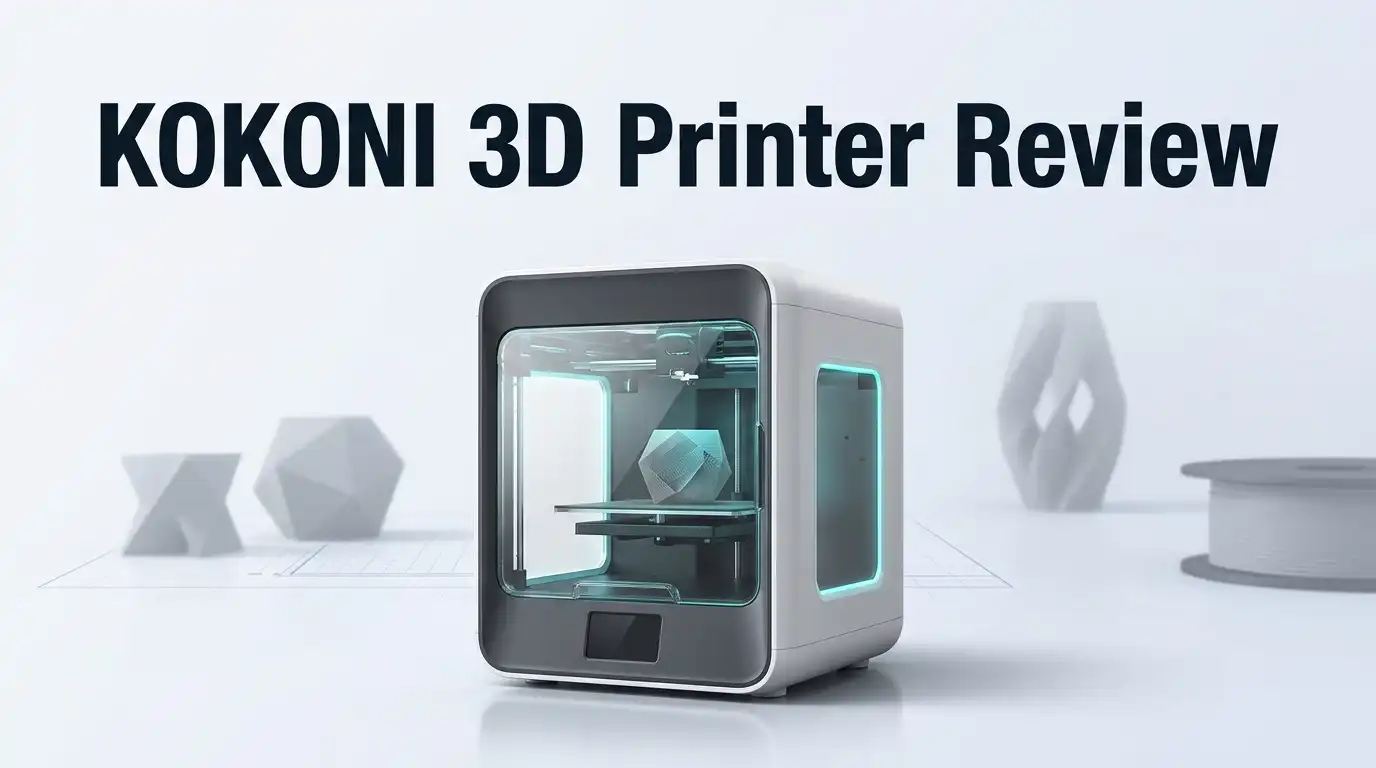
KOKONI 3D Printer Review: A Comprehensive Guide
Do you want a 3D printer that just works out of the box? The Kokoni 3D printer promises exactly that. It markets itself as a simple “Plug, Print & Play” device for beginners and hobbyists alike.
This little machine packs a punch despite its compact size. It features auto-leveling, a direct drive extruder, and a quick-swap nozzle. These tools make printing less stressful and more fun.
Many users praise its solid metal build and clean design. It looks great on any desk or workspace. The EC2 model even includes a built-in camera, so you can watch your prints come to life in real time.
In a Nutshell
- Auto leveling and a direct drive extruder keep every print smooth and accurate.
- The quick swap nozzle lets you change materials fast, with no fuss.
- You get multi color printing support, giving you more creative freedom.
- The EC2 model adds a built in camera, so you can watch your print live.
- A feature rich mobile app offers a model gallery and full printer control from your phone.
- Users report over 2000 hours of uptime, showing solid reliability.
- The build volume stays small, about 10cm x 10cm x 6cm, so it fits mini projects best.
- Setup can take longer than advertised, even with the plug and play promise.
- Against rivals like the Bambu Lab A1 mini, the Kokoni still holds its own with smart features and steady performance.
Key Specifications and Build Quality
The Kokoni EC Series delivers a solid metal construction that feels premium in hand. The compact footprint measures roughly 10cm wide, 10cm deep, and 6cm tall, making it ideal for desks with limited space. This small build volume works perfectly for miniature models, prototypes, and detailed hobby projects.
The direct drive extruder sits at the heart of print quality. This design pushes filament straight into the nozzle with minimal lag, giving you sharper details and fewer failed prints. You’ll notice cleaner layer transitions and better material control compared to Bowden setups.
Auto leveling removes one of 3D printing’s biggest headaches. The printer senses your bed height automatically, so manual adjustment becomes unnecessary. This feature alone saves hours of frustration, especially for beginners who find leveling confusing.
The quick swap nozzle system deserves special mention. Switching between nozzle sizes takes seconds instead of minutes. Want to print fine details? Swap to a 0.4mm nozzle. Need faster prints? Go 0.6mm. No tools required, just a quick twist and click.
Multi color printing opens creative possibilities. You can load different filament colors and create layered designs without stopping the printer. The EC2 model steps things up with a built in camera for live monitoring. Watch your print develop in real time through your phone, or review timelapse videos afterward.
The mobile app connects everything together. Browse a model gallery, queue prints, and adjust settings from anywhere. Users consistently report over 2000 hours of uptime, indicating this machine handles extended use without breaking down.
One realistic note: setup takes longer than the “plug and play” marketing suggests. Initial connectivity and calibration require patience, though the process remains straightforward. Once configured, the printer runs reliably day after day.
The build quality justifies the engineering choices. Metal components resist warping, and the overall design feels durable for long term use. This is a machine built to last, not a disposable gadget.

- One-Click Automatic Printing: Experience hassle-free 3D printing with the Adventurer 5M Series...
- 12X Ultra Fast Printing: Featuring a CoreXY structure with 600mm/s travel speed and 20000mm/s...
Last update on 2026-10-21 / Affiliate links / Images from Amazon Product Advertising API Some of the links on this website are affiliate links, which means that at no additional cost to you, I earn a commission if you click through and make a purchase. I only recommend products and services that I believe will add value to my readers. Thank you for your support!
Ease of Setup and User Experience
Getting the Kokoni 3D printer up and running is straightforward for beginners. The machine arrives well packaged with clear instructions. You connect the power, load filament, and calibrate the bed. Auto leveling handles most of the calibration work for you, which saves time and frustration.
The first startup does take longer than the marketing suggests. Connectivity between the printer and your mobile app requires patience. You need to connect to WiFi, create an account, and sync everything properly. Most users complete this in 15 to 20 minutes, not the instant “plug and play” experience promised.
Once connected, the mobile app becomes your control center. You can monitor prints from anywhere, start jobs remotely, and access a library of pre loaded models. The app interface feels intuitive. Buttons are large and clearly labeled. Even first time users navigate it without confusion.
The physical controls on the printer itself are minimal and simple. A single dial lets you adjust settings. The touchscreen displays essential information without overwhelming you. This clean design keeps the learning curve short.
The quick swap nozzle system makes material changes easy. You unclick the old nozzle and snap in a new one in seconds. No tools required. This encourages experimentation with different filament types.
Print preparation software works smoothly. You import a 3D model file, position it on the virtual build plate, and send it to print. The process feels natural and fast.
One small friction point: the build volume is compact at 10cm x 10cm x 6cm. This limits project size. You need to plan accordingly and split larger designs into multiple parts.
Overall, the user experience strikes a good balance. Setup requires some attention but nothing technical. Daily operation feels effortless once everything connects. The Kokoni suits anyone new to 3D printing who wants something reliable without steep learning curves. Experienced makers will appreciate the straightforward workflow too.
Print Quality and Multi-Color Capabilities
The Kokoni EC Series excels at delivering clean, consistent prints right out of the box. The direct drive extruder works with the auto leveling system to keep layers smooth and precise. You won’t see the common wobbles or misalignments that plague other compact printers.
Color printing is where this machine shows real creativity. The printer supports multi color printing, which means you can swap materials mid print or use different colors in one project. The quick swap nozzle makes these changes happen fast. No tools needed, no waiting around.
Detail quality depends on your expectations. For miniatures, small figurines, and compact designs, the Kokoni produces sharp details and clean surfaces. The 10cm x 10cm x 6cm build volume works best for focused, smaller projects. If you need large prints, this isn’t your machine.
Nozzle performance stays consistent across different materials. Users report that switching between PLA, PETG, and other filaments produces reliable results. The direct drive system handles material flow smoothly, so you get fewer clogs and failed prints.
One realistic note: print quality depends heavily on your model file and print settings. The Kokoni gives you the hardware to succeed, but you still need solid preparation. The mobile app includes helpful tools for this, but it’s not fully automatic.
Surface finish tends to be smooth on standard settings. You’ll see minor layer lines on larger flat surfaces, which is normal for this printer class. Post processing options like sanding or vapor smoothing work well if you want a polished look.
Multi color prints require planning. You need to pause the print at the right moments to swap colors or materials. The process works smoothly once you understand the workflow, but it’s not a single button solution.
Speed and quality balance reasonably well. The printer won’t rush through prints, which keeps quality high. Faster speeds sometimes introduce minor artifacts, but the default settings produce solid results.
The camera on the EC2 model helps you catch problems early. You can monitor print quality in real time through the mobile app, which gives you peace of mind during longer prints.
Top 3 Alternatives
Creality Ender 3

- 250mm/s High-Speed Printing: Print at speeds of up to 250mm/s with 2500mm/s² acceleration...
- Easy Setup with Auto Leveling: Designed for a fast and straightforward setup, the Ender 3 V3 SE...
Last update on 2026-10-21 / Affiliate links / Images from Amazon Product Advertising API Some of the links on this website are affiliate links, which means that at no additional cost to you, I earn a commission if you click through and make a purchase. I only recommend products and services that I believe will add value to my readers. Thank you for your support!
The Creality Ender 3 stands out as a popular choice for beginners. This printer uses FDM technology to build objects layer by layer. You get a large build platform that handles various project sizes. The machine heats up quickly and starts printing within minutes.
Many users appreciate the simple assembly process. The printer comes with clear instructions. You can find countless online guides and videos for setup help. The community support is strong, so getting answers to questions is easy.
Anycubic Photon Mono

- 【7'' 10K High Resolution】Photon Mono 4 boasts an impressive 105% increase in print precision...
- 【Powerful Light Source】The time-tested Anycubic LighTurbo matrix light source technology...

Last update on 2026-10-21 / Affiliate links / Images from Amazon Product Advertising API Some of the links on this website are affiliate links, which means that at no additional cost to you, I earn a commission if you click through and make a purchase. I only recommend products and services that I believe will add value to my readers. Thank you for your support!
The Anycubic Photon Mono operates using resin printing technology. This method produces highly detailed prints with smooth surfaces. The monochrome LCD screen speeds up printing compared to older resin printers.
This printer works well for miniatures, jewelry, and detailed figurines. The print quality impresses users who need precision. However, resin printing requires more cleanup than FDM methods. You’ll need proper ventilation and safety equipment when working with resin.
Prusa i3 MK3S

- [REWARDING DIY EXPERIENCE] Master your 3D printer by building it yourself with our detailed...
- [PRO-GRADE SPEED & QUALITY] Elevate your workshop with this high-speed CoreXY professional 3d...
Last update on 2026-10-21 / Affiliate links / Images from Amazon Product Advertising API Some of the links on this website are affiliate links, which means that at no additional cost to you, I earn a commission if you click through and make a purchase. I only recommend products and services that I believe will add value to my readers. Thank you for your support!
The Prusa i3 MK3S represents a premium FDM option. This printer includes automatic bed leveling, which saves time during setup. The machine handles multiple materials smoothly, from standard PLA to flexible TPU.
Build quality feels solid throughout the device. The printer recovers from power failures automatically, protecting your prints. Users report consistent results across different projects. The support team responds quickly to questions. This printer suits makers who want reliability and excellent customer service.
Each option serves different needs. Choose based on your project type and experience level.
Mobile App and Print Monitoring Features
The Kokoni mobile app is where this printer truly shines for remote monitoring and control. You can start, pause, or stop prints directly from your phone, even when you’re away from your desk. The app syncs quickly with the printer once initial setup is complete.
The built-in camera on the EC2 model streams live video to your phone. This lets you watch your print progress in real time. You catch layer problems early instead of discovering them after hours of printing. The timelapse feature automatically records your entire print, which is satisfying to review afterward.
Print history appears organized in the app. You see past jobs, success rates, and material used for each print. This data helps you learn what settings work best for different projects. The model gallery inside the app offers quick access to test prints and sample designs.
Notifications alert you when prints finish or encounter issues. You won’t miss a completed job sitting in the queue. If something goes wrong, the app sends you an alert so you can intervene quickly rather than waste material.
The app interface feels intuitive for beginners. Buttons are clearly labeled, and settings are grouped logically. You don’t need to dig through menus to find basic controls. Advanced users can access detailed settings when they want to fine tune performance.
One honest note: initial app connectivity can take longer than expected. Some users report 10 to 15 minutes of troubleshooting during first connection. After that initial setup, reconnection is usually instant.
The camera quality is decent but not cinema grade. It captures enough detail to spot layer shifts or nozzle clogs. Low light conditions make the feed grainier, so good lighting around your printer helps.
Multi-color printing workflows benefit from app control. You receive notifications to swap filament at the right moments. The app guides you through color change steps, reducing human error. Print monitoring becomes less stressful when you have real-time feedback at your fingertips.
Build Volume Limitations and Print Size Constraints
The Kokoni EC Series comes with a compact build volume of approximately 10cm wide by 10cm deep and 6cm tall. This translates to about 4 inches by 4 inches by 2.3 inches in imperial measurements. Understanding these dimensions matters because they directly shape what you can actually print.
Small prints work beautifully on this machine. Miniatures, decorative objects, and prototype parts fit comfortably. The printer handles detailed work within this space very well. However, if you need larger items, you’ll face real constraints. You cannot print a full sized action figure or a large functional bracket in one go.
The limited build platform affects your workflow in practical ways. You may need to split larger designs into multiple pieces for assembly later. This requires extra planning and post processing time. Some users find this manageable. Others see it as a significant limitation depending on their projects.
The compact design serves a purpose though. The smaller footprint means the Kokoni fits on desks and shelves where larger printers cannot. Beginners often appreciate this because they work in apartments or shared spaces. The trade off is clear: portability and affordability come at the cost of print size.
For multi color printing, the limited volume becomes even more relevant. Complex color projects need space for the printer to manage different material paths. Smaller designs work best for this feature. Ambitious multi color work may require breaking projects into sections.
If you plan to print functional parts for household items or replacement components, check dimensions carefully first. Many common objects exceed these limits. Kitchen organizers, tool holders, and storage solutions often need more space than the Kokoni provides.
The build volume limitation is not a hidden flaw. It’s a design choice that makes the printer accessible and compact. Your success depends on matching your project expectations to the machine’s capabilities. Users who print small to medium objects report satisfaction. Those expecting to print large items find disappointment. Honest assessment of your typical project size before purchasing saves frustration later.
Pros and Cons
Pros
- Auto-leveling and direct drive extruder make setup simple for beginners
- Compact metal build fits on desks and shelves without taking much space
- Quick-swap nozzle system lets you change materials and colors fast
- Built-in camera on EC2 model streams live video so you can watch prints from your phone
- Reliable performance with users reporting 2000+ hours of uptime
Cons
- Initial app connectivity takes longer than advertised, which can frustrate new users
- Build volume is small (10cm x 10cm x 6cm), so you cannot print large functional parts or replacement components
- Multi-color printing requires careful planning and takes extra time due to limited platform space
Who Should Buy It
The Kokoni EC Series works best for specific types of users. Let’s break down who gets the most value from this machine.
Beginners and hobbyists should seriously consider this printer. The setup process feels simple, and the auto-leveling system removes one of the biggest frustrations for new users. You won’t spend hours troubleshooting before your first print. The mobile app guides you through everything, and notifications keep you informed while you’re away from the machine.
Desk and shelf enthusiasts will love the compact design. If you live in a small apartment or share workspace, this printer fits where larger machines simply won’t. The solid metal build looks professional sitting on a shelf or desk corner. You get a real printer without sacrificing your living space.
Multi-color printing fans should pay attention. The quick-swap nozzle system and multi-color support make color switching faster than on many competitors. The app handles color management well, and the direct drive extruder keeps material flowing smoothly between color changes.
Remote print monitors benefit from the EC2 model’s built-in camera. Watch your prints happen from your phone while you’re at work or running errands. The timelapse feature creates satisfying videos of your projects completing.
Casual makers and creators fit this machine perfectly. Artists who want to print small decorative pieces, jewelry, miniatures, or prototypes will find the build volume more than adequate. The reliable performance means you can count on consistent results.
Who should skip it? Anyone needing large prints or functional household replacement parts should look elsewhere. The 10cm by 10cm by 6cm build platform simply cannot handle bigger projects. If you regularly print components bigger than a few centimeters, this machine won’t serve you well.
Users who demand zero setup friction might feel frustrated initially. App connectivity takes longer than advertised, so patience during the first connection helps. Once connected, everything runs smoothly, but that first experience can feel longer than expected.
The Kokoni EC Series targets people who value simplicity, compact size, and reliable performance over massive build volumes and industrial features.
Final Verdict
The Kokoni EC Series earns its spot as a solid pick for anyone starting their 3D printing journey. It blends simple setup with dependable output.
This printer does not try to be everything. It focuses on small scale printing done right.
Beginners get a machine that works out of the box with minimal fuss. Hobbyists get consistent results print after print.
The EC1 suits users who want core features without extra add ons. The EC2 adds a camera for those who like watching their prints progress remotely.
Choosing between them comes down to how much you value live monitoring versus keeping things basic.
Compared to other small format printers like the Bambu Lab A1 mini, the Kokoni holds its own. It offers a friendly app experience and steady performance that many new users appreciate.
No printer fits every need. The Kokoni skips large scale printing in favor of doing small prints well. That tradeoff defines its identity.
If your projects stay small, like miniatures, decor pieces, or prototypes, this machine delivers reliable results. It rewards patience during initial setup with smooth printing afterward.
Think of the Kokoni as a tool built for focused use. It does not chase every feature other printers offer. Instead, it nails the basics that matter most to everyday users.
Setup friction fades quickly once you clear the first connection hurdle. After that, printing becomes a simple routine.
For anyone who wants a compact, easy to use printer that handles small projects with confidence, the Kokoni EC Series stands as a smart choice. It proves that good design does not always need a huge footprint or endless features.
Pick the EC1 for simplicity. Pick the EC2 if remote monitoring matters to you. Either way, you get a printer built for practical, everyday creativity.
Frequently Asked Questions
Can I print large functional parts with the Kokoni EC Series?
No. The build volume maxes out at 10cm wide, 10cm deep, and 6cm tall. This means you cannot print large replacement components, structural pieces, or oversized decor items.
The Kokoni works best for miniatures, small prototypes, and decorative pieces. If your projects need bigger dimensions, you should look at larger format printers instead.
How long does the initial setup actually take?
Setup runs faster than most printers, but app connectivity takes longer than Kokoni advertises. You will spend extra time connecting the machine to your mobile app and WiFi network.
Once connected, printing becomes simple. The auto-leveling feature and direct drive extruder handle most calibration automatically. First prints typically launch within 30 to 45 minutes after unboxing.
What is the difference between the EC1 and EC2 models?
The EC2 includes a built-in camera for live timelapse monitoring. You can watch your prints happen from your phone, anywhere. The EC1 skips this feature but keeps all core printing functions.
Choose the EC2 if remote monitoring matters to you. Pick the EC1 if you prefer a simpler setup without camera features.
Does the Kokoni handle multi-color printing well?
Yes, but it requires planning. The limited platform space means you swap filament colors between layers, which adds print time.
Multi-color projects work best when you design them carefully. The mobile app helps you plan color changes before printing starts. Results look great when you invest the extra effort.
How reliable is this printer over time?
Users report 2000+ hours of uptime with consistent performance. The solid metal build and quality components hold up well under regular use.
Maintenance stays simple. The quick-swap nozzle and direct drive extruder make cleaning and repairs straightforward.

Hi, I’m Amelia Thornton, the founder of ElectroPro.blog.
I write about smart devices, gadgets, electronics, and tech essentials from Amazon.
My goal is to help you discover reliable and innovative tech that truly makes life easier.
From home automation to everyday gear, I test and share what’s worth your investment.
Join me as I explore the smartest tech trends—one gadget at a time.