Creality Hi 3D Printer Review: Complete Buyers Guide
Want a 3D printer that prints in many colors without fuss? The Creality Hi might be your answer. This machine brings multi-color printing to a whole new level. It supports up to 16 colors with four CFS units connected.
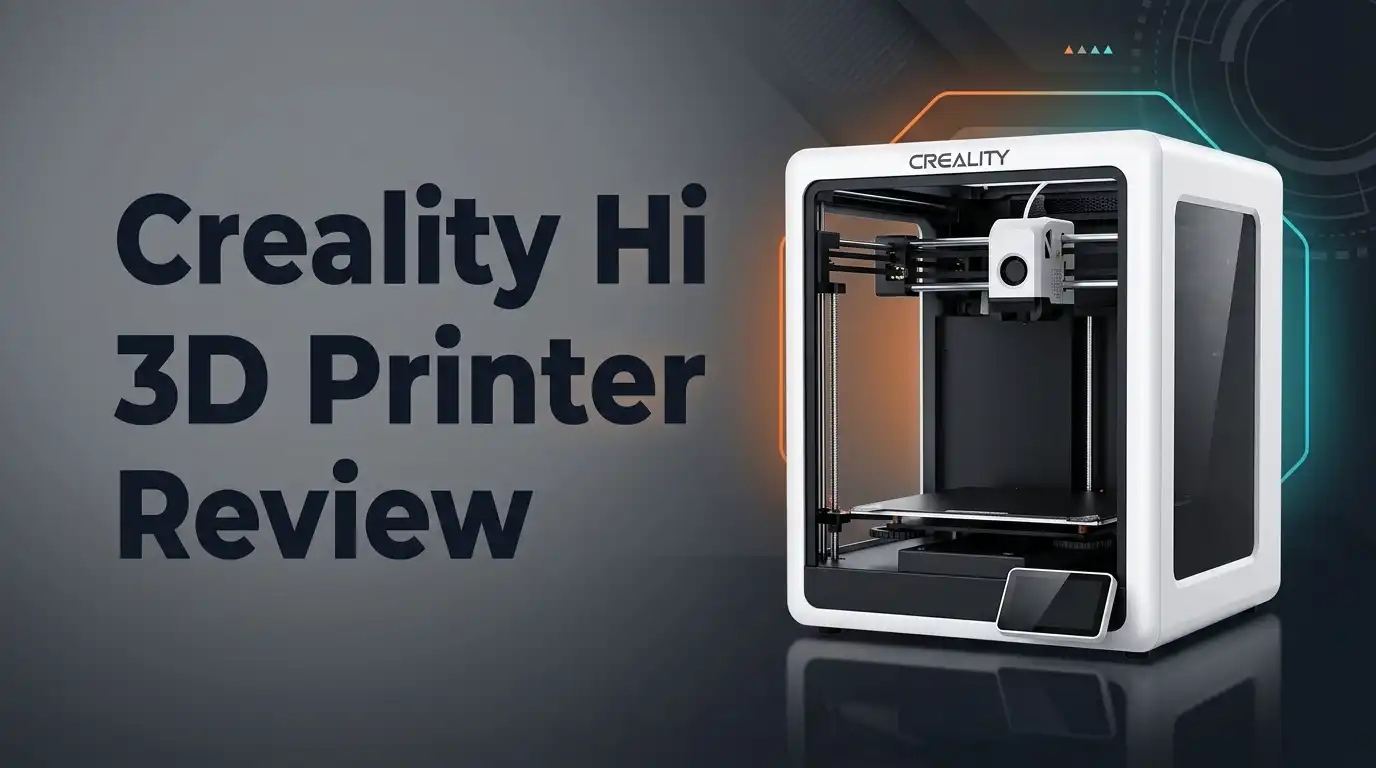
The body is all-metal die-cast aluminum. It comes 95% pre-assembled, so you skip the messy build process. Speed lovers will enjoy this printer too. It reaches print speeds of up to 500 mm/s without shaking or wobbling.
The tri-metal nozzle resists clogging. This means fewer interruptions and smoother prints every time. Smart features make this printer stand out. It has auto-leveling, auto filament load and unload, and a built-in RFID reader for filament presets.
In a Nutshell
- Almost ready to go: This printer arrives 95% pre-assembled. You spend less time building and more time printing.
- Auto leveling takes the guesswork out of setup. The printer adjusts itself for a perfect first layer every time.
- Filament handling is smart. Auto load and unload features mean you swap materials with ease. No more fiddly manual changes.
- The built in RFID reader detects filament automatically. It pulls up the right presets so your prints come out right.
- Build quality feels solid. The all metal frame keeps things steady, even during fast, detailed prints.
- One thing to note: this model is fairly new. There isn’t a huge community of user reviews yet to lean on.
- Compared to rivals like the Bambu Lab A1 Combo or Anycubic Kobra X Combo, the Hi holds its own with strong multi-color performance.
Key Features and Specifications
The Creality Hi packs impressive hardware under its sturdy frame. You get a machine that handles up to 16 colors with four CFS units working together. This opens doors for creative projects without swapping filament constantly.
Speed is a major strength here. The printer reaches up to 500 mm/s, which means your prints finish faster than many competitors. This matters when you’re working on multiple projects or running a small printing business.
The construction quality deserves attention. All-metal die-cast aluminum forms the body, eliminating the flex and wobble you find in plastic-frame machines. This rigid foundation keeps prints precise, even at high speeds. The printer arrives 95% pre-assembled, so you spend minutes setting up instead of hours.
The nozzle system uses tri-metal design that resists clogging. Clogged nozzles waste time and materials, so this feature saves frustration. You won’t need constant cleaning or replacements.
Smart automation makes printing easier. Auto-leveling removes the guesswork from bed preparation. The auto filament load and unload system handles material changes without manual intervention. You load new filament, and the printer takes over.
The built-in RFID reader detects filament automatically and applies preset settings. This means less manual configuration and fewer mistakes. The integrated camera lets you watch prints remotely, so you can catch problems early or monitor progress from another room.
These features work together to reduce setup time and user error. Whether you’re new to 3D printing or experienced, the automation handles repetitive tasks. You focus on design and creativity instead of troubleshooting.
The all-metal body combined with these smart features creates a machine that feels professional. It’s built to handle regular use without falling apart. The tri-metal nozzle and auto systems mean fewer maintenance headaches down the road.
This printer balances performance with practicality. High speeds don’t sacrifice quality, and the multi-color capability opens creative possibilities. The automation keeps the learning curve manageable for beginners while offering power for advanced users.

- 【Multicolor 3D Printing & Smart Filament Management】The Creality CFS brings smart multicolor 3d...
- 【500mm/s High Speed & Active Vibration Compensation】Equipped with high-performance FOC...
Last update on 2026-11-16 / Affiliate links / Images from Amazon Product Advertising API Some of the links on this website are affiliate links, which means that at no additional cost to you, I earn a commission if you click through and make a purchase. I only recommend products and services that I believe will add value to my readers. Thank you for your support!
Build Quality and Design
The Creality Hi shows real attention to physical durability. The all-metal die-cast aluminum frame feels solid in your hands. You won’t experience wobble or flex when the printer runs.
The machine arrives 95% pre-assembled, which means you spend less time building and more time printing. Setup takes minutes instead of hours. This design choice matters for people who want to start quickly.
The printer’s footprint is compact, making it suitable for desks and small workshops. The layout keeps everything accessible. You can reach the build plate and filament bay without awkward angles.
Build quality stands out when you examine the internal components. The frame resists vibration during high-speed printing. This stability directly impacts print accuracy and surface finish. A shaky machine produces layer misalignment and rough textures.
The tri-metal nozzle system represents smart engineering. Three metal layers work together to prevent clogs and extend nozzle life. Standard nozzles wear faster and clog more often. This design reduces maintenance headaches.
Cable management is clean and organized. Wires don’t tangle or catch during filament changes. The routing keeps everything protected from accidental damage.
The build platform uses a textured surface that holds prints securely. Removal is easy once printing finishes. The material doesn’t scratch easily, so it withstands repeated use.
The printer feels professional despite being relatively new to the market. It doesn’t have the plastic feel of budget machines. Every component seems purposeful rather than cheaply made.
Thermal management is adequate for the machine’s speed capabilities. The frame dissipates heat properly during long print sessions. This prevents thermal stress on internal components.
The overall design philosophy emphasizes reliability over unnecessary complexity. You get the features that matter: speed, multi-color capability, and durability. The construction backs up these promises with real materials and solid engineering.
Print Speed and Performance
The Creality Hi reaches speeds up to 500 mm/s, which puts it in the fast category for desktop 3D printers. This speed matters because you finish prints faster without sacrificing quality.
Speed alone doesn’t tell the whole story. The printer maintains consistent performance across different materials and print types. You get reliable output whether you’re printing functional parts or detailed models.
The all-metal die-cast aluminum body plays a key role in performance stability. A rigid frame means no wobbling during high-speed moves. This directly translates to cleaner prints and fewer failed jobs.
The tri-metal nozzle system works hard to keep things running smooth. Clogs interrupt your workflow and waste time. This nozzle design resists blockages, so you spend less time troubleshooting and more time printing.
Multi-color printing adds another performance dimension. The Creality Hi supports up to 16 colors using four CFS units maximum. You can create complex prints without stopping to swap filaments manually. This capability cuts down total print time for intricate projects.
Auto-leveling and auto filament load/unload features boost your actual printing efficiency. You don’t waste time on manual adjustments between jobs. The machine handles these repetitive tasks automatically, which means faster turnaround on multiple prints.
The built-in camera lets you monitor progress remotely. You check on your print without walking over to the machine. This peace of mind helps you manage your time better, especially during long print sessions.
Real world performance depends on how well everything works together. The Creality Hi combines fast movement speeds with smart automation. You get speed where it matters, plus features that save you time on setup and maintenance.
The printer handles demanding prints without overheating or slowing down. Thermal management keeps components at safe temperatures even during extended sessions. This reliability means you can trust the machine for back-to-back projects without cooling breaks.
Performance consistency is what separates good printers from great ones. The Creality Hi delivers steady results across various print scenarios, making it a dependable choice for users who value both speed and reliability.
Top 3 Alternatives
Anycubic Kobra Max

- 【Massive 350x350x350mm³ Build Volume】 Anycubic Kobra S1 Max Combo has extra-large...
- 【Fully-Enclosed CoreXY Structure】 Built with a solid all-metal frame that stays rock-steady even...
Last update on 2026-11-19 / Affiliate links / Images from Amazon Product Advertising API Some of the links on this website are affiliate links, which means that at no additional cost to you, I earn a commission if you click through and make a purchase. I only recommend products and services that I believe will add value to my readers. Thank you for your support!
Elegoo Neptune 3

- 4-Color Printing with CANVAS - Enjoy seamless 4-color printing with the CANVAS system's instant...
- Redefining Material Versatility - Print across a wide range of materials, from basic to...
Last update on 2026-11-19 / Affiliate links / Images from Amazon Product Advertising API Some of the links on this website are affiliate links, which means that at no additional cost to you, I earn a commission if you click through and make a purchase. I only recommend products and services that I believe will add value to my readers. Thank you for your support!
Ender 3 V3

- 【250mm/s High-speed Printing】Creality Ender 3 V3 SE 3d printer supports a maximum printing speed...
- 【Powerful ""Sprite"" Direct Extruder】Ender 3 V3 SE is the upgrade of ender 3, ender 3 v2, ender...
Last update on 2026-11-19 / Affiliate links / Images from Amazon Product Advertising API Some of the links on this website are affiliate links, which means that at no additional cost to you, I earn a commission if you click through and make a purchase. I only recommend products and services that I believe will add value to my readers. Thank you for your support!
Multi-Color Printing Capabilities
The Creality Hi supports up to 16 colors through a maximum of 4 CFS (color feeding system) units. This opens doors for projects that demand visual complexity without requiring multiple machines.
The multi-color setup works because each CFS unit handles its own filament spool independently. You load different colors into separate units, and the printer switches between them automatically during the print job. The built-in RFID reader makes this process smoother by detecting which filament sits in each unit and applying the correct settings without manual input.
Real world multi-color printing depends on reliable nozzle performance. The tri-metal nozzle system prevents clogs that would otherwise interrupt color transitions. When a nozzle clogs mid print, your entire color sequence falls apart. The Creality Hi’s design minimizes this frustration.
Color switching happens through the printer’s firmware. You design your model with different colors assigned to different parts, then load your file into the machine. The printer manages the transitions between filaments automatically. This removes the guesswork from multi-color projects.
The camera built into the machine lets you watch color changes happen in real time. You can monitor from your phone or computer to catch any issues before they ruin your print. This remote visibility proves valuable for longer projects that use multiple colors.
Managing four separate filament units requires some planning. Your workspace needs room for the additional spools and feeding systems. Cable management becomes more important with extra units attached. The Creality Hi’s clean cable routing helps keep things organized.
Color accuracy depends on your filament quality and printer calibration. Premium filaments produce more consistent colors than budget options. The auto-leveling system ensures each layer prints at the same height, which keeps colors looking uniform across your finished piece.
Multi-color printing expands what you can create without post processing. Miniatures, decorative objects, and functional parts all benefit from color variety. The Creality Hi makes this capability accessible without requiring professional grade equipment or complex workflow changes.
Ease of Use and Automation Features
The Creality Hi makes printing easier through smart automation features that handle repetitive tasks for you. The auto-leveling system checks your bed position before each print starts. This means you spend less time adjusting and more time creating. The printer levels itself quickly and accurately every single time.
Filament management becomes nearly hands-free with the auto load and unload functions. You insert your filament, and the machine takes over from there. Unloading happens just as smoothly when you want to switch materials. This automation saves you from fiddling with manual feeding mechanisms.
The built-in RFID reader adds another convenience layer to your workflow. Each filament spool carries an RFID tag that stores preset information. When you load a new spool, the printer reads the tag and automatically applies the correct settings. No more hunting through menus to find your preferred temperatures and speeds.
The integrated camera transforms how you monitor prints while away from your desk. You can check progress from your phone or computer at any time. This feature works especially well for longer prints that take several hours. You catch problems early before they waste material and time.
The user interface keeps things straightforward without overwhelming you with options. Navigation through menus feels logical and responsive. First time users can start printing within minutes of unboxing. The learning curve stays shallow because the machine handles the complex parts automatically.
Multi-color printing automation simplifies color switching during prints. Your firmware manages transitions between the four CFS units smoothly. You focus on design while the printer manages the technical color-swapping details. This frees you from manual intervention during multi-color projects.
The combination of these features creates a printer that works with you rather than against you. Setup takes minimal effort, and operation requires less hands-on management than many competitors. Whether you’re printing single colors or managing multiple filaments, the Creality Hi handles the automation so you handle the creativity. This balance between power and ease makes it accessible to both beginners and experienced makers.
Pros and Cons
Pros
- Sturdy all metal construction delivers zero wobble during high speed printing
- Print speeds reach 500 mm/s so your projects finish faster
- Tri metal nozzle resists clogs and keeps colors switching smoothly
- RFID auto detection reads filament presets so setup takes seconds
- Built in camera lets you monitor prints from anywhere on your phone
Cons
- Community feedback remains limited since this model just entered the market
- User forums and troubleshooting guides are still developing
- Learning curve exists for managing four separate filament units effectively
- Color accuracy depends heavily on your filament quality and calibration skill
Who Should Buy It
The Creality Hi works best for creators who want multi-color printing without extra hassle. If you’ve been avoiding color projects because they seemed too complicated, this machine changes that equation.
You should buy this printer if you run a small business making custom items. The four filament units let you print complex designs in one go. Your finished products look professional without needing paint or post-processing work afterward.
Hobbyists who love experimenting will find real value here too. You can test color combinations quickly. The 500 mm/s speed means your ideas come to life faster. You spend less time waiting and more time creating.
Educational settings benefit from this printer’s automation features. Teachers can set up prints and let students focus on design rather than troubleshooting. The auto-leveling and filament loading remove common frustration points that slow down learning.
Content creators and YouTube makers should consider this option. The built-in camera lets you film color transitions happening in real time. Your audience sees the printing process unfold, which makes better content than static shots.
You’re a good fit if you prefer machines that work independently. The RFID reader handles filament detection automatically. You don’t need to manually input settings for each color change. The printer remembers your preferences and applies them instantly.
However, skip this printer if you’re brand new to 3D printing. You’ll benefit more from learning on a single-color machine first. The multi-filament system adds complexity that beginners don’t need yet.
This isn’t the right choice if you need extensive community support immediately. Since this model recently launched, online forums and user guides are still growing. You might feel isolated when troubleshooting unusual problems.
Avoid this printer if you work with exotic materials. It handles standard filaments well, but specialty materials require different handling. Stick with proven models if you need that flexibility.
The Creality Hi targets experienced makers who understand 3D printing basics and want to level up their creative output. It rewards users who value speed, automation, and color capability.
Final Verdict
The Creality Hi earns its spot as a genuine innovation in desktop 3D printing. It brings serious multi-color capability into a single machine without demanding a steep learning curve.
Compared to rivals like the Bambu Lab A1 Combo or Anycubic Kobra X, the Hi holds its own. Its all-metal frame and tri-metal nozzle give it an edge in long-term durability.
Creality has a strong track record in the 3D printing space. This model builds on that legacy while pushing into new territory with automated color switching and smart monitoring tools.
The printer shines brightest for users who value independence. It handles repetitive tasks so you can focus on design work instead of babysitting a machine.
Small business owners will appreciate how this printer scales production without adding staff hours. Hobbyists get a chance to explore multi-color projects that once required expensive setups.
Schools and content creators both benefit from a machine that runs reliably with minimal supervision. That reliability matters when time and attention are limited resources.
Still, this printer isn’t for everyone. If you crave deep community support right now, you might feel a bit isolated as an early adopter.
New printer owners might also find the multi-filament system a bit much to manage at first. A simpler single-color printer could serve better as a first machine.
For everyone else, the Creality Hi delivers real value through smart engineering. It solves problems that other printers create, like tangled filament switches and inconsistent nozzle performance.
This is a printer built for growth. As you gain experience, its features become more useful rather than less relevant.
The verdict comes down to this: choose the Creality Hi if you want a machine that grows with your skills. Skip it only if you need extensive troubleshooting support right away.
For most creators ready to level up their prints, this printer offers a smart path forward.
Frequently Asked Questions
Can the Creality Hi handle multiple colors in one print?
Yes, the Creality Hi supports up to 16 colors using four filament units (CFS). You load different filament types into each unit. The RFID reader automatically detects your filament and loads the right presets. This means color switching happens without manual adjustments between layers.
The tri-metal nozzle keeps clogs away during color changes. Your prints finish with smooth transitions between colors. This feature works best when you plan your design with color blocks in mind.
How fast does this printer work?
The Creality Hi reaches speeds up to 500 mm/s. This is significantly faster than many standard printers. Your projects finish in less time, which matters if you print frequently.
Higher speeds don’t mean lower quality. The all-metal construction keeps vibration minimal. Your prints stay precise even at top speed.
Is this printer easy to set up?
The Creality Hi arrives 95% pre-assembled. You won’t spend hours building it from scratch. Auto-leveling handles bed calibration for you. The auto filament load and unload system removes manual threading.
Setup takes minutes, not days. Most users get their first print running the same day it arrives.
What should I watch out for with this printer?
The multi-filament system requires some learning. Managing four separate units takes practice. You’ll need to understand how filament types interact with each other.
The built-in camera helps you catch problems early. You can monitor prints from your phone while away. This reduces failed print waste.
Who should actually buy this printer?
This machine works best for small business owners, content creators, and educators. If you run a custom printing service, the multi-color capability saves time. Teachers appreciate the automation features that let students focus on design instead of machine management.
Skip this printer if you’re completely new to 3D printing. Start with a simpler single-filament model first.

Hi, I’m Amelia Thornton, the founder of ElectroPro.blog.
I write about smart devices, gadgets, electronics, and tech essentials from Amazon.
My goal is to help you discover reliable and innovative tech that truly makes life easier.
From home automation to everyday gear, I test and share what’s worth your investment.
Join me as I explore the smartest tech trends—one gadget at a time.