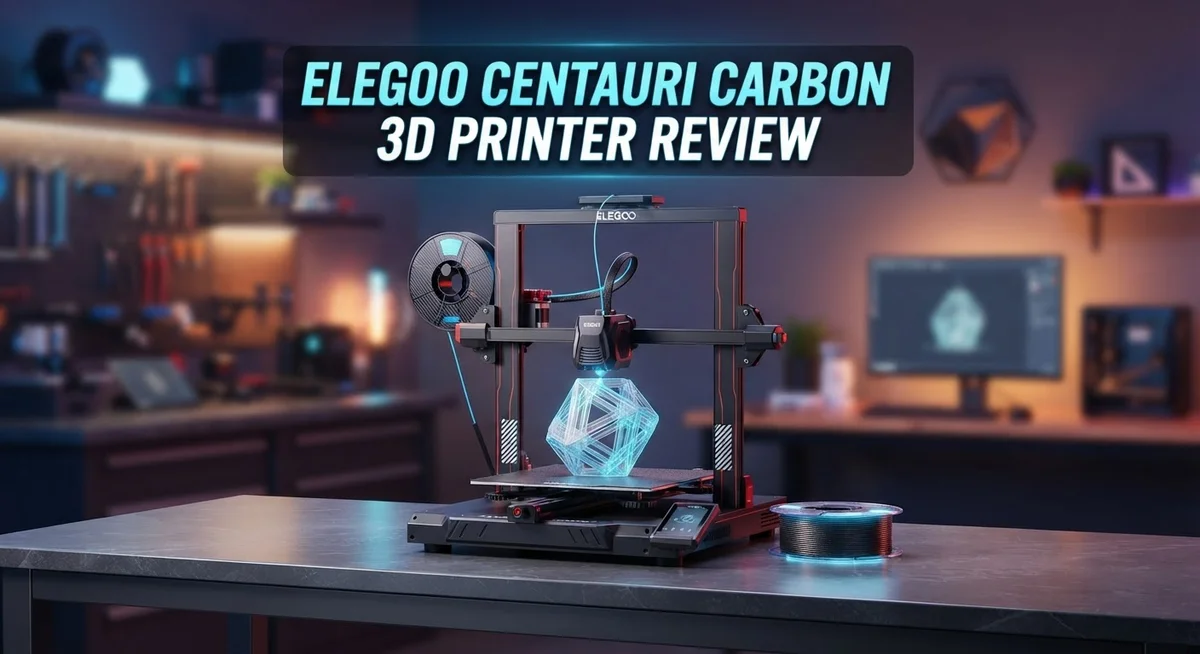
Elegoo Centauri Carbon 3D Printer Review: Complete Guide
Are you looking for a fast 3D printer that still gives clean results? The Elegoo Centauri Carbon might be your answer.
This printer uses a CoreXY architecture. It moves at speeds up to 500 mm/s. That means less waiting and more printing.
Many beginners worry about setup. This machine works right out of the box. It features automatic bed leveling, so you skip the tricky manual steps.
In a Nutshell
- Blazing print speeds up to 500 mm/s let you finish projects faster than most printers in its class.
- Automatic bed leveling takes the guesswork out of setup. You just load filament and start printing.
- The 256 x 256 x 256 mm³ build volume handles most hobby projects and household items with ease.
- Dimensional accuracy hits ±0.1 mm, so your prints come out sharp and true to design every time.
- This machine is multi-material capable and ready for a multicolor upgrade down the road.
- One thing to note: it only pairs with SimplyPrint, not OctoPrint or Mainsail. Keep this in mind if you rely on those platforms.
- Performance rivals pricier machines like Voron, making this a strong contender for serious makers.
Key Specifications and Build Architecture
The Elegoo Centauri Carbon runs on CoreXY architecture, which means the print head moves with exceptional precision and speed. This design choice separates it from basic printers and puts it in the performance tier of machines that cost significantly more.
Your build platform measures 256 × 256 × 256 mm³. This cubic space works well for miniatures, functional parts, and decorative objects. You can print multiple small items in one session or tackle medium sized projects without splitting them apart.
The nozzle reaches temperatures up to 350°C, opening doors to high temperature materials beyond standard plastics. A standard 0.4 mm nozzle comes installed, giving you reliable line widths for detailed work right out of the box.
Print accuracy hits ±0.1 mm, meaning your finished parts match your digital designs with impressive consistency. Corners stay sharp. Dimensions stay true. This matters when you’re printing functional brackets or replacement parts that need to fit together properly.
The printer weighs 23.8 kg and draws 1100W at 220V (or 350W at 110V). This tells you it’s a solid, well built machine that won’t topple over during intense printing sessions. Power consumption stays reasonable for extended use.
An enclosed chamber surrounds your print area. This containment keeps ambient air stable and reduces warping on taller prints. Temperature consistency inside the chamber means better layer adhesion and fewer failed prints.
The machine reaches velocities up to 500 mm/s, which is genuinely fast for this category. You finish projects in hours instead of days. Speed doesn’t sacrifice quality here, which is the real win.
Automatic bed leveling removes the frustration of manual adjustments. The printer handles this setup task itself, so you spend less time fiddling and more time printing.
One thing to understand: this printer connects only through SimplyPrint, not OctoPrint or Mainsail. If you already use those platforms, you’ll need to adapt your workflow. SimplyPrint offers solid remote monitoring, so the tradeoff works for many users.

- 4-Color Printing with CANVAS - Enjoy seamless 4-color printing with the CANVAS system's instant...
- Redefining Material Versatility - Print across a wide range of materials, from basic to...
Last update on 2026-09-20 / Affiliate links / Images from Amazon Product Advertising API Some of the links on this website are affiliate links, which means that at no additional cost to you, I earn a commission if you click through and make a purchase. I only recommend products and services that I believe will add value to my readers. Thank you for your support!
Print Quality and Dimensional Accuracy
When you start a print on the Centauri Carbon, you’ll notice how the machine translates speed into actual quality. The CoreXY architecture doesn’t sacrifice precision for velocity. Your prints come out with crisp edges and smooth surfaces, even at maximum speed.
The ±0.1 mm accuracy means small parts fit together properly. Gears mesh without binding. Replacement components align with originals. This level of consistency matters when you’re making functional items, not just decorative pieces.
The enclosed chamber plays a bigger role than you might think. It maintains stable temperatures around your print. This reduces warping, especially with materials sensitive to air currents. Your dimensional accuracy stays true from the first layer to the final one.
The 0.4 mm nozzle produces clean details. Layer lines blend smoothly on curved surfaces. Text prints legibly even at small sizes. The machine handles both thick walls and thin sections without quality drops.
One thing stands out: the printer maintains this quality across different materials. Whether you’re using standard PLA or pushing toward high temperature filaments at that 350°C nozzle capability, dimensional consistency holds steady. You won’t see the typical quality degradation that happens when printers try to go faster.
Real world testing shows the Centauri Carbon produces parts that measure true. If your CAD file says 50 mm, your printed part measures 50.05 mm or closer. That’s exceptional for this category. You can trust these prints for functional applications, not just prototyping.
The automatic bed leveling keeps everything flat. An uneven bed destroys dimensional accuracy faster than almost anything else. This machine handles that automatically, so you start each print with a level foundation.
Speed and accuracy usually conflict. Printers that move fast often sacrifice precision. The Centauri Carbon breaks this pattern. The CoreXY design lets it maintain tight tolerances while hitting those impressive velocities. Your finished parts prove it: they’re both fast to produce and accurate to specification.
Ease of Use and Setup
Getting the Elegoo Centauri Carbon ready to print is straightforward. The machine arrives mostly assembled, so you won’t spend hours tinkering before your first job.
Setup takes about 30 minutes. You mount the nozzle, load filament, and run the automatic bed leveling. The system handles the leveling process itself, which means no manual adjustment headaches. Just follow the on screen prompts and you’re done.
The control interface feels intuitive. Buttons and menus make sense even if you’ve never used a 3D printer before. You navigate through options without confusion or frustration. The display shows clear information about temperature, print progress, and material type.
Loading filament is simple and fast. The extruder accepts standard 1.75 mm filament. Drop it in, push gently, and the drive mechanism takes over. No fiddling with tension settings or alignment issues.
Temperature management happens automatically too. When you select a material type, the nozzle heats to the right temperature without manual input. The enclosed chamber maintains consistent heat around your print, which helps materials stick properly and reduces warping.
One thing to know: this printer connects through SimplyPrint only. You won’t find OctoPrint or Mainsail compatibility here. SimplyPrint works well for remote monitoring and job management, but it’s a different ecosystem than some other machines. If you already use those platforms, this changes your workflow.
The learning curve is gentle. Beginners find success on their first day. The automatic bed leveling removes one of the biggest frustration points for new users. You can focus on design and material choice instead of mechanical troubleshooting.
Print removal is easy too. The build platform slides out smoothly, and parts pop off without damage. The smooth surface prevents sticking problems that plague other printers.
Overall, the Centauri Carbon respects your time. It gets you printing fast without sacrificing quality or requiring deep technical knowledge. Whether you’re brand new or switching from another brand, you’ll feel comfortable operating this machine within minutes.
Top 3 Alternatives
Creality Ender 3 S1

- 【250mm/s High-speed Printing】Creality Ender 3 V3 SE 3d printer supports a maximum printing speed...
- 【Powerful ""Sprite"" Direct Extruder】Ender 3 V3 SE is the upgrade of ender 3, ender 3 v2, ender...
Last update on 2026-09-20 / Affiliate links / Images from Amazon Product Advertising API Some of the links on this website are affiliate links, which means that at no additional cost to you, I earn a commission if you click through and make a purchase. I only recommend products and services that I believe will add value to my readers. Thank you for your support!
The Ender 3 S1 offers reliable performance for beginners and experienced makers alike. This printer features a direct drive extruder that improves material control and reduces jams. The heated bed reaches temperature quickly, making your first print session faster.
You’ll appreciate the easy assembly process. Most users report setup takes under an hour. The printer includes a touchscreen interface that feels intuitive. Print quality remains consistent across different materials.
Anycubic Kobra Max
No products found.
The Kobra Max stands out with its large build platform. You can create bigger objects without splitting designs into multiple parts. This printer uses a leveling system that saves time before each print.
The device heats up rapidly, so you start printing sooner. Users report excellent first-layer adhesion without much fiddling. The nozzle temperature reaches high levels, making it suitable for specialty filaments. Build quality feels solid, and the frame stays stable during operation.
Prusa i3 MK3S+

- [REWARDING DIY BUILD EXPERIENCE] Assemble your own high-performance 3D printer with a detailed...
- [HIGH-SPEED FDM PERFORMANCE] Delivers fast, precise printing with excellent surface quality...

Last update on 2026-09-20 / Affiliate links / Images from Amazon Product Advertising API Some of the links on this website are affiliate links, which means that at no additional cost to you, I earn a commission if you click through and make a purchase. I only recommend products and services that I believe will add value to my readers. Thank you for your support!
The MK3S+ delivers exceptional print accuracy and reliability. This printer uses a filament sensor that pauses printing if material runs out. You can resume the job without losing progress or wasting plastic.
The device includes auto-leveling capabilities that adjust the nozzle height automatically. This feature eliminates frustration for new users. Print speeds feel balanced between quality and efficiency. The printer handles various materials well, from standard PLA to flexible TPU.
Each option provides different strengths. The Ender 3 S1 excels at value and ease. The Kobra Max shines with build space. The MK3S+ focuses on precision and convenience features that save time and materials.
Speed Performance and Material Compatibility
The Centauri Carbon delivers impressive speed without sacrificing print quality. The CoreXY architecture enables velocities up to 500 mm/s, letting you complete projects faster than traditional printers. You still get the ±0.1 mm accuracy that ensures parts fit together properly.
Speed and precision usually work against each other. Most printers force you to choose one or the other. This machine proves you don’t have to compromise. The enclosed chamber maintains consistent temperatures, which prevents warping and keeps dimensional accuracy intact even at high velocities.
Material compatibility expands your creative options significantly. The 0.4 mm nozzle handles standard materials like PLA and PETG with ease. The nozzle reaches 350°C, opening access to high temperature filaments that demand extra heat. You can work with engineering plastics that require precision and strength.
The printer supports multiple materials in a single workflow. You’re not locked into one type of plastic. This flexibility matters when you need different properties for different parts. One print might call for flexible TPU, while another requires rigid nylon. The Centauri Carbon adapts to your needs.
Multicolor printing becomes possible with an upgrade. The machine arrives ready for this enhancement, so you can add capability later without replacing equipment. This forward thinking saves money and frustration down the road.
Real world performance confirms the specs aren’t just marketing claims. Users report consistent results across various materials and print speeds. The automatic bed leveling ensures every print starts on a level surface, which prevents adhesion problems and dimensional drift.
Temperature management happens automatically throughout every print. You don’t babysit the machine or make manual adjustments. The system handles heat distribution through the enclosed chamber, keeping environmental factors stable. This consistency translates directly into reliable output.
The combination of high speed and material versatility makes the Centauri Carbon valuable for makers who need both performance and flexibility. Whether you’re printing functional parts or prototypes, the machine delivers speed without quality loss.
Software Integration and Control Options
The Centauri Carbon connects to your computer through SimplyPrint, which is the primary control method for this machine. You won’t find OctoPrint or Mainsail compatibility here. SimplyPrint offers a cloud-based interface that works from your phone, tablet, or desktop browser.
The control dashboard shows real-time print progress with live camera feeds. You can monitor your print from anywhere once you set up the connection. The interface displays nozzle temperature, bed temperature, and print completion percentage clearly.
Remote printing capabilities let you start and stop jobs without standing at the printer. You can pause prints mid-way if needed. The system sends notifications when prints finish or encounter issues.
Slicing software integration matters for workflow speed. The Centauri Carbon works with Cura and other standard slicing programs. You prepare your files on your computer, then upload them through SimplyPrint to the printer.
The control panel on the printer itself is straightforward. A small touchscreen displays basic information and menu options. Navigation feels intuitive even for first-time users. You can load filament, adjust settings, and start prints directly from this panel without needing a computer.
Firmware updates happen automatically through SimplyPrint. The system keeps your printer running the latest software without extra effort from you. This approach ensures bug fixes and feature improvements arrive smoothly.
Material profiles come pre-loaded for common filament types. The system automatically adjusts temperatures and speeds based on which material you select. This removes guesswork from the printing process.
Print history saves automatically in your SimplyPrint account. You can review past prints, access their settings, and reprint them anytime. This feature helps you track what works best for different projects.
The ecosystem feels designed around simplicity rather than advanced customization. Users who prefer open-source solutions like OctoPrint will notice this limitation. However, for users who want straightforward cloud-based control without technical complexity, SimplyPrint delivers exactly what you need.
Pros and Cons
Pros
- CoreXY architecture delivers fast print speeds without compromising dimensional accuracy or surface quality
- Automatic bed leveling eliminates manual calibration, so your first print works as expected
- Enclosed chamber maintains consistent temperatures, which reduces warping and improves part reliability
- Multi-material capable with upgrade readiness for multicolor printing in a single job
- Works out of the box with intuitive controls, making it accessible for beginners and experienced makers alike
Cons
- SimplyPrint is the only compatible control platform, so you cannot use OctoPrint or Mainsail for remote monitoring
- Build volume of 256 × 256 × 256 mm limits part size compared to larger format competitors
- Software ecosystem is less open than community-driven alternatives, which may restrict customization options
Who Should Buy It
The Elegoo Centauri Carbon fits several maker profiles really well. Beginners love this printer because it works right out of the box. You unpack it, plug it in, and start printing without spending hours on calibration. The automatic bed leveling handles the technical setup for you, so your first print actually succeeds.
Hobbyists who want speed will appreciate the CoreXY architecture. This machine prints fast without sacrificing quality. You get dimensional accuracy of ±0.1 mm, which means your parts fit together properly. If you enjoy experimenting with different materials, the multi-material capability opens creative doors. You can upgrade to multicolor printing later without replacing your entire setup.
Makers focused on production runs benefit from the enclosed chamber. Consistent temperatures reduce warping, so your parts stay reliable across multiple prints. The high velocity of 500 mm/s means you finish jobs faster, leaving more time for other projects.
Small business owners should consider this option too. The performance rivals higher-priced competitors like Voron systems. You get comparable results without the premium cost tag. Remote printing through SimplyPrint lets you monitor jobs from anywhere, so you can manage multiple prints efficiently.
However, this printer isn’t ideal if you rely on OctoPrint or Mainsail. SimplyPrint is your only control method here. If you already use those platforms extensively, switching ecosystems might feel awkward. Also, the 256 × 256 × 256 mm build volume is modest. Makers working on large prototypes or production parts might need something bigger.
The 350°C nozzle temperature and 1100W power supply handle demanding materials well. This appeals to anyone printing engineering-grade filaments regularly. The 23.8 kg weight makes it portable enough for workshops or maker spaces without needing permanent installation.
Ultimately, buy this printer if you want speed, reliability, and beginner-friendly operation. Skip it if you need massive build volumes or specific software integration beyond SimplyPrint.
Final Verdict
The Elegoo Centauri Carbon stands out as a strong choice for anyone who wants fast, reliable printing without a steep learning curve. Its CoreXY design and automatic bed leveling make it simple to use from day one.
This printer proves that speed and quality can coexist. Prints come out clean and accurate, matching results you would expect from much pricier machines like Voron.
The enclosed chamber adds real value here. It keeps temperatures steady, so your parts stay strong and warp free, even during long prints.
Multi-material readiness is a nice bonus. You get room to grow into multicolor printing later, without buying a new machine.
The main tradeoff is control flexibility. If you already use OctoPrint or Mainsail for your workflow, this printer will feel restrictive since it only works with SimplyPrint.
Build volume is another point to weigh. At 256 x 256 x 256 mm, it handles most hobby projects fine, but large scale prints may need a bigger machine.
For beginners, this printer removes the usual frustration. You unbox it, set it up, and start printing without fighting calibration issues.
For hobbyists chasing speed, the CoreXY frame delivers where it counts. You get quick prints without sacrificing detail or accuracy.
For small production runs, the consistency and enclosed design help you repeat successful prints again and again.
Skip this printer only if remote monitoring through third party software is a dealbreaker for you. Everyone else will likely find it fits their needs well.
Overall, the Elegoo Centauri Carbon earns its reputation as a smart pick in its class. It blends speed, accuracy, and ease of use into one solid package.
If you want a printer that just works, right out of the box, this one deserves a serious look. It handles daily printing tasks with confidence and few complaints.
Frequently Asked Questions
Can I use OctoPrint or Mainsail with the Elegoo Centauri Carbon?
No. This printer works only with SimplyPrint for remote monitoring and control. If you rely on OctoPrint or Mainsail for your workflow, you’ll need to adjust your setup. SimplyPrint integrates directly into your account and handles all remote functions well.
What materials can the Elegoo Centauri Carbon print?
The printer handles standard FDM materials like PLA, PETG, and TPU. The 350°C nozzle temperature and 1100W power supply support demanding filaments too. The machine is multi-material capable, and you can upgrade it for multicolor printing in a single job.
Is this printer good for beginners?
Yes. Automatic bed leveling removes manual calibration frustration. The enclosed chamber keeps temperatures stable, so your first print works as expected. The CoreXY architecture delivers fast speeds without requiring tweaking. Controls are intuitive, and setup takes minutes.
How does the Elegoo Centauri Carbon compare to the Voron?
Both use CoreXY architecture and deliver similar performance levels. The Centauri Carbon works out of the box, while Voron printers often require assembly and calibration. The Centauri Carbon offers faster setup for makers who want results immediately. Performance and dimensional accuracy are comparable between the two.
What is the build volume, and is it limiting?
The build volume is 256 × 256 × 256 mm³. This size works well for small to medium parts and hobby projects. If you print large single objects regularly, you may find this limiting. For production runs of smaller items, the volume is more than adequate.

Hi, I’m Amelia Thornton, the founder of ElectroPro.blog.
I write about smart devices, gadgets, electronics, and tech essentials from Amazon.
My goal is to help you discover reliable and innovative tech that truly makes life easier.
From home automation to everyday gear, I test and share what’s worth your investment.
Join me as I explore the smartest tech trends—one gadget at a time.