Flashforge 3D Printer Review: Features, Performance, and Comparison
Flashforge makes 3D printers for beginners and pros alike. These printers print fast and stay accurate. Many makers ask if Flashforge is worth their time.
This review answers that question. We test speed, quality, and ease of use. We check every detail so you dont have to guess.
Flashforge printers use a Core XY structure. This design keeps prints stable even at high speed. Some models print between 500 and 600 mm/s. That speed rivals top brands like Bambu Labs and Creality.
In a Nutshell
- Speed that impresses: Flashforge printers hit speeds of 500 to 600 mm/s. Acceleration reaches 20,000 mm/s². Your projects finish faster than many other printers on the market.
- Setup feels effortless: You can get a Flashforge printer ready in about 10 minutes. This makes it great for beginners and busy makers.
- Quality stays consistent: Prints come out sharp and clean. Layers look smooth, and details stay crisp on most models.
- Multiple colors on select models: The Creator 5 series lets you print with multiple colors and materials. This opens up more creative options for your projects.
- Some tradeoffs exist: Build volume runs small on certain models. Active cooling is missing too, though you can add it later with aftermarket parts.
- Strong contender in its space: Flashforge holds its own against brands like Bambu Labs, Qidi, and Snapmaker. It brings solid performance to the table.
Print Speed and Performance
Flashforge printers deliver impressive speed without sacrificing quality. The machines reach print speeds of 500 to 600 mm/s, which puts them in the fast category. This matters because faster printing means you finish projects sooner.
Acceleration power makes a real difference too. These printers hit maximum accelerations of 20,000 mm/s², allowing smooth movements and sharp detail work. The Core XY structure supports these rapid motions while keeping prints precise and clean.
Real world performance shows consistency. Users report that prints come out sharp with minimal warping or layer issues. The auto bed leveling system handles the hard work for you, so you spend less time troubleshooting and more time printing.
One key strength is reliability over long sessions. Flashforge printers maintain quality even during extended print runs. This matters if you print multiple objects back to back or tackle larger projects.
The multi color capability on select models adds another performance angle. The Creator 5 series lets you switch materials mid print, opening creative possibilities. This feature works smoothly without major slowdowns or quality drops.
Build speed stays consistent across different material types too. Whether you use standard PLA or specialty filaments, the printer maintains stable performance. No dramatic speed cuts when switching materials.
Temperature management keeps things running smoothly. The heating bed reaches target temperatures quickly, reducing wait time before printing starts. Hot ends heat up fast as well, so your total prep time stays short.
One practical note: these machines handle continuous operation without overheating issues. The thermal design keeps components cool enough for back to back prints. This reliability matters for anyone running a busy print schedule.
Overall, Flashforge printers balance speed with accuracy. You get fast output without trading away print quality. The combination makes them practical for both hobbyists and small business users who need dependable performance day after day.

- One-Click Automatic Printing: Experience hassle-free 3D printing with the Adventurer 5M Series...
- 12X Ultra Fast Printing: Featuring a CoreXY structure with 600mm/s travel speed and 20000mm/s...
Last update on 2026-09-19 / Affiliate links / Images from Amazon Product Advertising API Some of the links on this website are affiliate links, which means that at no additional cost to you, I earn a commission if you click through and make a purchase. I only recommend products and services that I believe will add value to my readers. Thank you for your support!
Build Quality and Design
Flashforge printers stand out for their solid construction and thoughtful design choices. The frame uses industrial grade materials that resist warping during extended printing sessions. You’ll notice the build platform sits stable and level right out of the box.
The Core XY structure delivers precision without unnecessary complexity. This design moves the print head along two axes simultaneously, which keeps movements smooth and accurate. The result is cleaner prints with fewer artifacts or layer inconsistencies.
Cable management deserves mention here. Flashforge organizes wires neatly throughout the machine. This keeps things looking professional and makes maintenance easier when you need to access components. You won’t find tangled cables blocking your view of the print bed.
The exterior casing feels sturdy without being bulky. The compact footprint means these printers fit nicely on desks or shelves without dominating your workspace. Despite the smaller build volume on entry level models, the overall machine dimensions stay reasonable and practical.
Build platform quality matters for print success. Flashforge uses textured surfaces that grip filament securely during printing. The platform heats evenly across its surface, which prevents warping on larger prints. This consistency shows across their entire product line.
Access points are well thought out. You can easily reach the nozzle, swap build plates, or clear jams without disassembling anything. The design philosophy puts user convenience first, which shows in every detail.
The cable routing and connector placement follow logical patterns. Power inputs, USB ports, and filament sensors all sit in accessible locations. You won’t struggle to connect peripherals or swap materials mid project.
One practical element stands out: the dust covers on select models protect the electronics from debris. This simple addition extends the machine’s lifespan and keeps internal components cleaner over time.
Overall, the build quality reflects a manufacturer that understands real world use. The design balances durability with accessibility. These machines feel built to last through countless printing projects without requiring constant adjustments or repairs.
Ease of Setup and User Experience
Getting your Flashforge printer up and running takes minimal effort. Most users complete the entire setup process in about 10 minutes. The machine arrives well organized with clear instructions that guide you through each step.
The first thing you’ll notice is how straightforward the assembly feels. Components slot into place without confusion. Cable connections follow logical patterns, so you won’t waste time figuring out where things go. The dust covers on select models protect electronics right from the start.
Auto bed leveling changes everything about the user experience. You don’t need to spend time manually adjusting the nozzle height. The printer handles calibration automatically, which means fewer headaches and more time printing. Once calibrated, maintenance stays minimal because the system stays reliable over long sessions.
The interface works intuitively. Navigating menus feels natural, and button placement makes sense. You won’t struggle to find common functions like print speed adjustments or material selection. The touchscreen responds smoothly to inputs.
Loading filament happens quickly. The extruder design lets you swap materials without wrestling with the machine. This matters when you want to experiment with different colors or material types on the Creator 5 series models.
Real world performance shows consistency across different print jobs. The machine handles continuous operation without overheating issues. Temperature management keeps everything stable, whether you’re printing for 30 minutes or several hours.
Access points are well thought out. You can easily reach the build platform and nozzle area when you need to clean or troubleshoot. The exterior casing feels sturdy without being bulky, and the overall design follows practical principles.
One practical element stands out: cable management deserves mention. Flashforge organizes wires neatly throughout the machine. This attention to detail reduces confusion and makes the printer feel more polished than competitors in the same category.
New users find the learning curve gentle. Even someone unfamiliar with 3D printing can achieve good results quickly. The combination of automatic features and simple controls creates an experience that welcomes beginners while satisfying experienced makers.
Top 3 Alternatives
Creality Ender 3

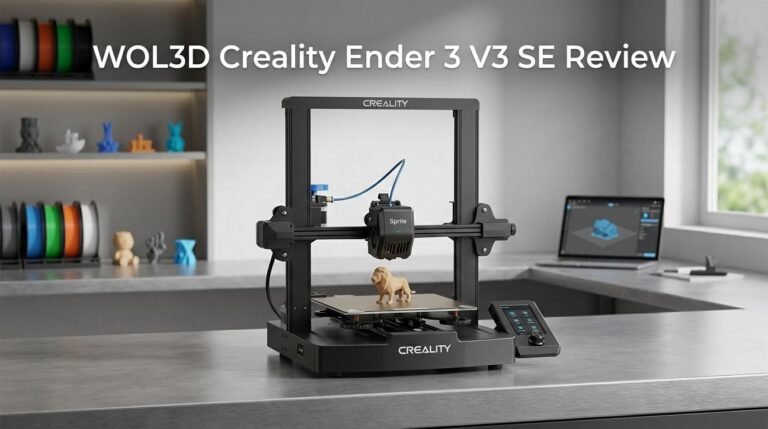
- 250MM/S HIGH-SPEED PRINTING: Ender 3 V3 SE 3d printer can print at up to 250mm/s speed with...
- START PRINTING WITHIN 20Mins: Creality Ender 3 V3 SE 3D printer is easy to put together in 3 steps...
Last update on 2026-09-19 / Affiliate links / Images from Amazon Product Advertising API Some of the links on this website are affiliate links, which means that at no additional cost to you, I earn a commission if you click through and make a purchase. I only recommend products and services that I believe will add value to my readers. Thank you for your support!
The Creality Ender 3 remains a popular choice for beginners and hobbyists. This printer offers reliable performance at an accessible level. You get a heated bed, which helps prints stick properly and reduces warping. The build plate measures 220 x 220 x 250mm, giving you decent space for most projects.
Setup takes about an hour for most users. The printer uses standard filament and produces solid quality prints once calibrated. Many users appreciate the active community around this model, meaning plenty of tutorials and troubleshooting help exist online. Upgrades are widely available if you want to improve performance later.
Prusa i3 MK3S

- [REWARDING DIY BUILD EXPERIENCE] Assemble your own high-performance 3D printer with a detailed...
- [HIGH-SPEED FDM PERFORMANCE] Delivers fast, precise printing with excellent surface quality...

Last update on 2026-09-20 / Affiliate links / Images from Amazon Product Advertising API Some of the links on this website are affiliate links, which means that at no additional cost to you, I earn a commission if you click through and make a purchase. I only recommend products and services that I believe will add value to my readers. Thank you for your support!
The Prusa i3 MK3S stands out for its automatic leveling system. This feature removes one of the most frustrating parts of 3D printing. The printer arrives mostly assembled, so you spend less time building and more time printing.
Print quality tends to be excellent right out of the box. The build volume reaches 250 x 210 x 210mm. Prusa includes a filament sensor that pauses printing if material runs out. Recovery is simple when you reload filament. The company provides regular firmware updates that add new features. Support from Prusa is generally responsive and helpful.
Anycubic Mega Zero

- Compatible With Durable Material The hard steel nozzle printer accessory is crafted from...
- Precision Printing Designed Compatible With meticulous precision, our hard steel nozzle printer...
Last update on 2026-09-19 / Affiliate links / Images from Amazon Product Advertising API Some of the links on this website are affiliate links, which means that at no additional cost to you, I earn a commission if you click through and make a purchase. I only recommend products and services that I believe will add value to my readers. Thank you for your support!
The Anycubic Mega Zero brings simplicity to the table. Assembly takes roughly 30 minutes. The printer features a 220 x 220 x 250mm build platform. It includes a heated bed for better adhesion and reduced warping.
The touchscreen interface makes navigation straightforward. Print quality is respectable for the price range. This model works well if you want something functional without extensive learning curves. The printer handles standard filaments effectively. Many users find it suitable for casual printing projects and learning the basics of 3D printing technology.
Auto Leveling and Maintenance
Auto leveling on Flashforge printers removes one of the biggest pain points in 3D printing. The system calibrates automatically, which means you spend less time fiddling with bed screws and more time printing. Once the initial setup completes, the printer handles leveling on its own.
The maintenance story here is straightforward. Flashforge machines require minimal upkeep after that first calibration. You won’t find yourself constantly adjusting the bed before every print. This is a real advantage if you print frequently or run multiple jobs back to back.
Regular cleaning keeps everything running smoothly. Wipe down the build platform between prints. Remove any plastic residue or dust that settles on moving parts. The nozzle occasionally needs a quick clean, but nothing complicated. Most users find a soft brush and compressed air do the job perfectly.
The textured build surface on Flashforge printers grips filament securely during printing. This design choice reduces adhesion problems significantly. Prints stick when they should and release cleanly after cooling. You won’t battle with warping or shifting prints mid job.
Filament loading works intuitively on these machines. The feeder mechanism accepts material smoothly. If a jam ever happens, the design allows you to clear it without disassembling major components. Access points sit in logical locations throughout the printer.
Temperature management runs automatically too. The system monitors heat levels and prevents overheating during long print sessions. This passive approach means fewer moving parts to maintain compared to active cooling systems.
One practical note matters here: cable routing stays organized and protected. Wires won’t catch or fray over time. Connector placement follows logical patterns that make sense during assembly and troubleshooting.
The dust covers on select models provide extra protection. They keep debris away from electronics and moving parts. This small detail extends the printer’s lifespan considerably.
Overall, Flashforge printers balance ease of use with reliability. Auto leveling and simple maintenance mean you focus on printing rather than constant adjustments.
Multi-Color and Material Capabilities
Flashforge printers shine when you need to work with multiple colors or materials in a single print job. The Creator 5 series stands out as the go to option for users wanting this capability. You get dual extrusion heads that work independently, giving you real flexibility in your designs.
Multi-color printing opens creative possibilities that single-material machines simply can’t match. You can print a model with different colors for different parts. Logos pop with contrasting shades. Functional parts benefit from color coding. The system handles switching between materials smoothly without compromising print quality.
Material variety matters too. Flashforge printers accept standard filament types like PLA, ABS, and PETG. The dual extrusion setup lets you combine materials with different properties in one print. Need flexible rubber parts on a rigid frame? You can do that. Want support material that’s easy to remove? The system handles dissolvable supports through separate extrusion paths.
The practical advantage here is clear: you spend less time on post processing. Instead of painting finished prints or printing multiple parts separately, you get the colors right from the start. Support removal becomes faster when you use a dedicated support material that dissolves away.
Switching between materials requires minimal intervention. Load your first filament in one extruder, your second in the other. The printer manages temperature and flow for each independently. The learning curve stays gentle even with this added complexity.
Build volume does have limits on entry-level models, so plan accordingly for large multi-color projects. You might need to split bigger designs across multiple prints. The Creator 5 series offers more space than the Adventurer line, which matters when you’re working with complex multi-material designs.
Consistency across both extruders keeps quality high. Flashforge calibrates the dual heads automatically, so alignment issues rarely occur. Your prints maintain precision even when switching between materials mid-job. This reliability makes multi-color printing feel less experimental and more dependable for actual projects.
Pros and Cons
Pros
- Fast printing speeds reach 500–600 mm/s, so your projects finish quickly
- Auto bed leveling removes frustration and keeps maintenance minimal once calibrated
- Setup happens in about 10 minutes with an intuitive interface that feels natural
- Print quality stays consistent across different materials and color combinations
- Multi-color options on select models let you create complex designs without post-processing work
Cons
- Build volume stays small on entry-level models, limiting the size of single prints
- No active cooling comes standard, though aftermarket solutions attach easily
- Some models have limited bed leveling features compared to premium competitors
Who Should Buy It
Flashforge 3D printers work well for specific user groups. Let’s break down who gets the most from these machines.
Hobbyists and makers benefit greatly from the fast setup and intuitive controls. You can unbox the printer, calibrate it in 10 minutes, and start printing. The auto bed leveling removes guesswork, so you won’t waste time troubleshooting alignment issues. This matters if you want to focus on designing and creating rather than fiddling with equipment.
Small business owners in product design, jewelry, or miniature manufacturing find real value here. The 500–600 mm/s print speed means your projects finish faster. You can run multiple print jobs daily without long wait times. The consistent quality across prints helps you maintain professional standards for client work.
Artists and designers who work with multiple colors appreciate the multi-color capability on select models. You create complex designs in one print job instead of gluing pieces together later. This saves time and produces cleaner final results.
Students and educators get a reliable machine that doesn’t demand constant attention. Classroom settings need printers that work predictably. The straightforward interface means students spend time learning design principles, not wrestling with software or calibration problems.
First time 3D printer users should seriously consider Flashforge models. The learning curve stays gentle. You won’t encounter mysterious errors or spend hours reading troubleshooting forums. The machine communicates clearly through its interface, and support resources exist online.
Professionals seeking production capability might find entry level models limiting due to smaller build volumes. If you need to print large objects regularly, you may want to explore premium options or look at competitors with bigger platforms.
Users who need active cooling systems should know that standard models don’t include this feature. However, aftermarket cooling solutions attach easily if your projects require it.
The core audience for Flashforge printers values simplicity, speed, and reliability. If you want a machine that works out of the box without steep learning curves, this brand aligns with your needs.
Final Verdict
Flashforge earns its place among the top 3D printer brands today. Its blend of speed, quality, and simple operation makes it a smart pick for many users.
The brand keeps improving its lineup with each release. New firmware updates and community support add long term value to your purchase.
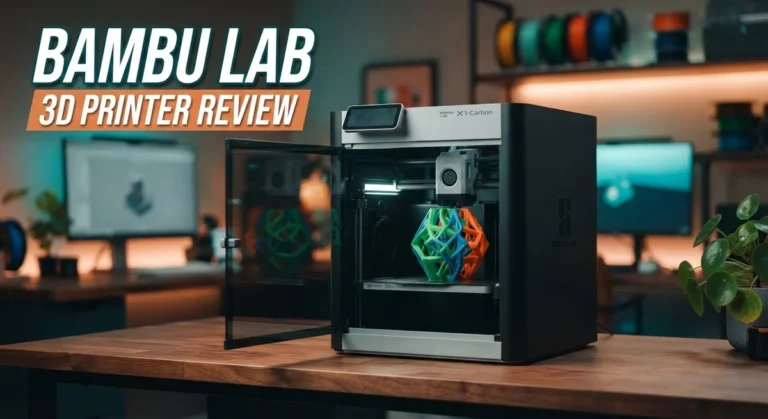
Compared to competitors like Creality or Anycubic, Flashforge stands out through smoother auto calibration and steadier print results. It holds its own against bigger names like Bambu Labs too.
Reliability remains a strong point. Once you finish setup, the printer runs with little supervision. This gives you more time to focus on your actual designs.
Community feedback backs this up. Many users report smooth performance after the first few prints. Complaints mostly center on build size, not core function.
Think about your specific needs before you decide. A hobbyist wants different features than a small business owner. Flashforge covers both ends fairly well.
If you print small to medium projects often, this printer fits right in. It handles detailed work with clean results every time.
Larger scale users might want to check the Creator 5 series first. It offers more room for bigger builds without losing print accuracy.
New users should not feel worried about the learning curve. The setup process stays simple and the controls feel natural from day one.
Overall, Flashforge delivers a strong mix of speed, ease, and dependable output. It suits many different users, from beginners to small studios.
The brand keeps pace with rivals through steady updates and thoughtful design choices. This keeps it relevant in a crowded 3D printing market.
Before you buy, match the model to your actual print needs. Build volume and material type both play a role here.
In short, Flashforge remains a solid, dependable choice. It brings real value to anyone ready to start or upgrade their 3D printing journey.
Frequently Asked Questions
Does Flashforge work well for beginners?
Yes. The setup takes about 10 minutes, and the interface feels natural to use. Auto bed leveling removes one of the biggest pain points for new users. You won’t spend hours troubleshooting before your first print.
What size objects can I print?
Build volume stays small on entry level models. You can print small to medium projects without issues. If you need larger prints, the Creator 5 series offers more space. Think about your typical project size before choosing your model.
Can I print in multiple colors?
Select models like the Creator 5 series support multi color printing. You create complex designs without doing post processing work by hand. Entry level models print in single colors, so check your specific model first.
How does Flashforge compare to Creality or Bambu Labs?
Flashforge stands out through smoother auto calibration and steadier reliability. The brand keeps improving with each release. Creality offers more options at different price points. Bambu Labs focuses on speed and automation. Your choice depends on whether you value ease of setup, print quality, or raw speed most.
Do I need special maintenance?
Once calibrated, maintenance stays minimal. The machine handles routine tasks well. No active cooling comes standard, though aftermarket solutions attach easily if you need them. Regular cleaning and occasional nozzle checks keep things running smoothly.

Hi, I’m Amelia Thornton, the founder of ElectroPro.blog.
I write about smart devices, gadgets, electronics, and tech essentials from Amazon.
My goal is to help you discover reliable and innovative tech that truly makes life easier.
From home automation to everyday gear, I test and share what’s worth your investment.
Join me as I explore the smartest tech trends—one gadget at a time.