Longer 3D Printer Review: Features, Performance, and Comparison
Looking for a 3D printer that fits your creative needs? Longer 3D printers might be the answer you want. This brand builds machines for beginners and hobbyists alike. The LK5 Pro model stands out with a large build volume of 300x300x400mm.
You get plenty of room to print big projects. The printer also supports speeds up to 500mm/s, so your prints finish fast. Auto bed leveling makes setup simple. You will not struggle with complex calibration steps.
The direct drive extruder gives you steady filament flow. This means fewer jams and smoother prints. A 4.3 inch color touchscreen makes the printer easy to use. You can control settings without any hassle.
In a Nutshell
- Build Space: The LK5 Pro gives you a 300x300x400mm print zone. This lets you create large models without splitting files.
- Speed Potential: It prints at 180mm/s by default. Skilled users can push speeds up to 500mm/s with tuning.
- Sturdy Build: The frame feels rigid and stable during long prints. This helps reduce wobble and improves layer accuracy.
- Community Support: Since it uses open hardware, many users share mods and upgrades online. You can customize your printer easily.
- Leveling Hiccups: Some users report bed leveling glitches even with auto leveling. You may need manual tweaks for perfect results.
- Detail Limits: Like most FDM printers, it struggles with tiny details. Avoid this machine if you print small miniatures often.
- Market Standing: It competes with brands like Creality K1 and Bambu Lab A1. Longer still holds its own in the hobbyist space.
Build Volume and Print Specifications
The LK5 Pro delivers a generous 300×300×400mm build volume. This size works well for creators who want to print larger objects without splitting projects into multiple parts. You can fit decorative items, functional enclosures, and prototype components all in one go.
Print speed flexibility matters here. The machine runs at 180mm/s as standard, but it can push up to 500mm/s if you need faster output. Higher speeds trade detail for time, so you choose based on your project needs. For most hobby work, the default speed balances quality and efficiency nicely.
The direct drive extruder keeps filament flowing consistently. This setup reduces pressure on the filament and helps prevent jams during long printing sessions. You get steadier extrusion, which means fewer failed prints and less wasted material.
Auto bed leveling simplifies your workflow. The printer measures the bed surface automatically, so you skip manual adjustment steps. However, some users report occasional leveling inconsistencies even with this feature active. A quick manual check before printing large jobs prevents headaches.
The 4.3 inch color touchscreen gives you full control without connecting to a computer. You navigate menus, load files, and monitor progress right from the printer. The interface responds quickly and displays clear information about temperature, layer count, and time remaining.
Silent operation stands out as a real benefit. The motherboard design minimizes noise, so your printer won’t disrupt your workspace. This matters if you run prints overnight or share your creative space with others.
FDM technology has limits on fine detail. Tiny features, thin walls, and intricate patterns don’t come out as crisp as you might want. The printer excels at functional parts and larger designs but struggles with miniature work. If your projects need precision details, you may need post processing or different equipment.
The rigid frame stays stable during extended printing sessions. Vibration stays minimal, which helps maintain consistent layer adhesion and surface finish throughout your prints.

- 【Large Build Volume 320×320×400mm】 Featuring a large 3D printer build volume of...
- 【500mm/s High-Speed Printing】 Powered by Klipper firmware, LK10 Plus delivers up to 500mm/s...

Last update on 2026-10-21 / Affiliate links / Images from Amazon Product Advertising API Some of the links on this website are affiliate links, which means that at no additional cost to you, I earn a commission if you click through and make a purchase. I only recommend products and services that I believe will add value to my readers. Thank you for your support!
Hardware Design and Construction
The Longer LK5 Pro stands out for its solid mechanical construction. The frame uses a rigid steel structure that resists vibration during high speed printing. This stability matters because wobbling frames produce layer misalignment and surface defects.
The printer’s overall footprint feels compact despite the generous build volume. You can fit it on most workshop tables without taking up excessive space. The design prioritizes accessibility, so you reach all maintenance points without disassembly.
Direct drive extruder placement sits close to the nozzle. This setup reduces filament slack and improves extrusion consistency. You get better control over material flow, which translates to cleaner prints with fewer retractions needed.
The build platform uses a textured surface that grips prints during printing. Removal happens easily once the bed cools down. This balance between adhesion and release prevents stuck prints and damaged surfaces.
Cable management runs along the frame edges. Wires stay organized and away from moving parts. This thoughtful routing reduces tangling and protects cables from accidental damage during operation.
The 4.3 inch color touchscreen mounts on the front panel. Navigation feels intuitive with large buttons and clear menus. You can start prints, adjust settings, and monitor progress without a computer connection.
Silent operation comes from the motherboard design. Quiet stepper motors and optimized firmware reduce noise levels significantly. This feature appeals to users in shared spaces or home offices where noise matters.
The open source firmware allows community customization. Users share modifications online for improved performance. This flexibility means you can adapt the printer to your specific printing style over time.
Thermal management includes a cooling fan for the electronics. The printer maintains stable temperatures during long printing sessions. Consistent temperature control prevents thermal drift that could affect print quality.
The overall construction reflects attention to user experience. Every component placement serves a practical purpose. The result is a machine that feels well engineered rather than hastily assembled.
Print Quality and Calibration
The Longer LK5 Pro delivers consistent print quality when properly calibrated. The direct drive extruder maintains steady filament pressure throughout your print job. This setup prevents under extrusion issues that plague many budget printers.
Calibration starts simple with the auto bed leveling system. The printer measures multiple points across the build surface automatically. You don’t need to manually adjust each corner like older models. The touchscreen walks you through the process step by step.
However, some users report that bed leveling drifts over time. Regular recalibration every 10 to 15 prints keeps results consistent. The textured build platform grips prints well during printing. This reduces warping on larger objects and improves first layer adhesion.
Print quality depends heavily on your filament choice and nozzle temperature. The LK5 Pro handles standard materials like PLA and PETG without fuss. Layer lines appear uniform across flat surfaces. Vertical walls maintain good straightness when the bed sits level.
Fine details present a real challenge with FDM technology. Thin walls below 1mm often come out rough or incomplete. Small features like text under 5mm tall lose clarity. This is a limitation of the printing method itself, not the machine.
The rigid frame stays stable during extended print sessions. Vibration remains minimal even at higher speeds. This stability directly impacts surface finish quality. Prints come out smoother compared to machines with flexible frames.
Nozzle temperature control holds tight tolerances. The printer maintains consistent heat throughout your job. This prevents the quality drops that happen with temperature fluctuations.
The open source firmware lets you adjust print parameters easily. Advanced users tweak acceleration, jerk, and pressure advance settings. These fine tuning options help squeeze better results from the hardware.
For standard prints like functional parts, organizers, and hobby projects, the LK5 Pro performs well. You’ll see clean layer adhesion and reliable dimensional accuracy. The combination of solid mechanics and straightforward calibration makes this printer accessible for both beginners and experienced makers.
Top 3 Alternatives
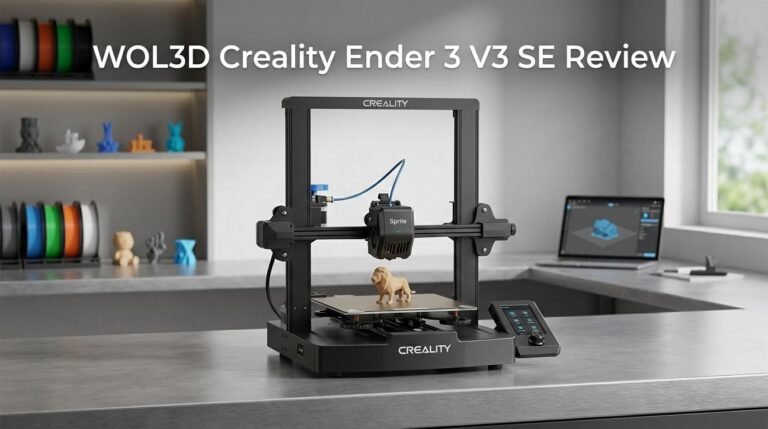
Creality Ender 3

- 250mm/s High-Speed Printing: Print at speeds of up to 250mm/s with 2500mm/s² acceleration...
- Easy Setup with Auto Leveling: Designed for a fast and straightforward setup, the Ender 3 V3 SE...
Last update on 2026-10-21 / Affiliate links / Images from Amazon Product Advertising API Some of the links on this website are affiliate links, which means that at no additional cost to you, I earn a commission if you click through and make a purchase. I only recommend products and services that I believe will add value to my readers. Thank you for your support!
The Creality Ender 3 works well for beginners who want to start 3D printing. This printer uses FDM technology to build objects layer by layer with plastic filament. Setup takes about 2 hours, and the community offers tons of free guides online.
You get a large build plate that lets you print bigger items. The printer runs quietly and produces decent quality prints once you calibrate it properly. Many users upgrade parts over time to improve performance, which makes this model very flexible for learning.
Prusa i3 MK3S

- [REWARDING DIY EXPERIENCE] Master your 3D printer by building it yourself with our detailed...
- [PRO-GRADE SPEED & QUALITY] Elevate your workshop with this high-speed CoreXY professional 3d...
Last update on 2026-10-21 / Affiliate links / Images from Amazon Product Advertising API Some of the links on this website are affiliate links, which means that at no additional cost to you, I earn a commission if you click through and make a purchase. I only recommend products and services that I believe will add value to my readers. Thank you for your support!
The Prusa i3 MK3S arrives mostly assembled, so you skip frustrating setup steps. This FDM printer includes automatic bed leveling, which removes one of the biggest headaches in 3D printing. The print quality stands out compared to budget models.
The machine has excellent customer support and regular software updates. Print speeds are faster than entry-level options, and the reliability is impressive. Users report consistent results across hundreds of prints, making this a solid choice if you want fewer problems.
Anycubic Photon Mono

- 【7'' 10K High Resolution】Photon Mono 4 boasts an impressive 105% increase in print precision...
- 【Powerful Light Source】The time-tested Anycubic LighTurbo matrix light source technology...
Last update on 2026-10-21 / Affiliate links / Images from Amazon Product Advertising API Some of the links on this website are affiliate links, which means that at no additional cost to you, I earn a commission if you click through and make a purchase. I only recommend products and services that I believe will add value to my readers. Thank you for your support!
The Anycubic Photon Mono uses resin technology instead of plastic filament. This approach creates highly detailed prints with smooth surfaces and sharp features. The build area is smaller than FDM printers, but the detail level is superior.
Resin printing requires more cleanup and safety precautions since the liquid resin needs proper handling. Print times are faster than FDM for many projects. This printer works great if you need miniatures, jewelry, or intricate models with fine details.
User Interface and Software Experience
The Longer LK5 Pro gives you a 4.3 inch color touchscreen that puts all your printing controls right at your fingertips. You don’t need to connect a computer to start, pause, or monitor your prints.
The interface responds quickly to your touches. Menu navigation feels intuitive, so beginners pick it up without frustration. You can adjust temperature, speed, and other settings directly from the screen during a print.
Open source firmware is a major advantage here. This means the community constantly develops new features and improvements. You can customize how the printer behaves to match your specific needs. If you want to tweak acceleration settings or add custom profiles for different filaments, the software lets you do it.
The touchscreen displays real time information about your print job. You see nozzle temperature, bed temperature, print progress, and estimated time remaining. This transparency helps you catch problems early.
Software stability matters when you’re running long prints. The Longer LK5 Pro’s motherboard design keeps things running smoothly. Users report minimal crashes or glitches during extended printing sessions.
Firmware updates happen regularly through the community. You can install new versions to gain fresh capabilities or fix minor issues. The update process stays simple and straightforward.
One thing to note: the software focuses on function over flashy graphics. This actually works in your favor because it means faster response times and fewer bugs. The interface prioritizes what you actually need to print successfully.
File compatibility covers standard formats like STL and GCODE. You can slice files using popular software like Cura or Prusaslicer, then transfer them to the printer via USB or SD card. The printer accepts files without conversion hassles.
The combination of touchscreen convenience and open source flexibility makes this printer approachable for beginners yet powerful enough for experienced makers. You get control without overwhelming complexity. Software updates keep your printer current with new features as technology advances.
Community Support and Customization
The Longer LK5 Pro thrives on community involvement. Open source firmware means you get access to the code that runs your printer. You can modify settings, add features, and share improvements with other users.
The community actively develops custom configurations. Users post their tweaks on forums and GitHub repositories. You can download these modifications and apply them to your own machine. This creates a collaborative environment where knowledge spreads quickly.
Customization options extend beyond software. The rigid frame design allows hardware upgrades. Users add enclosures for better temperature control. Some attach different nozzles for specialty printing. The direct drive extruder setup makes these changes straightforward.
Community support channels are surprisingly active. Discord servers and Reddit communities have dedicated Longer printer groups. Experienced users answer questions from beginners. Troubleshooting bed leveling issues becomes easier when you can ask someone who solved the same problem.
The touchscreen interface supports firmware updates from the community. You don’t need a computer to install new versions. Simply download the file, transfer it to a USB drive, and update through the menu. This accessibility encourages more users to experiment with customizations.
Firmware flexibility lets you adjust print speed, temperature profiles, and acceleration settings. Beginners start with default configurations. Advanced users fine tune every parameter. The open source approach means you’re never locked into one way of doing things.
User generated content helps newcomers. Video tutorials on YouTube show specific modifications. Written guides explain calibration techniques step by step. This knowledge base grows constantly as the community shares experiences.
The printer’s design philosophy embraces modification. Nothing is proprietary or sealed shut. You can access the motherboard, extruder components, and frame structure easily. This openness encourages experimentation without fear of voiding support.
However, this customization freedom requires some technical comfort. Beginners might feel overwhelmed by endless options. The community helps here too. Starter guides recommend conservative first modifications. Experienced members mentor newcomers through their first tweaks.
Community driven development keeps the LK5 Pro relevant. As users discover improvements, they share solutions. This collaborative approach creates a printer that evolves with user needs. You’re not just buying a machine. You’re joining an active ecosystem of makers who push the printer’s capabilities forward.
Pros and Cons
Pros
- Large 300×300×400mm build volume lets you print bigger projects without splitting them into parts
- Auto bed leveling gets you printing fast without manual adjustment headaches
- Silent motherboard keeps noise levels low during long print sessions
- Direct drive extruder delivers consistent filament control for reliable results
- Open source firmware gives you freedom to customize print speeds, temperatures, and acceleration settings
Cons
- Bed leveling can drift over time and require recalibration between print jobs
- FDM technology struggles with fine details and intricate miniature designs
- Print quality depends heavily on your filament choice and nozzle temperature tuning
Who Should Buy It
You should buy the Longer LK5 Pro if you print objects larger than 200mm in any direction. The 300×300×400mm build volume handles bigger projects without requiring you to split designs into multiple parts. This matters if you work with functional prints, prototypes, or artistic sculptures.
This printer fits your needs if you want minimal setup time. Auto bed leveling removes the frustration of manual calibration. You unbox it, load filament, and start printing. Beginners appreciate this approach because it reduces initial learning curves.
Consider this model if noise bothers you. The silent motherboard produces less sound than competitors during long print sessions. This works well for home offices, shared spaces, or studios where quiet operation matters.
You’re a good fit if you enjoy tinkering with settings. The open source firmware lets you adjust print speeds, temperature profiles, and acceleration parameters. The community actively shares custom configurations online. This freedom appeals to makers who want control over their machine’s behavior.
Buy this printer if you already use standard filament types. FDM technology works with PLA, PETG, ABS, and TPU materials. You won’t need exotic materials or specialty equipment.
Skip this model if you need ultra fine details. FDM printing has inherent limitations with miniature designs and intricate features. Layer lines remain visible on smooth surfaces. If you require museum quality finishes or tiny mechanical parts, resin printers handle that better.
Avoid this printer if you prefer zero maintenance. Bed leveling can drift between print jobs, requiring occasional recalibration. The direct drive extruder needs periodic cleaning. You’ll spend time maintaining the machine to keep quality consistent.
This printer isn’t ideal if you want everything pre configured. The customization freedom requires some technical comfort. You might adjust settings multiple times before finding your sweet spot. Users who prefer plug and play simplicity should look elsewhere.
The Longer LK5 Pro targets makers seeking large print volumes with straightforward operation and room for experimentation.
Final Verdict
The Longer LK5 Pro proves itself as a solid choice for makers who want big prints without big hassle. It combines a large build area with smart features that make daily printing simple.
This machine shines brightest for hobbyists who print functional parts, props, or large decorative pieces. The rigid frame and direct drive extruder work together to produce clean, dependable results print after print.
Beginners will appreciate how quickly they can get started. The setup process feels smooth, and the touchscreen interface makes navigation easy even for first time users.
That said, this printer has clear limits. Anyone chasing ultra fine detail or miniature work should look elsewhere. FDM technology simply cannot match resin printers for tiny intricate designs.
Compared to rivals like the Creality K1 or Bambu Lab A1, the LK5 Pro competes well on build volume and print quality. It may lack some of the flashy automation found in newer models, but it makes up for this with open hardware freedom and a proven track record.
Users who want a printer they can understand and modify will find real value here. The open source approach means you are never stuck waiting on one brand for updates or fixes.
On the flip side, if you want a printer that requires zero tinkering, this might not be your best match. Occasional bed leveling checks are part of the ownership experience.
Overall, the Longer LK5 Pro earns its place among solid choices for large scale FDM printing. It rewards users who enjoy learning their machine and fine tuning settings over time.
If you print big, care about reliability, and do not mind a learning curve, this printer deserves a serious look. It delivers consistent quality without unnecessary complexity, making it a trustworthy pick in its category.
Frequently Asked Questions
Does the Longer LK5 Pro handle large prints well?
Yes, it does. The 300×300×400mm build volume lets you print objects much larger than most competitors in this segment. You can create full-sized props, large decorative pieces, and functional parts without splitting designs across multiple prints. The rigid frame keeps prints stable even during longer jobs.
What makes this printer easy to use for beginners?
Auto bed leveling removes the biggest setup hurdle. You don’t spend hours manually adjusting each corner. The 4.3″ color touchscreen shows clear menus and status updates. Once you load filament and hit print, the machine handles calibration on its own. Most users report printing within minutes of unboxing.
Can I modify this printer if I want to?
Absolutely. The open source firmware gives you full control. You can adjust print speeds, temperatures, and acceleration settings through code. The community shares mods and upgrades online. If you enjoy tinkering, this printer rewards that curiosity with real customization options.
What are the main limitations I should know about?
FDM technology doesn’t produce ultra fine details or intricate miniature designs. Bed leveling can drift over time and need recalibration between jobs. You’ll need to dial in filament temperatures and nozzle settings for best results. If you want a printer that requires zero maintenance or tweaking, look elsewhere.
How does the Longer LK5 Pro compare to competitors?
It competes well against the Creality K1 and Bambu Lab A1 on build volume and print quality. The key difference is customization freedom. You get more control here if you want to modify settings. Other models offer faster speeds or smaller footprints, but the LK5 Pro wins on raw print area and user accessibility.

Hi, I’m Amelia Thornton, the founder of ElectroPro.blog.
I write about smart devices, gadgets, electronics, and tech essentials from Amazon.
My goal is to help you discover reliable and innovative tech that truly makes life easier.
From home automation to everyday gear, I test and share what’s worth your investment.
Join me as I explore the smartest tech trends—one gadget at a time.