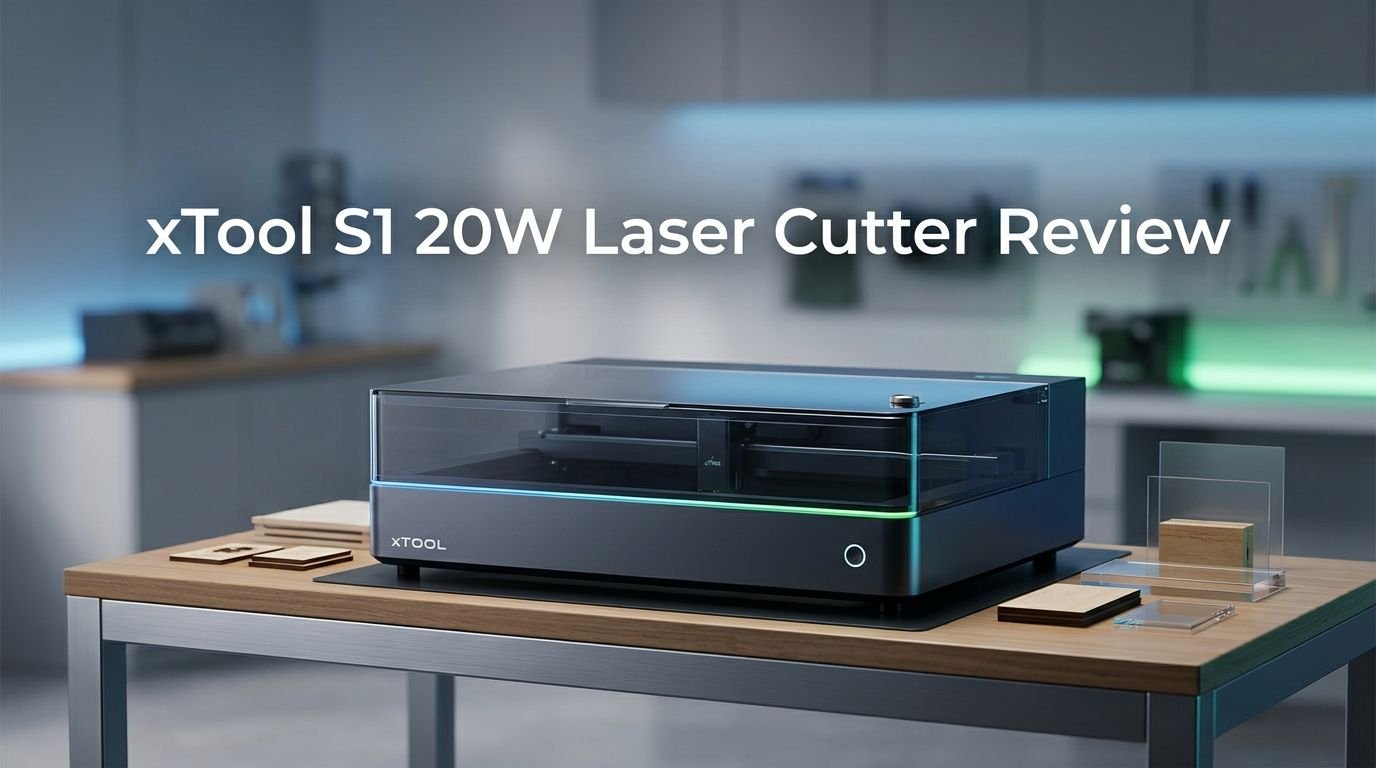
xTool S1 20W Laser Cutter Review 2026: Worth the Hype?
Are you searching for an enclosed diode laser cutter that can handle wood, acrylic, leather, and even metal engraving?
The xTool S1 20W has been a popular pick among hobbyists and small business owners since its launch. But does it still hold up in 2026 with newer competitors on the market?
In this review, I put the xTool S1 20W through its paces. I tested its cutting power, engraving quality, software, safety features, and overall value.
Key Takeaways:
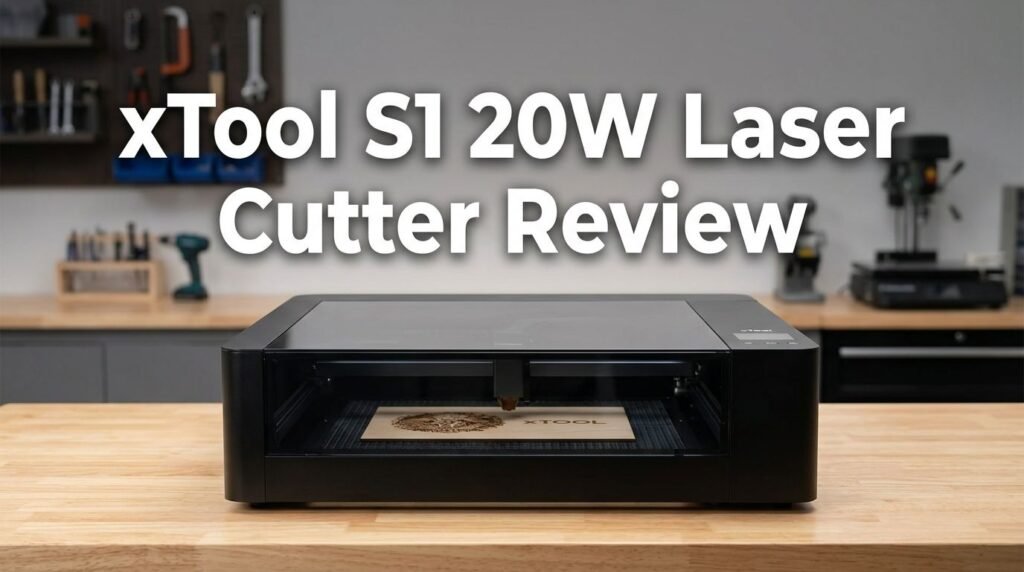
- The xTool S1 20W is a fully enclosed Class 1 diode laser with a generous 19.6″ x 12.5″ (498mm x 330mm) work area. It cuts up to 10mm cherry wood and 8mm dark acrylic in a single pass, making it strong enough for most hobbyist and small business projects.
- Engraving speed reaches up to 600mm/s, which puts it among the fastest diode lasers in its price range. The laser spot measures just 0.08mm x 0.06mm, so fine details come out sharp and clean on wood, leather, glass, and coated metals.
- Setup is quick and beginner friendly. The machine works right out of the box with xTool Creative Space (XCS) software. XCS includes 500+ preset material parameters, AI design generation, and one-click auto focus.
- Safety is a strong suit. The fire-resistant metal enclosure filters 99.65% of laser light. The built-in exhaust fan removes fumes. An optional fire safety set can detect and extinguish flames automatically using CO2.
- Upgradability sets it apart from many competitors. You can swap the 20W module for a 40W, 10W, or 2W infrared laser head. Accessories like the RA2 Pro rotary attachment and automatic conveyor feeder expand your creative options further.
- The price sits around $1,399 for the base 20W model, which is a significant investment. However, the modular design means you won’t need to buy a separate machine if your needs grow over time.

- [Unbeatable Power & Productivity] This advanced 20W (20000mW) laser cutter and engraver machine is a...
- [Exclusive xTool Patented Technologies] Achieve next-level precision on your precious items with the...
Last update on 2026-08-29 / Affiliate links / Images from Amazon Product Advertising API Some of the links on this website are affiliate links, which means that at no additional cost to you, I earn a commission if you click through and make a purchase. I only recommend products and services that I believe will add value to my readers. Thank you for your support!
xTool S1 20W Laser Cutter: Full Overview
The xTool S1 20W is an enclosed diode laser cutter and engraver made by xTool. It launched in late 2023 and has earned awards including the 2024 Red Dot Award and the iF Design Award. The brand has over 200,000 users worldwide and holds more than 240 patents.
This machine uses a 20W (20,000mW) blue diode laser module. It can cut materials like wood, paper, leather, MDF, felt, and dark opaque acrylic. It can engrave on even more surfaces, including stainless steel, bamboo, fabric, ceramic, marble, and painted metal.
The overall machine dimensions make it compact enough for a large desk or workshop table. The bed size is 23.93″ x 15.16″, and the usable work area is 19.6″ x 12.5″. You connect the machine to your computer through USB or Wi-Fi.
What makes this laser stand out is its modular approach. The 20W head handles most engraving and medium cutting tasks. If you later need thicker cuts, you can add the 40W module. If you need ultra-fine metal engraving, the 2W infrared module covers that. This kind of flexibility is rare at this price point.
Build Quality and Design
The xTool S1 20W has a metal enclosure that feels solid and well made. The outer shell protects you from laser light and keeps fumes inside the machine until the exhaust fan pushes them out.
The transparent lid uses a special light-filtering material. It blocks 99.65% of laser light while still letting you watch the engraving process without goggles. This is a huge comfort factor, especially for beginners who want to monitor their projects closely.
Inside, the machine uses a sturdy rail structure. This keeps the laser head stable even at high speeds. According to xTool, the motor has passed over 25,000 hours of aging tests, and the lid has been tested for over 48,000 open-and-close cycles. These numbers suggest strong long-term reliability.
The overall footprint is reasonable for an enclosed laser. It won’t take over your entire workspace. The honeycomb panel sits on the bottom tray and helps with airflow during cutting. A magnetic hold keeps it in place so it doesn’t shift during use.
Top 3 Alternatives for xTool S1 20W Laser Cutter
If you want to explore other options before committing, here are three strong alternatives worth considering.

- Advanced Safety Features- The Falcon2 Pro 22W is equipped with multiple safety monitoring systems...
- 3D Virtual Design Capabilities- With its 3D virtual design functionality, this laser engraver offers...
Last update on 2026-08-29 / Affiliate links / Images from Amazon Product Advertising API Some of the links on this website are affiliate links, which means that at no additional cost to you, I earn a commission if you click through and make a purchase. I only recommend products and services that I believe will add value to my readers. Thank you for your support!
The Creality Falcon 2 Pro 22W is an enclosed laser with HD camera positioning and auto air assist. It offers slightly more laser power than the xTool S1 20W and works well for wood and acrylic cutting. The enclosed design also meets Class 1 safety standards.

- 【Ultra-Fine Engraving and Powerful Cutting】WeCreat Vision 20W(20,000mW) effortlessly cuts...
- 【Extremely Safe FDA Class 1 Laser Engraving】 The fully enclosed diode machine ensures maximum...
Last update on 2026-08-29 / Affiliate links / Images from Amazon Product Advertising API Some of the links on this website are affiliate links, which means that at no additional cost to you, I earn a commission if you click through and make a purchase. I only recommend products and services that I believe will add value to my readers. Thank you for your support!
The WeCreat Vision 20W is another excellent enclosed diode laser. It features a smart HD camera, auto-lifting platform for different material heights (up to 5.5″), and a clean user interface. Many users praise it for its ease of use and quiet operation. It is a strong competitor in the same price range.

- 🔥【One Key Switch Engraving/Cutting Mode】- ATOMSTACK S40 Pro laser engraver adopts the most...
- 🔥【Ultra-Fine Engraving & Super Fast Cutting】- Because of ultra-fine laser focus area reduced...
Last update on 2026-07-18 / Affiliate links / Images from Amazon Product Advertising API Some of the links on this website are affiliate links, which means that at no additional cost to you, I earn a commission if you click through and make a purchase. I only recommend products and services that I believe will add value to my readers. Thank you for your support!
The ATOMSTACK S40 Pro is more powerful at 40W output and comes with automatic air assist, a touchscreen, and a large work area. It is an open-frame design, so it lacks the enclosed safety of the xTool S1. However, it delivers faster cuts and thicker material support at a competitive price.
Setting Up the xTool S1 20W
One of the best things about this machine is how easy it is to set up. xTool designed the S1 to be an out-of-the-box experience. You unpack the machine, remove the protective materials, plug it in, and connect it to your computer.
The software companion is xTool Creative Space (XCS). It runs on Windows 10 or later and macOS. The installation takes just a few minutes. Once installed, the software detects the machine and guides you through calibration.
The one-click auto focus feature is a big time saver. You place your material on the bed, hit the auto focus button, and the laser adjusts its focal distance automatically. No manual measurements are needed. This reduces setup time and improves accuracy for first-time users.
Wi-Fi connectivity lets you send files wirelessly from your computer. Some users have reported occasional Wi-Fi dropouts. If you experience this, the USB connection provides a stable alternative. Overall, most people get their first project running within 30 minutes of unboxing.
Cutting Performance
The xTool S1 20W cuts through 10mm cherry wood and 10mm basswood plywood in a single pass. It also handles 8mm dark opaque acrylic in one go. These are solid numbers for a 20W diode laser.
For thinner materials like 3mm basswood, the cutting speed reaches 7mm/s in a single pass. That is not the fastest number on the market, but it produces clean edges with minimal charring. The built-in air assist helps blow debris and smoke away from the cut line, which improves edge quality.
Leather cutting works very well on this machine. Thin to medium leather pieces cut cleanly without excessive burn marks. Paper and cardboard also cut with precision, making this laser suitable for packaging prototypes and card designs.
One limitation to note: the 20W module cannot cut clear acrylic. This is a diode laser limitation, not specific to xTool. You need a CO2 laser for clear acrylic work. If you need thicker cutting capacity, the optional 40W module pushes the limit to 18mm cherry wood and 15mm acrylic.
Engraving Quality
Engraving is where the xTool S1 20W truly shines. The 0.08mm x 0.06mm laser spot produces fine detail that rivals more expensive machines. Wood engravings show excellent contrast and crisp edges.
Photo engraving on wood is impressive. The software converts images to grayscale patterns, and the laser reproduces them with surprising depth and accuracy. Portraits and detailed graphics come out clean and recognizable.
Stainless steel engraving is possible with the 20W module. You can mark logos, serial numbers, and simple designs on coated or painted metal surfaces. For direct engraving on bare metals like gold, silver, or aluminum, you need the optional 2W infrared module.
Glass engraving produces a frosted white appearance that looks professional. Ceramic tiles, marble, and even slate also engrave well. The EasySet Library inside XCS provides over 500 preset parameters for different material and thickness combinations. This removes a lot of trial and error from the process.
Speed during engraving reaches up to 600mm/s, which is the maximum for this machine. At top speed, you can engrave a batch of over 100 dog tags in a single session. This batch capability makes the S1 a genuine option for small production runs and craft businesses.
xTool Creative Space (XCS) Software
The xTool S1 20W uses xTool Creative Space, commonly called XCS. This free software works on both Windows and Mac. It serves as your design hub, machine controller, and project manager all in one.
XCS has a clean interface. Tools sit on the left sidebar, and the canvas fills the center. You can import SVG, PNG, JPG, DXF, and other common file formats. The software also includes basic vector editing tools so you can create simple designs without needing a separate program.
One standout feature is the AI design generator. You type a text prompt, and the AI creates a laser-ready design. It offers over 10 style options and works well for quick custom projects. This saves time if you don’t have a specific design file ready.
The Smart Batch Fill tool is another highlight. You place multiple items on the bed, snap a photo with the built-in camera system, and XCS detects each item’s position. It then fills each item with the same design, aligned perfectly. This feature alone can save hours in production settings.
Pin-Point Positioning Technology
The xTool S1 features Pin-point Positioning technology. This system claims to be 10 times more accurate than single-camera positioning systems found on many competing lasers.
Pin-point Positioning uses a combination of hardware sensors and software algorithms to locate exact positions on the work bed. This means you can place a pre-cut piece on the bed and engrave it in the exact right spot. This is critical for add-on engraving jobs like personalizing pre-made items.
In practice, the system works well for most tasks. Alignment accuracy is high, and you rarely waste material due to positioning errors. The Snapshot Preview feature helps too. You take a photo of the bed, and the software overlays your design on the real image.
Some users have noted that the initial calibration of Pin-point Positioning can feel awkward. The process requires following specific steps, and skipping any step can lead to slight offsets. Once calibrated, though, the system performs reliably and saves material over time.
For batch projects, accurate positioning is essential. The xTool S1 handles this well, especially when processing items like coasters, keychains, dog tags, and phone cases that need exact placement.
Safety Features
Safety is one of the biggest selling points of the xTool S1 20W. As a Class 1 laser, it meets the strictest consumer safety classification. The enclosed design keeps laser light, smoke, and debris contained.
The light-filtering lid blocks almost all harmful laser radiation. You can watch your project run without wearing laser safety goggles. This is a major advantage over open-frame laser cutters where goggles are mandatory.
The built-in exhaust fan pulls fumes from the enclosure and pushes them out through the rear vent. You can attach a vent hose to direct fumes outside or into an air purifier. This keeps your workspace smelling clean and your lungs safe.
xTool also offers an optional fire safety set. This accessory detects fire inside the enclosure and releases CO2 to extinguish it. The system is automatic, meaning it works even if you step away from the machine. For anyone running longer jobs unattended, this accessory adds real peace of mind.
The machine also has lid-open detection. If you open the lid during a job, the laser pauses immediately. This prevents accidental exposure to the laser beam. A motion sensor can also detect if something enters the work area unexpectedly.
Compatible Materials
The xTool S1 20W handles a wide range of materials. Here is a breakdown of what you can cut and engrave with the 20W module.
Materials you can cut include paper, wood (including cherry, bass, and walnut), leather, MDF, felt, and dark opaque acrylic. The maximum single-pass cutting thickness is 10mm for cherry wood and 8mm for black acrylic.
Materials you can engrave include all the cuttable materials plus stainless steel, bamboo, fabric, dark glass, ceramic, jade, marble, shale, cement, brick, plated metal, and painted metal. That is an impressive range for a diode laser.
If you add the optional 2W infrared module, you unlock direct engraving on pure metals like gold, silver, platinum, aluminum, titanium, brass, and iron. You also gain the ability to engrave on transparent acrylic and certain plastics that the blue diode cannot touch.
The EasySet Library in XCS gives you preset power and speed values for each material type. This is helpful because different materials need different settings. Leather at full power would burn, while ceramic at low power wouldn’t mark at all. The presets eliminate guesswork and reduce wasted materials.
Accessories and Upgradability
The xTool S1 20W supports several accessories that extend its capabilities far beyond basic engraving and cutting.
The RA2 Pro rotary attachment is a 4-in-1 accessory. It lets you engrave on cylinders, spheres, rings, and irregularly shaped objects. Think wine glasses, tumblers, ornaments, and jewelry. The maximum rotary engraving diameter is 100mm when used with the riser base.
The automatic conveyor feeder is another major accessory. It extends the effective work length up to 118 inches (3000mm) using xTool’s AutoPassthrough technology. This is ideal for long signs, continuous fabric rolls, or large batch production.
You can also swap laser modules without tools. Going from the 20W blue diode to the 40W blue diode takes less than a minute. The 40W module cuts 18mm cherry wood and reaches 15mm/s on 3mm basswood. This upgrade path means you can start with the 20W and grow into heavier work later.
The riser base increases the maximum object height the machine can accommodate. Without it, the clearance is 42mm. With the Class 1 riser base, it jumps to 125mm. With the Class 4 riser base, it reaches 133.5mm.
xTool also sells a screen printer that works alongside the S1. You use the laser to create a screen printing stencil, then print vibrant colors onto your laser-engraved creations. This is a unique pairing that few other laser brands offer.
Pros and Cons of the xTool S1 20W
Every machine has strengths and weaknesses. Here is an honest summary based on extensive testing and user feedback.
The main pros include the fully enclosed Class 1 safety design, the fast 600mm/s engraving speed, the excellent XCS software with 500+ presets, the modular laser head system, and the wide material compatibility. The build quality is strong, and the machine feels built to last.
The Pin-point Positioning system, though it needs careful initial calibration, delivers impressive accuracy. The one-click auto focus saves time and reduces errors. Support for both XCS and LightBurn gives flexibility to beginners and experts.
The main cons include the limited cutting depth compared to CO2 lasers, the inability to cut clear acrylic, occasional Wi-Fi connectivity issues, and the loud system beeps. The work area, while generous for a desktop machine, may feel small for very large projects without the conveyor accessory.
The price of around $1,399 is also a consideration. This is not a budget laser. However, when you factor in the enclosed design, included air assist, and modular upgrade path, the value proposition is strong compared to buying separate machines for different tasks.
Is the xTool S1 20W Worth It in 2026?
The laser cutter market has grown since the xTool S1 launched. New competitors have entered the space with aggressive pricing and strong features. So the big question is: does the S1 still deserve your money in 2026?
The answer is yes, for the right buyer. The enclosed safety design remains a top-tier feature. The modular laser system (20W, 40W, 10W, and 2W IR) gives you a growth path that most competitors don’t match. The XCS software continues to receive updates, and the EasySet Library keeps expanding.
xTool’s support network is also a strong point. The brand has 24/7 customer service through live chat, email, and phone. A large online community shares project files, tips, and troubleshooting advice.
If you compare the xTool S1 20W to machines like the Creality Falcon 2 Pro, WeCreat Vision 20W, or ATOMSTACK S40 Pro, each has its own strengths. But the xTool S1 offers the best balance of safety, software, upgradability, and engraving quality in its class.
For hobbyists, crafters, educators, and small business owners who want a reliable, safe, and versatile diode laser, the xTool S1 20W remains one of the best choices available in 2026.
Frequently Asked Questions
Can the xTool S1 20W cut metal?
The xTool S1 20W can score stainless steel up to 0.04mm deep. This is surface marking, not full cutting. For true metal cutting, you would need a much more powerful laser, such as a fiber laser or industrial CO2 unit. The 20W module works well for engraving logos and text on coated and painted metals.
Does the xTool S1 20W work with LightBurn?
Yes, the xTool S1 20W is compatible with LightBurn software. LightBurn provides advanced control over speed, power, passes, and layer settings. However, certain xTool-specific features like curved surface engraving and laser module position detection only work through the official XCS software.
What is the maximum material thickness the xTool S1 20W can cut?
The 20W module cuts up to 10mm cherry wood and 10mm basswood plywood in a single pass. It also cuts 8mm dark opaque acrylic in one pass. Thinner materials like 3mm wood cut at speeds around 7mm/s. For thicker cutting, you can upgrade to the optional 40W laser module.
Is the xTool S1 safe to use at home?
Yes, the xTool S1 is a Class 1 laser, which is the safest consumer laser classification. The fully enclosed metal body blocks laser light, and the filtered lid lets you observe without goggles. A built-in exhaust fan removes fumes. The optional fire safety set adds automatic fire detection and suppression for extra protection.
Can I engrave tumblers and cylindrical objects with the xTool S1 20W?
Yes. You need the optional RA2 Pro rotary attachment and a riser base. The RA2 Pro supports cylinders, spheres, rings, and other round objects. The maximum rotary engraving diameter is 100mm. This setup is popular for personalizing tumblers, wine glasses, and ornamental items.
How does the xTool S1 20W compare to the xTool M1 Ultra?
The S1 is a dedicated laser engraver and cutter with a larger work area (19.6″ x 13″) and faster speed (600mm/s). The M1 Ultra is a 4-in-1 craft machine that adds inkjet printing, blade cutting, and drawing alongside a laser module. Choose the S1 for serious laser work and the M1 Ultra for multi-craft versatility.

Hi, I’m Amelia Thornton, the founder of ElectroPro.blog.
I write about smart devices, gadgets, electronics, and tech essentials from Amazon.
My goal is to help you discover reliable and innovative tech that truly makes life easier.
From home automation to everyday gear, I test and share what’s worth your investment.
Join me as I explore the smartest tech trends—one gadget at a time.