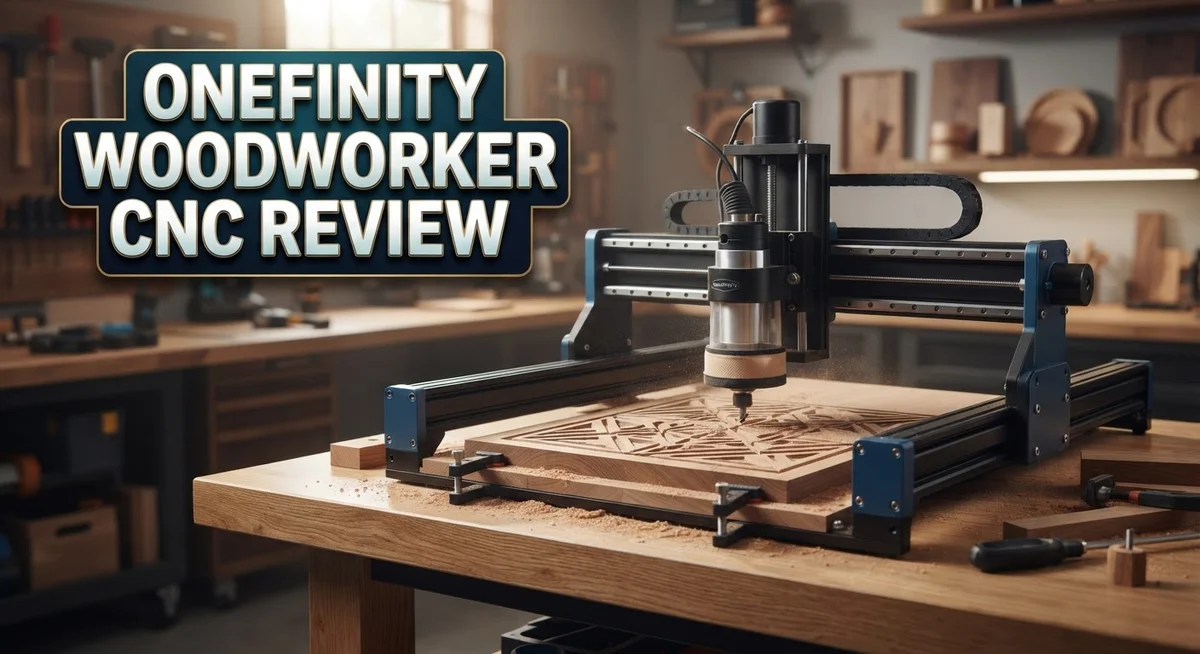
Onefinity Woodworker CNC Review 2026: Worth the Splurge?
Are you searching for a CNC machine that actually delivers on its promises? The Onefinity Woodworker CNC might be your answer.
This machine stands out with its ball screws and round rails construction. Users often call its stepper motors strong and powerful. That combination gives you a solid foundation for serious woodworking projects.
Cabinetmakers, sign makers, furniture makers, and hobbyists all find something to love here. The Gen 2 model brings fresh upgrades to an already impressive design. You can also add extras like the Redline Spindle, 4th Axis Rotary, ATC, and QCW.
In a Nutshell
- Stepper motors drive this machine with real strength. Users often praise how powerful these motors feel during heavy cuts.
- Movement speed impresses right away. The machine glides fast without losing accuracy or control.
- File loading feels simple and intuitive. You position your projects quickly without fighting confusing menus.
- Operation stays stable throughout each job. You get consistent results cut after cut.
- The Gen 2 model adds fresh upgrades to an already solid design. You can also add extras like a Redline Spindle or 4th Axis Rotary for more flexibility.
- Software works fine but won’t blow you away. It handles basics well without extra flair.
- One thing to note: there’s no built in bed or material mount. You will need your own setup for holding workpieces.
- Expect a learning curve. Most users need about a month before they feel fully comfortable running this machine.
Build Quality and Mechanical Design
The mechanical foundation of the Onefinity Woodworker CNC reflects careful engineering choices that matter for long term reliability. Ball screws paired with round rails create a rigid structure capable of handling demanding cuts without flex or drift.
Stepper motors power this machine with impressive torque, and users consistently report strong performance across different materials. The motors respond quickly to commands and maintain consistent speed during operation. This matters because precision depends on stable, predictable motion.
Movement speed stands out as a genuine strength here. The machine accelerates smoothly and reaches cutting speeds fast, which saves you time on production runs. Rapid positioning between cuts happens without hesitation, and the overall responsiveness feels satisfying during operation.
The Gen 2 model brings refinements to an already capable design. Onefinity listened to user feedback and improved key areas without abandoning what already worked well. If you’re comparing models, the newer version offers better integration and smoother workflows.
One design consideration: the machine lacks an integrated bed or material mounting system. You’ll need to plan your own clamping setup, which adds flexibility but requires some upfront thinking. Many users actually prefer this approach because it lets them customize mounting for specific projects.
Stability during operation remains consistently strong. The rigid construction absorbs vibration effectively, which translates to cleaner cuts and better surface finishes. Long cutting sessions don’t reveal any wobble or drift problems.
Assembly takes less time than you might expect from a machine of this caliber. The instructions are clear, and components fit together logically. Most users report being ready to make their first cuts within a day or two of unboxing.
The North America manufacturing adds confidence to the build quality story. Local production means tighter quality control and easier access to support when needed. Parts availability also benefits from domestic manufacturing.
The real strength lies in how all these mechanical elements work together. Ball screws don’t flex, motors deliver consistent power, and rails keep everything square. This combination creates a machine that responds predictably to your commands, which matters whether you’re making one off signs or running production batches.

- All-Aluminum Structure & Enhanced Stability: Engineered with an all-metal framework and linear rail...
- Upgraded Dust-Proof Controller & User-Friendly Design: Features a compact, dust-resistant controller...
Last update on 2026-10-21 / Affiliate links / Images from Amazon Product Advertising API Some of the links on this website are affiliate links, which means that at no additional cost to you, I earn a commission if you click through and make a purchase. I only recommend products and services that I believe will add value to my readers. Thank you for your support!
Performance and Cutting Capabilities
The Onefinity Woodworker CNC delivers consistent cutting performance across a wide range of materials and project types. Cutting speed remains reliable whether you’re working with hardwoods, softwoods, or composite materials. Users report that the machine maintains accuracy throughout longer jobs without performance degradation.
The stepper motors provide enough torque to handle detailed cuts and aggressive passes. This means you can push the machine when your project demands it, then scale back for precision work. The ball screw and round rail construction keeps everything aligned, so your cuts stay true from start to finish.
Movement speed impresses most users right away. The machine travels between cut positions quickly, which saves real time during production runs. This matters when you’re juggling multiple projects or working on time sensitive jobs. Rapid positioning doesn’t sacrifice stability either. The frame stays solid throughout rapid movements and cutting operations.
Spindle options expand your capabilities significantly. The optional Redline Spindle upgrade lets you work with different bit types and materials more effectively. The 4th Axis Rotary add on opens doors for cylindrical work and more complex designs.
One practical consideration: the learning curve affects how quickly you’ll maximize cutting capabilities. Most users need about a month to feel truly comfortable with the machine’s full potential. During that time, you’ll discover optimal feed rates, speeds, and techniques for your specific materials.
The software loads files smoothly and positioning feels intuitive once you understand the workflow. Stability during cuts remains consistently strong, which translates to cleaner edges and better surface finishes. You won’t experience the chatter or vibration issues that plague some machines in this category.
The Gen 2 model refines these performance aspects further. Owners report tighter tolerances and smoother operation compared to earlier versions. If cutting capability sits at the top of your priorities, the Onefinity Woodworker CNC handles professional grade work reliably.
Software, Ease of Use, and Learning Curve
The software on the Onefinity Woodworker CNC gets the job done, but it won’t impress you with flashy features. It’s functional and adequate, which means you can load files and start cutting without major frustration. The interface feels straightforward once you spend time with it.
File positioning works intuitively. You import your design, place it on the virtual workspace, and send it to the machine. Most users find this process simple and fast. The software handles standard file formats without issues, so compatibility rarely becomes a problem.
Here’s the real challenge: the learning curve demands patience. Expect to spend about one month before you feel truly comfortable with the machine. This isn’t unusual for CNC equipment, but it’s important to know upfront. You’ll need to learn tool paths, feed rates, spindle speeds, and how the software interprets your designs.
New users often struggle initially with understanding how the machine translates software commands into actual cuts. Videos and the community help tremendously here. The Onefinity community shares tips and workflows that make the learning process smoother. Online forums contain real solutions from people who’ve faced the same questions.
The software itself doesn’t overwhelm beginners, which is good. You won’t fight against a complicated interface. Instead, you’ll invest time learning CNC concepts and best practices. This knowledge transfers to other machines later, so the effort pays dividends.
Getting comfortable takes commitment, but the payoff is real. Once you cross that one month threshold, you’ll operate the machine confidently. Project complexity becomes your choice, not a limitation of understanding.
The Gen 2 model includes software refinements that make the experience slightly smoother than earlier versions. These updates address common user feedback, so newer machines benefit from lessons learned in the field.
Think of the software as a capable tool that requires an investment of your time. It’s not the machine’s weakness or strength. The real value comes from what you create once you master it.
Top 3 Alternatives
Shapeoko Pro CNC

- NEMA23 Closed-Loop Stepper Motors: Equipped with four NEMA23 closed-loop stepper motors, 3A current...
- All Axis Feature Linear Rails and Ball Screws: Our 6060 engraving machine is equipped with dual...
Last update on 2026-10-21 / Affiliate links / Images from Amazon Product Advertising API Some of the links on this website are affiliate links, which means that at no additional cost to you, I earn a commission if you click through and make a purchase. I only recommend products and services that I believe will add value to my readers. Thank you for your support!
X-Carve CNC Machine

- Best Entry-Level: The Genmitsu 3018-PROVer V2 is the top choice for beginners looking to dive into...
- User-Friendly Setup: Thanks to the semi-preinstallation, setting up the 3018-PROVer V2 is a breeze...
Last update on 2026-10-21 / Affiliate links / Images from Amazon Product Advertising API Some of the links on this website are affiliate links, which means that at no additional cost to you, I earn a commission if you click through and make a purchase. I only recommend products and services that I believe will add value to my readers. Thank you for your support!
Maslow CNC Router

- THE WORLD’S FIRST WALL MOUNTED CNC MACHINE KIT: its upright design provides a huge cutting space...
- FULL KIT: M2 is a 3-Axis wall-mounted CNC cutting machine and comes with laser-cut, steel and powder...
Last update on 2026-10-21 / Affiliate links / Images from Amazon Product Advertising API Some of the links on this website are affiliate links, which means that at no additional cost to you, I earn a commission if you click through and make a purchase. I only recommend products and services that I believe will add value to my readers. Thank you for your support!
Customization Options and Add-Ons
The Onefinity Woodworker CNC shines when it comes to expanding what you can accomplish. The machine accepts several powerful add-ons that transform your capabilities without requiring a completely new purchase.
The Redline Spindle stands out as the most popular upgrade. This spindle delivers higher RPM speeds and smoother operation compared to the standard setup. Woodworkers who need finer detail work or faster feed rates often choose this first. The spindle swap takes minimal effort, making it an accessible upgrade even for newer users.
The 4th Axis Rotary attachment opens entirely new project possibilities. With this add-on, you can rotate your workpiece and cut cylindrical objects or create intricate designs on curved surfaces. Sign makers and furniture craftspeople find this particularly valuable. You can now machine items like table legs, decorative posts, and custom handles without repositioning manually.
The Automatic Tool Changer (ATC) eliminates the manual bit-swapping process. If your projects require multiple tools, the ATC saves significant time and frustration. Your workflow becomes smoother because the machine handles tool changes automatically. This matters most for production runs or complex multi-step carvings.
The Quick Change Workholding (QCW) system addresses a real pain point. Since the standard Onefinity lacks an integrated bed structure, securing materials can feel awkward. The QCW system provides a cleaner solution for holding pieces firmly and consistently. Switching between different workpieces becomes faster and more reliable.
What makes these add-ons practical is their modular design. You don’t need every upgrade right away. Start with the base machine and add components as your projects demand them. The Gen 2 model accommodates these add-ons more smoothly than earlier versions, with better integration and fewer compatibility quirks.
These customization options mean your machine can grow with your skills and ambitions. Whether you’re a hobbyist exploring new techniques or a professional expanding your service offerings, the Onefinity platform supports your evolution without forcing expensive reinvestment.
Setup and Installation Process
Getting your Onefinity Woodworker CNC ready to work takes thoughtful planning and patience. The machine arrives as a kit, so you’ll spend time assembling the frame and installing components. Most users complete assembly in a single day, though some prefer spreading it across two sessions.
The ball screws and round rails come pre installed, which saves you significant setup hassle. You’ll focus mainly on securing the frame, mounting the stepper motors, and connecting the electrical components. The instructions are clear, and the North America built quality means parts fit together smoothly without frustrating gaps or misalignments.
Once assembly finishes, calibration becomes your next step. You’ll need to establish the home position, verify axis movement, and confirm that the stepper motors respond correctly to commands. This process feels straightforward if you follow the documentation carefully. Take your time here because proper calibration prevents cutting errors later.
The software installation happens on your computer, not the machine itself. You’ll download the control software, connect via USB or network, and load your first file. File positioning proves intuitive once you understand the workflow. The software shows you exactly where the bit will cut before you start the machine.
One practical consideration: plan your workspace layout before setup begins. You’ll need room for the machine itself, plus space to load material and access the spindle. Many users wish they’d thought about this earlier, especially if working in smaller shops.
The learning curve affects how quickly you’ll move from setup to your first successful project. New users typically need about a month to feel genuinely comfortable with the entire process. This includes understanding how to prepare files, position material correctly, and troubleshoot minor issues. The Gen 2 model includes software refinements that smooth this transition slightly compared to earlier versions.
Don’t rush the setup phase. Taking extra time now prevents headaches during operation. Your initial investment in careful assembly and calibration pays dividends through reliable performance and consistent cutting results.
Pros and Cons
Pros
- Solid mechanical build with ball screws and round rails that deliver stable, reliable cuts every time
- Fast machine movement and smooth performance keep your workflow moving without frustrating delays
- Stepper motors pack genuine power, giving you confidence when tackling demanding projects
- North America built means local support and quality control you can trust
- Modular add ons like the Redline Spindle and 4th Axis let your machine grow as your skills advance
Cons
- Software is functional but basic – it gets the job done without impressing you with advanced features
- Learning curve demands real commitment – expect roughly one month before you feel genuinely comfortable operating the machine
- No integrated bed or material mount structure means you’ll need to source or build your own workholding solution
- Steep initial investment requires serious dedication to woodworking or professional use to justify the commitment
Who Should Buy It
The Onefinity Woodworker CNC suits professionals who need serious production capacity. Cabinetmakers benefit most because the machine handles repetitive cuts with precision. Sign makers find value in the fast movement speed and stable operation. Furniture makers appreciate the solid mechanical build that delivers consistent results across multiple projects.
Hobbyists with genuine commitment also fit this machine well. You need patience and real interest in learning CNC operations. The one month learning curve isn’t trivial, but dedicated hobbyists overcome this obstacle. Your workshop space must accommodate the machine’s footprint and allow proper material flow.
Business owners should evaluate whether production volume justifies the investment. If you run a small shop and need daily CNC work, this machine earns its place. The North America built quality means fewer surprises and reliable local support when issues arise. The stepper motors deliver enough power for demanding materials and thick stock.
You should also consider whether you want to expand capabilities over time. The modular add on system means you can start basic and grow later. The Redline Spindle upgrade, 4th Axis Rotary attachment, and Automatic Tool Changer all work seamlessly with your base machine. This flexibility appeals to makers who evolve their business.
Skip this machine if you need integrated material mounting solutions built in. The Onefinity requires you to source or build your own workholding setup. First time CNC users should understand the software is functional but basic. You won’t get advanced features, but you will get reliable operation.
Experienced woodworkers transition smoothly to CNC work on this platform. Your existing knowledge of materials and cutting speeds transfers directly. The intuitive file loading and positioning system means you spend less time fighting software and more time creating.
Budget conscious buyers should compare alternatives like the Shapeoko 5 Pro or Sienci Labs LongMill MK2 30×30. Each machine serves different needs and skill levels. The Onefinity Woodworker CNC ultimately suits makers who value stability, performance, and the ability to scale their operation as demand grows.
Final Verdict
The Onefinity Woodworker CNC stands out as a machine built for serious results. It brings together strong engineering and dependable performance in one package.
This CNC works best for people who value quality over quick fixes. Cabinet makers, sign makers, and furniture builders will find real benefits here.
The machine rewards patience. Once you push through the learning curve, you gain a tool that performs consistently for years.
Think about your long term goals before you decide. This machine grows with you through add ons like the Redline Spindle and 4th Axis Rotary.
If you want a machine that handles heavy use without breaking down, this fits the bill. The build quality supports repeated, demanding work sessions.
Community support also matters here. Onefinity owners often share tips, files, and troubleshooting advice online, which helps new users settle in faster.
Customer service reputation stays strong too. North America based production means faster response times when issues come up.
Compare this to competitors like the Shapeoko 5 Pro or Avid CNC Benchtop Pro before making your final choice. Each machine serves slightly different needs and skill levels.
This CNC is not for everyone. Casual crafters who want instant results might feel frustrated during the setup phase.
But for those ready to commit, the payoff feels worth it. You get a machine that handles serious projects with confidence and precision.
Furniture makers and sign makers especially benefit from the stable cutting performance. Detailed work stays accurate cut after cut.
In short, the Onefinity Woodworker CNC delivers on its promise of quality and reliability. It asks for patience upfront but gives back consistent performance over time.
Choose this machine if you want a long term investment in your craft. Skip it if you need something simpler right out of the box.
Your final decision should match your skill level, your project goals, and how much time you can invest in learning the system properly.
Frequently Asked Questions
Is the Onefinity Woodworker CNC good for beginners?
The machine itself is straightforward to set up. However, you’ll face a steep learning curve of roughly one month before you feel truly comfortable. Beginners who are patient and committed can absolutely succeed here. The intuitive file loading and positioning help reduce confusion. Casual crafters wanting instant results may feel frustrated during this adjustment period.
What materials can this CNC machine cut?
The Onefinity Woodworker CNC handles wood excellently, which is its primary strength. It works well with softer materials like plywood, hardwoods, and composite boards. The stepper motors deliver genuine power for demanding cuts. You should verify specific material compatibility with the manufacturer before attempting unusual materials. Most users focus on traditional woodworking applications where this machine truly shines.
How does the Onefinity compare to the Shapeoko 5 Pro?
Both machines serve serious woodworkers well. The Onefinity emphasizes North America manufacturing and stable operation. The Shapeoko 5 Pro offers different software and a distinct design approach. Your choice depends on whether you prefer the Onefinity’s build quality or the Shapeoko’s ecosystem. Budget and your specific project needs should guide this decision. Testing both machines if possible helps clarify which suits your workflow.
Can you add features to this machine later?
Yes. Modular add ons expand your capabilities over time. The Redline Spindle, 4th Axis Rotary, ATC, and QCW are available separately. This approach lets your machine grow as your skills advance and your projects become more complex. You don’t need everything upfront, which helps you invest gradually.
What’s the learning timeline for this CNC?
Expect approximately one month of regular use before comfortable proficiency. Setup itself takes days, not weeks. The real learning involves understanding software, file preparation, and cut optimization. Experienced woodworkers transition faster than complete newcomers. Community support and customer service can accelerate your progress significantly.

Hi, I’m Amelia Thornton, the founder of ElectroPro.blog.
I write about smart devices, gadgets, electronics, and tech essentials from Amazon.
My goal is to help you discover reliable and innovative tech that truly makes life easier.
From home automation to everyday gear, I test and share what’s worth your investment.
Join me as I explore the smartest tech trends—one gadget at a time.