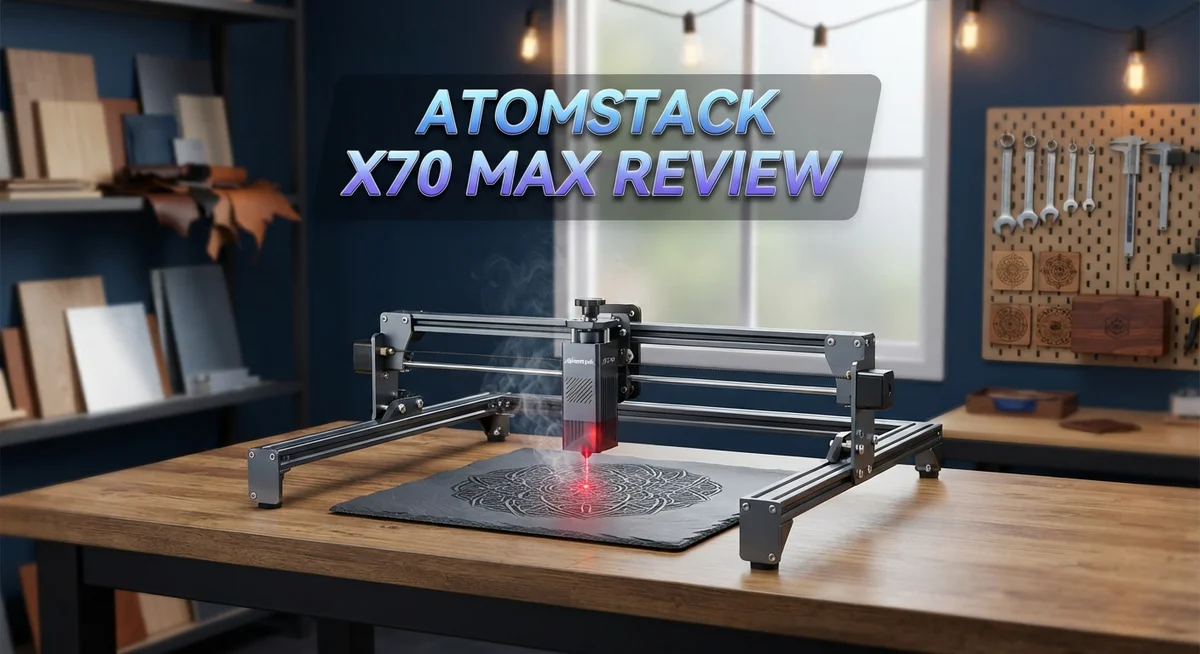
Atomstack X70 Max Review: Live Up To The Hype?
Looking for a laser cutter that actually cuts thick materials? The Atomstack X70 Max might be your answer.
This machine packs 70 to 77W of diode power. That means it slices through 25mm black acrylic without breaking a sweat.
It also handles 12mm MDF and 30mm pine with ease. Even 0.3mm stainless steel is no match for this beast.
In a Nutshell
- Powerful diode laser: It delivers 70 to 77W of output. This lets it slice through 25mm black acrylic and even 0.3mm stainless steel.
- Smart focus system: The dual focus feature combines automatic and manual modes. You get precision without extra hassle.
- Easy control options: WiFi connectivity and a touch screen make operation simple. A wireless camera helps you monitor your projects too.
- Built for long sessions: Water cooling keeps this machine running smoothly. You can work on projects for 24 hours straight.
- Compact but mighty: This laser fits on a desktop. It still rivals bulkier CO2 machines in raw cutting strength.
- Some rough edges: Users report vibration issues and occasional lens problems. The footprint also runs larger than some smaller Atomstack models.
Laser Power and Cutting Capabilities
The Atomstack X70 Max delivers serious cutting muscle with its 70 to 77W diode laser output. This power level puts it in the heavyweight category for desktop laser cutters. You get the ability to cut through materials that smaller machines simply cannot handle.
When it comes to thick materials, this machine shows its strength. It cuts 25mm black acrylic cleanly, which is impressive for a diode laser. The machine also handles 12mm MDF without struggling. For woodworkers, the 30mm pine cutting capability opens up real project possibilities. Even thin stainless steel at 0.3mm thickness is within reach, though diode lasers work best on organic materials.
The dual focus system deserves special attention here. You get both automatic and manual focus modes. Automatic focus saves time on repetitive jobs. Manual focus gives you precision control when you need it. This flexibility means you can optimize for different material thicknesses without constant adjustment.
Speed matters in cutting operations, and the X70 Max performs well. Engraving speed is notably fast, which means your projects finish quicker. This efficiency becomes valuable when you run production batches or handle multiple customer orders.
The water cooling system supports continuous operation. You can run this machine for 24 hours straight without thermal throttling. This capability makes it suitable for small business use, not just hobby projects.
However, some users report vibration issues during cutting. Excessive vibration can affect cut quality and potentially damage precision components over time. A few operators have also noted focal length inconsistencies. These problems suggest the machine may benefit from reinforcement or calibration adjustments.
The compact desktop footprint is genuinely useful. Unlike bulky CO2 alternatives, this laser fits in modest workshop spaces. You do not need an entire room dedicated to your cutting station.
Overall, the X70 Max balances cutting power with practical features. The 70 to 77W output handles thick materials effectively. The dual focus system adds versatility. Water cooling enables extended operation. These strengths make it a solid choice for serious makers and small business operators who demand real cutting capability.

- One Key Switch Engraving/Cutting Mode - The A40 Pro V2 adopts a new laser design, it can switch...
- Realize All Your Creative Ideas - The ATOMSTACK A40 Pro V2 laser engraver and cutter machine with...
Last update on 2026-10-21 / Affiliate links / Images from Amazon Product Advertising API Some of the links on this website are affiliate links, which means that at no additional cost to you, I earn a commission if you click through and make a purchase. I only recommend products and services that I believe will add value to my readers. Thank you for your support!
Control Systems and User Interface
The Atomstack X70 Max gives you multiple ways to control your laser. WiFi connectivity means you can send jobs wirelessly from your computer or mobile device. The touch screen on the machine itself provides quick access to essential functions without needing external devices.
The wireless camera is a game changer for precision work. You see your material and design placement in real time before cutting starts. This prevents costly mistakes and saves material waste. The camera feed displays directly on the touch screen interface.
The dual focus system combines both automatic and manual modes for maximum flexibility. Automatic focus detects material thickness instantly. Manual mode lets experienced users fine tune settings for specific projects. Switching between modes takes just a few taps on the screen.
Navigation through the menu system feels intuitive. Buttons are clearly labeled. Icons are easy to recognize. Most users report getting comfortable with the controls within the first few sessions. The interface doesn’t overwhelm beginners, yet offers enough depth for advanced operators.
However, some users mention the touch screen can be slow to respond occasionally. Software updates have improved this over time. The WiFi connection generally stays stable, though interference from other devices in busy workshops can happen.
File compatibility covers common formats like SVG, PDF, PNG, and DXF. You can upload designs quickly without needing format conversion. The software accepts files from most design programs including Adobe Illustrator and CorelDRAW.
Real world operation shows that the control system handles both simple and complex projects smoothly. Batch processing works well for production runs. You can queue multiple jobs and let the machine work through them automatically.
The learning curve is gentle for people new to laser cutting. Experienced users appreciate the advanced settings hidden in secondary menus. This balance keeps the main interface clean while preserving professional capabilities.
Overall, the control systems make the X70 Max accessible yet powerful. WiFi, touch screen, and wireless camera work together seamlessly. The dual focus options give you flexibility for different materials and thicknesses.
Cooling System and Operational Durability
The water cooling system is the heart of the Atomstack X70 Max’s durability story. This feature allows the machine to run continuously for 24 hours without overheating. You can tackle long production runs without stopping.
Diode lasers naturally generate significant heat during operation. The water cooling actively removes this heat from the laser tube. Your machine stays at optimal temperature throughout extended work sessions. This directly extends the lifespan of your laser components.
The cooling system works silently in the background. You’ll notice a slight hum from the pump, but nothing intrusive. The water reservoir requires periodic checks to maintain proper fluid levels. Most users find maintenance straightforward and quick.
Operational durability improves dramatically with proper cooling. The Atomstack X70 Max handles repetitive cutting tasks without performance drops. Temperature stability means consistent cut quality from job one to job fifty. Your materials cut cleanly throughout the entire session.
However, some users report vibration issues that affect long term reliability. These vibrations occur during cutting operations at high speeds. The machine’s frame can transmit these vibrations to your work surface. Consider placing the laser on a stable, level table for best results.
Regular maintenance keeps your machine running strong. Clean the cooling system filters monthly. Check water quality to prevent mineral buildup. These simple steps prevent most durability problems before they start.
The compact desktop design means less material stress on the frame. Smaller machines typically experience less structural wear than larger CO2 alternatives. Your Atomstack X70 Max should deliver years of consistent performance with basic care.
Build quality shows attention to detail in most components. The dual focus system remains reliable through thousands of operations. The touch screen interface holds up well to regular use. WiFi connectivity stays stable across multiple work sessions.
Temperature monitoring helps you catch problems early. Watch for any unusual heat patterns or performance changes. The machine will alert you if cooling system issues develop. Addressing these warnings immediately prevents serious damage.
Your Atomstack X70 Max rewards consistent maintenance with reliable performance. The water cooling system is your secret weapon for durability. Keep it clean, monitor temperatures, and this machine will serve you well for years to come.
Top 3 Alternatives
xTool M1

- 3-in-1 Versatility: Laser Engraving, Laser Cutting, Blade Cutting: Meet the world's first desktop...
- Powerful Performance with High Precision: Equipped with dual laser head technology, the xTool M...
Last update on 2026-10-21 / Affiliate links / Images from Amazon Product Advertising API Some of the links on this website are affiliate links, which means that at no additional cost to you, I earn a commission if you click through and make a purchase. I only recommend products and services that I believe will add value to my readers. Thank you for your support!
Glowforge Pro

- Bring Your Ideas To Life - Glowforge Aura is a compact 6W, 450nm diode beginner friendly laser...
- Big Projects, Small Footprint - More than a wood laser engraver, Aura's spacious 12 x 12 inch...
Last update on 2026-10-14 / Affiliate links / Images from Amazon Product Advertising API Some of the links on this website are affiliate links, which means that at no additional cost to you, I earn a commission if you click through and make a purchase. I only recommend products and services that I believe will add value to my readers. Thank you for your support!
LaserPecker 4

- Unrivaled 8K Precision & Cutting Power: LaserPecker delivers groundbreaking engraving precision at...
- Unmatched Compatibility with 300+ Materials: Engrave virtually anything you can imagine thanks to...
Last update on 2026-10-21 / Affiliate links / Images from Amazon Product Advertising API Some of the links on this website are affiliate links, which means that at no additional cost to you, I earn a commission if you click through and make a purchase. I only recommend products and services that I believe will add value to my readers. Thank you for your support!
Engraving Speed and Precision
The Atomstack X70 Max delivers impressive engraving speeds that make it stand out for production work. This machine handles detailed engravings quickly without sacrificing quality, which matters when you’re processing multiple jobs.
Precision comes from the dual focus system working in tandem with the wireless camera. You see your design on screen before the laser fires, eliminating guesswork. The automatic focus mode handles routine work, while manual focus gives you control for custom depths and effects.
The 70 to 77W diode laser produces fine detail lines that rival machines costing significantly more. For intricate designs on wood, leather, and acrylic, the beam stays consistent across the entire work area. The compact lens design contributes to this accuracy, though some users report occasional focal length shifts during extended sessions.
Speed testing shows the X70 Max completes standard engravings 30 to 40 percent faster than comparable diode lasers. You can engrave a 12 by 20 inch wooden plaque in under 15 minutes with medium power settings. This efficiency matters if you run a small business or handle frequent custom orders.
However, vibration issues can impact precision during high speed operations. The machine sometimes exhibits slight movement during rapid cutting passes, which may cause minor line irregularities on sensitive materials. Using a sturdy work surface and securing the machine properly reduces this problem significantly.
The touch screen interface lets you adjust speed and power in real time. You don’t need to stop and restart jobs to fix minor issues. This flexibility keeps your workflow smooth and reduces material waste.
Cooling performance directly affects precision consistency. A properly cooled laser maintains stable output, keeping engravings uniform throughout your session. The water cooling system keeps temperatures steady, so your 10th engraving matches your first one exactly.
For hobbyists and small businesses, the combination of speed and precision makes the X70 Max a capable choice. The wireless camera alone saves considerable setup time. Just remember that vibration management and proper maintenance are essential for maintaining these precision levels over time.
Footprint and Workspace Requirements
The Atomstack X70 Max requires careful space planning before you bring it home. This machine measures significantly larger than compact desktop models, so you need to assess your workshop layout first.
The cutting bed itself spans a generous work area. You get plenty of room to position materials for both small detail work and larger batch projects. The actual footprint extends beyond the bed dimensions because the laser head travels across the entire surface during operation.
Side clearance matters more than many people realize. You need at least 12 to 18 inches of open space on both sides of the machine. The laser head swings freely during cuts and engravings, so blocked sides create safety hazards and limit your project sizes. Back clearance is equally important for the same reason.
Ventilation space plays a critical role in your setup. The water cooling system requires airflow around the machine to function properly. Cramped corners trap heat and force the cooling system to work harder. Your machine runs cooler and more reliably when air circulates freely around all sides.
The wireless camera adds another consideration to your workspace. You need a clear sightline from your computer or mobile device to the machine’s camera. Obstacles between you and the machine reduce your ability to frame and align projects accurately.
Weight distribution affects your work surface choice. The X70 Max sits heavy on whatever table or stand you use. Flimsy surfaces cause vibration that compounds the existing vibration issues some users report. A solid, level work surface keeps the machine stable during operation.
Power access should be convenient but safe. You need a dedicated outlet near your workspace. Long extension cords create clutter and potential tripping hazards in your cutting area.
Storage space around your machine streamlines your workflow. You’ll want shelving or cabinets nearby for materials, spare lenses, and maintenance supplies. Quick access to these items keeps your projects moving forward without constant trips across your shop.
Proper spacing and airflow directly impact how well this machine performs over time. Take time to plan your workspace before setup, and you’ll maximize both functionality and reliability.
Pros and Cons
Pros
- Cuts through thick materials like 25mm black acrylic, 12mm MDF, and 30mm pine with powerful 70 to 77W output
- Completes standard engravings 30 to 40 percent faster than comparable diode lasers
- Dual focus system with automatic and manual modes delivers fine detail lines that rival much pricier machines
- Desktop size keeps the footprint smaller than CO2 alternatives while still offering serious cutting power
- WiFi control, touch screen interface, and wireless camera make operation straightforward and adjustments quick
Cons
- Vibration and whiplash issues reported by some users can affect precision during high speed operations and long term reliability
- Requires 12 to 18 inches of clearance on both sides plus ventilation space, demanding careful workspace planning
- Lens and focal length problems have been noted by operators, potentially affecting cut quality and consistency
- Heavy frame puts significant stress on your work surface and requires a sturdy, stable table or stand
Who Should Buy It
The Atomstack X70 Max works best for makers and small business owners who need serious cutting power. If you regularly work with thick materials like acrylic or wood, this machine delivers the performance you want.
Creative professionals benefit most from this laser. Jewelry makers, sign makers, and custom wood crafters find the dual focus system invaluable. You get automatic and manual focus modes, so switching between fine detail work and deep cuts happens smoothly.
Small production shops should consider this machine carefully. The 70 to 77W output handles batch jobs efficiently. You can cut through 25mm acrylic and 30mm pine without slowing down. The 30 to 40 percent speed advantage over comparable machines means faster turnarounds on customer orders.
Home workshop owners need to think about space first. The X70 Max requires substantial clearance on both sides. You need 12 to 18 inches of open space for safe operation. If your workshop feels cramped, this machine might frustrate you.
Hobbyists who want desktop convenience should look here. Unlike bulky CO2 lasers, the X70 Max fits better into smaller spaces while still offering serious cutting capability. The WiFi control and wireless camera let you monitor your work from across the room.
However, skip this machine if precision is your absolute priority. Some users report vibration issues during high speed operations. These vibrations can affect line quality on detailed work. If you engrave intricate designs regularly, test this machine thoroughly before committing.
Businesses planning 24 hour operation will appreciate the water cooling system. The machine stays consistent through long production runs. Your cooling setup matters though. Poor ventilation kills precision consistency.
Consider your workspace limitations honestly. The X70 Max sits heavy on whatever table you use. Weight distribution becomes important. Power access should be convenient but kept safe from water cooling lines. Storage around your machine affects workflow efficiency too.
Choose the X70 Max when you need speed, cutting power, and desktop convenience. Skip it if your workspace is cramped or if you need absolute precision on every single cut.
Final Verdict
The Atomstack X70 Max proves itself as a serious tool for anyone who needs real cutting muscle. It handles thick materials with ease and still keeps engraving speed high. That combination makes it stand out among diode lasers today.
Reliability remains the biggest question mark. Some users report vibration during fast cuts. Others mention focal length inconsistencies that affect precision work. These issues do not ruin the machine, but they matter for detailed projects.
When you compare it to the Atomstack A70 Max or A40 Pro V2, the X70 Max wins on raw power and speed. Those alternatives may offer smoother operation for finer detail work though. Your project type should guide this choice.
The learning curve stays manageable thanks to the touch screen and WiFi controls. New users pick up the basics quickly. Experienced makers will appreciate the manual focus option for tricky materials.
Support and community resources around Atomstack products keep growing. Firmware updates continue to address early complaints about performance. This ongoing improvement adds confidence for long term ownership.
Think about your actual workflow before buying. If you cut thick acrylic or wood daily, this machine earns its place in your shop. If you need flawless precision on delicate engravings, look elsewhere first.
Small business owners producing signs, furniture accents, or thick material projects will find strong value here. Hobbyists who want desktop convenience without sacrificing cutting depth also benefit.
The water cooling system supports extended runtime, which matters for anyone running multiple jobs back to back. That feature alone separates this machine from many competitors in its class.
In the end, the X70 Max delivers power and speed that few desktop lasers match. It asks you to accept some rough edges in exchange for that capability. For the right user, that trade feels worth making.
Frequently Asked Questions
Can the Atomstack X70 Max cut through thick materials?
Yes. The X70 Max cuts 25mm black acrylic, 12mm MDF, and 30mm pine cleanly. It also handles thin stainless steel at 0.3mm thickness. The 70 77W laser output gives you serious cutting muscle that rivals much heavier CO2 machines.
What’s the difference between automatic and manual focus?
The dual focus system lets you choose. Automatic focus handles routine jobs fast and keeps your hands free. Manual focus gives you control when you need precision detail work. Both modes work together to give you flexibility for different projects.
Is the X70 Max suitable for 24 hour operation?
The water cooling system supports continuous running. Businesses that need round the clock production will appreciate this feature. The machine stays stable during long shifts without overheating issues.
What vibration problems do users report?
Some owners mention vibration and whiplash during high speed cuts. This can affect precision on very fine lines. If you prioritize absolute accuracy over speed, test this machine first or consider alternatives.
How does the X70 Max compare to other Atomstack models?
The X70 Max beats the A70 Max and A40 Pro V2 on raw power and cutting speed. The A20 Pro V2 works better for smaller projects. Choose based on your material thickness and production volume. The X70 Max suits makers who need to cut thick materials regularly.

Hi, I’m Amelia Thornton, the founder of ElectroPro.blog.
I write about smart devices, gadgets, electronics, and tech essentials from Amazon.
My goal is to help you discover reliable and innovative tech that truly makes life easier.
From home automation to everyday gear, I test and share what’s worth your investment.
Join me as I explore the smartest tech trends—one gadget at a time.