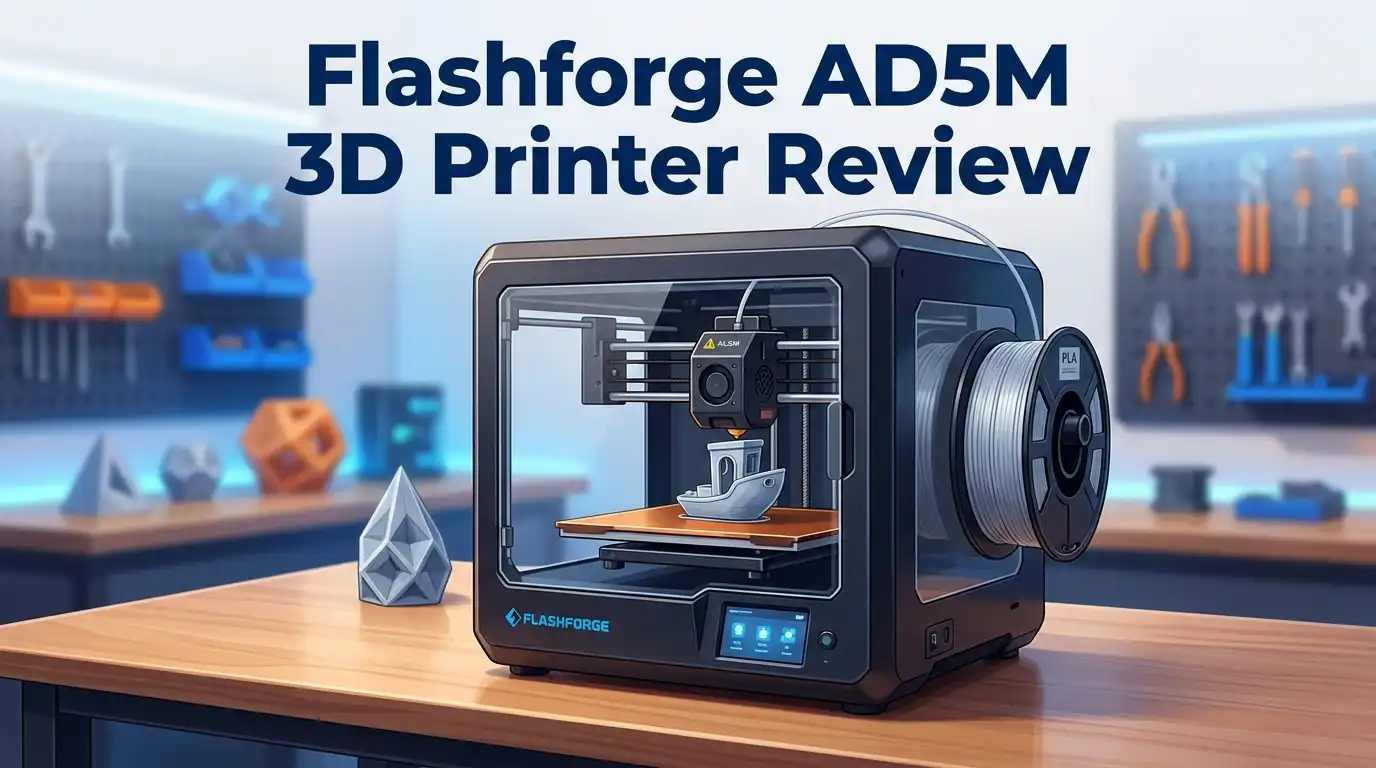
Flashforge AD5M 3D Printer Review: Worth the Hype?
Want a 3D printer that works right out of the box? The Flashforge AD5M might be your answer.
This printer brings speed and simplicity together. It uses a CoreXY design that hits print speeds up to 600 mm/s. That means your projects finish fast without sacrificing quality.
Setup takes just 10 minutes. You do not need any prior experience. The auto-leveling feature does the hard work for you.
This review breaks down everything you need to know. Let us explore what makes the AD5M stand out in a crowded 3D printing market.
In a Nutshell
- Blazing fast speeds: This printer moves at 600 mm/s thanks to its CoreXY design. Your projects finish quicker than most competitors.
- Auto leveling included: You skip the manual calibration hassle. The printer adjusts itself for perfect first layers.
- Reliable material handling: PLA and PETG prints come out clean and consistent. You get fewer failed jobs and less wasted filament.
- Small footprint, small build area: The compact size is great for tight spaces. But you’ll want to check if it fits your bigger project needs.
- Some rough edges remain: The software still has limitations that experienced users notice. Long term owners also report occasional bugs.
- Noise during operation: This machine runs loud compared to quieter models. Keep this in mind if you print near living spaces.
Key Features and Specifications
The Flashforge AD5M packs impressive specifications that appeal to users seeking speed without complexity. Let’s break down what makes this printer tick.
Print Speed and Performance
This machine reaches 600 mm/s thanks to its CoreXY design. That speed puts it among the fastest in its category. You’ll finish projects faster than with standard printers. The CoreXY mechanism moves both X and Y axes simultaneously, which explains the performance boost.
Ease of Use Features
Auto leveling eliminates one of the biggest frustrations beginners face. You don’t spend hours calibrating the bed manually. Setup completes in just 10 minutes from unboxing to first print. This means you start creating almost immediately.
Material Compatibility
The AD5M works with PLA and PETG materials. Both are beginner friendly and widely available. PLA prints come out clean and consistent. PETG handling is equally reliable for functional parts.
Build Area and Design
The compact footprint fits nicely on desks or workbenches. This small size is ideal for home workshops or classrooms. However, the build area remains limited compared to larger models. You’ll need to plan projects around this constraint.
Real World Performance
Users report excellent print reliability on common materials. The machine delivers consistent results once you understand its quirks. Print quality meets expectations for the speed class.
Operational Considerations
The AD5M runs noticeably louder than some competitors. You’ll want headphones or a separate room during long print jobs. Software has some limitations that experienced users notice. Updates continue to improve functionality.
What This Means
The Flashforge AD5M excels at speed and simplicity. It’s built for people who want results fast. The specifications show a printer focused on performance over flexibility. If you value quick setup and rapid printing, these specs align perfectly with your needs. The trade offs are minor for most hobbyists and beginners.

- Unleash Your Creativity: The Perfect Companion for Beginners and Experts Alike. The AD5M combines...
- Achieve Perfect Prints with Ease: The AD5M is equipped with a fully automatic one-click leveling...
Last update on 2026-10-21 / Affiliate links / Images from Amazon Product Advertising API Some of the links on this website are affiliate links, which means that at no additional cost to you, I earn a commission if you click through and make a purchase. I only recommend products and services that I believe will add value to my readers. Thank you for your support!
Print Speed and Performance
The Flashforge AD5M delivers impressive speed that keeps up with machines in higher categories. Its CoreXY design pushes the printer to 600 mm/s, which means your prints finish faster without sacrificing quality.
Real world printing shows consistent results. Users report that the AD5M handles standard materials like PLA and PETG reliably. You won’t see failed prints or warping issues on common jobs. The auto leveling system takes guesswork out of the equation, so every layer adheres properly from start to finish.
Speed matters, but consistency matters more. This printer balances both. Your first print runs smoothly. Your tenth print looks just as good. That reliability keeps users coming back, especially beginners who worry about wasting material on bad prints.
The quick setup also boosts overall performance. Ten minutes from unboxing to first print means you start working immediately. No complex calibration procedures. No hours spent troubleshooting. This efficiency extends beyond initial setup into daily operation.
However, speed comes with trade offs. The machine operates noticeably louder than quieter competitors. If you work in a shared space or need silent operation, this becomes a factor. Some users report software limitations that slow down workflow for advanced tasks. The software lacks features that experienced makers might expect.
The build area remains compact, which limits project size. Large prints need to be split into multiple parts. This isn’t a dealbreaker for most users, but it’s worth considering if you plan big projects.
Performance in real conditions shows the AD5M excels at what it promises. Print speeds stay consistent. Material handling remains reliable. The printer doesn’t overheat or slow down mid job. Temperature management works well, and the cooling system keeps performance stable during long printing sessions.
For speed focused printing, the AD5M punches above its weight. It won’t disappoint users seeking fast turnaround times with dependable results. The trade off between speed and some advanced features is acceptable for most hobbyists and small business owners.
Ease of Setup and User Experience
Getting your Flashforge AD5M up and running takes just 10 minutes. You unbox it, place it on a flat surface, and you’re ready to print. No complicated assembly steps slow you down.
The auto-leveling feature makes setup even easier. Most beginners struggle with bed leveling, but this printer handles it automatically. You skip the frustration and move straight to printing your first object.
The interface feels intuitive once you start using it. Loading filament is straightforward. The touchscreen responds quickly to your commands. New users report feeling confident after their first print session.
Software limitations do exist, however. Some experienced users notice missing features they expected. The software works fine for basic printing but lacks advanced customization options. This rarely bothers beginners, but power users may feel restricted.
Day to day operation runs smoothly for most people. The CoreXY design keeps everything moving fast and smoothly. Print jobs start without drama. You load your file, press start, and the machine does its job reliably.
One thing to know: this printer runs loud during operation. The noise level might surprise you if you’re used to quieter machines. It’s not dangerous, but you’ll definitely hear it working. Keep this in mind if your workspace is near others.
Long term users report that the AD5M stays consistent over time. Parts don’t seem to wear out quickly. The reliability holds up through hundreds of print hours.
The learning curve stays gentle. Whether you’ve never touched a 3D printer or you have some experience, you’ll adapt fast. The machine doesn’t demand special knowledge or technical skills. It simply works as advertised.
Setup and daily use combine to make this printer accessible. You spend less time troubleshooting and more time creating. That’s exactly what beginners need. The AD5M removes barriers and lets you focus on what matters: bringing your ideas to life through 3D printing.
Top 3 Alternatives
Creality Ender 3

- 250mm/s High-Speed Printing: Print at speeds of up to 250mm/s with 2500mm/s² acceleration...
- Easy Setup with Auto Leveling: Designed for a fast and straightforward setup, the Ender 3 V3 SE...
Last update on 2026-10-21 / Affiliate links / Images from Amazon Product Advertising API Some of the links on this website are affiliate links, which means that at no additional cost to you, I earn a commission if you click through and make a purchase. I only recommend products and services that I believe will add value to my readers. Thank you for your support!
The Ender 3 is a popular choice for beginners who want reliable printing at an affordable level. This printer uses FDM technology and offers a large build platform. You get straightforward assembly and easy maintenance with this model.
The machine prints with common materials like PLA and PETG. Users appreciate the active community support available online. Upgrades and modifications are simple because many parts fit this printer.
Prusa i3 MK3S

- [REWARDING DIY BUILD EXPERIENCE] Assemble your own high-performance 3D printer with a detailed...
- [HIGH-SPEED FDM PERFORMANCE] Delivers fast, precise printing with excellent surface quality...
Last update on 2026-10-21 / Affiliate links / Images from Amazon Product Advertising API Some of the links on this website are affiliate links, which means that at no additional cost to you, I earn a commission if you click through and make a purchase. I only recommend products and services that I believe will add value to my readers. Thank you for your support!
The Prusa i3 MK3S stands out for consistent print quality and user-friendly features. This printer comes nearly assembled, so you spend less time on setup. The build surface removes prints automatically, which saves you time after each job.
This model includes a filament sensor that stops printing if material runs out. The heated bed recovers quickly between prints. Many users report excellent customer service from the manufacturer when they need help.
Anycubic Vyper

- Package Includes: 1 Set Compatible with ANYCUBIC Vyper Hotend V5 J-head hotend upgrade 24V 40W...
- This Vyper V5 J-head Hotend 24V 40W replacement is ONLY compatible with ANYCUBIC Vyper Parts and...
Last update on 2026-10-21 / Affiliate links / Images from Amazon Product Advertising API Some of the links on this website are affiliate links, which means that at no additional cost to you, I earn a commission if you click through and make a purchase. I only recommend products and services that I believe will add value to my readers. Thank you for your support!
The Anycubic Vyper offers fast printing speeds without sacrificing quality. This printer features automatic bed leveling, which removes one common frustration for operators. Setup takes only minutes because most components arrive pre-assembled.
The Vyper handles various materials including standard filaments and flexible options. The touchscreen display makes navigation simple and intuitive. Users enjoy the compact design that fits well in small spaces while maintaining a decent print area.
Each of these printers serves different needs. The Ender 3 works best if you want budget-friendly printing. The Prusa i3 MK3S excels when quality matters most. The Anycubic Vyper appeals to people who value speed and convenience.
Build Quality and Design
The Flashforge AD5M showcases solid construction that handles the demands of regular printing. The frame uses sturdy materials that resist vibration during high speed operation. This stability matters because the CoreXY design pushes the machine to 600 mm/s without sacrificing precision.
The chassis feels compact yet robust. Users appreciate how the printer fits on standard desks or workshop benches without dominating the space. The build platform sits at a comfortable height for loading and unloading prints. Cable management stays clean and organized from the factory.
Design choices reflect beginner friendly thinking. The access points for maintenance remain easy to reach. You can swap nozzles or clean the bed without disassembling major components. The overall layout minimizes frustration when problems occur.
One design trade off involves the build area size. The compact footprint means your projects have dimensional limits. Larger models require splitting into multiple parts and assembly afterward. This constraint affects users planning bigger prints but rarely bothers casual makers.
The exterior finish looks professional and clean. The metal frame resists dents and scratches from typical workshop use. The plastic panels protect internal components while keeping weight reasonable. The display screen mounts conveniently at eye level during operation.
Thermal management receives attention in the design. The cooling system keeps electronics stable during extended print sessions. Ventilation ports prevent heat buildup inside the cabinet. This design choice contributes to the machine’s reliability over time.
The build quality reflects its positioning in the market. The AD5M prioritizes function over luxury aesthetics. You get a printer that works consistently rather than one that looks flashy. Long term users report their machines maintain structural integrity through hundreds of printing hours.
One consideration: the machine generates noticeable vibration and sound during operation. The CoreXY mechanism produces noise that some users find disruptive in quiet spaces. Placing the printer on a vibration dampening mat helps reduce this effect.
Overall, the design balances speed with practicality. The construction supports fast printing without requiring constant maintenance. The footprint suits home and small studio environments perfectly.
Material Compatibility and Print Reliability
The Flashforge AD5M handles PLA and PETG materials with consistent excellence. These are the most common filaments for hobbyists and professionals alike. The printer delivers reliable results on both materials without requiring special adjustments between switches.
Print reliability stands as one of the AD5M’s strongest points. Users report that failed prints remain rare once you dial in your first few test prints. The auto-leveling system plays a big role here. It removes one of the biggest headaches that beginners face. You get consistent first layer adhesion, which prevents wasted filament and frustration.
The CoreXY design contributes directly to this reliability. This architecture keeps the print head stable even at high speeds. Stability means fewer layer shifts and cleaner final prints. The mechanical precision stays tight over extended use, according to long term user reports.
One important note: material compatibility does have limits. The AD5M works best with standard thermoplastics. Specialty materials like flexible TPU or carbon fiber composites fall outside its comfort zone. If your projects stick to PLA and PETG, you’ll experience smooth sailing. If you need exotic materials, look elsewhere.
The printer’s small build area does influence material planning. You cannot print large objects in one piece. This means some projects require splitting into multiple parts for assembly later. Plan your designs with this constraint in mind.
Temperature control on the heated bed keeps materials from warping. This feature matters especially for PETG, which shrinks more than PLA. The bed maintains steady heat throughout your print job. Results show minimal warping issues across typical print sizes.
Real world printing demonstrates that the AD5M stays faithful to its specifications. The combination of fast movement and reliable material handling makes it a solid performer. Users who respect the material limitations report satisfaction month after month. The printer does what it promises on the materials it supports.
Pros and Cons
Pros
- Reaches 600 mm/s print speeds using CoreXY technology, making it competitive with high speed machines
- Ready to print in 10 minutes with auto leveling that removes setup friction
- Delivers consistent, reliable prints on PLA and PETG materials
- Intuitive interface keeps the learning curve gentle for beginners
- Solid construction handles regular printing demands without performance drops
Cons
- Software has reported limitations that some users find frustrating during operation
- Generates noticeable noise and vibration during the printing process
- Small build area restricts project size and requires planning for larger designs
- Long term users report occasional bugs that appear after extended use
Who Should Buy It
The Flashforge AD5M works best for specific types of users with clear printing needs. If you’re just starting your 3D printing journey, this machine removes barriers to entry. The 10 minute setup and auto leveling mean you spend less time fiddling and more time creating.
Hobbyists and makers find real value here. You want a printer that handles PLA and PETG reliably without constant troubleshooting. The AD5M delivers consistent results on these common materials. Your prints come out faithful to your designs, which builds confidence as you learn.
Small business owners benefit from the fast print speeds. The CoreXY design pushes 600 mm/s, so you complete jobs quickly. If you run a small workshop or take custom orders, speed matters. You can produce more pieces per day than slower machines allow.
Students and educational settings suit this printer well. The intuitive interface keeps the learning curve gentle. Young users can operate it independently after basic training. Schools appreciate machines that work reliably without excessive maintenance demands.
Think carefully if you have other needs though. The build area is small, so large projects won’t fit. If you plan to print oversized prototypes or bulky objects, you’ll hit limitations. The noise level during operation matters too. If your workspace sits near quiet zones, the vibration and sound become factors.
Users who demand advanced software features may feel frustrated. Reported software limitations mean you won’t access every cutting edge capability. Long term users mention occasional bugs that can interrupt workflows.
The AD5M shines for people seeking straightforward, reliable printing on standard materials. You want speed without complexity. You print regularly but don’t need industrial scale. You value consistency over cutting edge features. This printer handles your needs without overwhelming you.
If your requirements fall outside these parameters, explore other options. The AD5M occupies a specific sweet spot in the market. Understanding whether you fit that spot helps you make the right choice.
Final Verdict
The Flashforge AD5M earns its place as a smart choice for many 3D printing needs. This machine delivers on its core promises. It prints fast, stays reliable, and welcomes beginners without a steep learning curve.
Long term ownership tells an honest story. Some users report bugs and quirks that surface over time. These issues do not break the printer, but they remind buyers that no machine is perfect.
Community feedback remains largely positive. Many owners praise the printer for doing exactly what it claims. Others wish for smoother software and quieter operation.
The noise level deserves one more mention here. If you print in a shared space or during quiet hours, this printer might test your patience. Consider your environment before committing.
Firmware updates continue to roll out from Flashforge. This shows the company stays engaged with its product line. Future updates could resolve some of the reported software concerns.
Should you buy the AD5M? That depends on your printing goals. If you want fast, dependable prints on standard materials, this printer delivers strong results. It fits well into homes, classrooms, and small workshops.
If you need advanced customization or a large build volume, this machine may fall short. Weigh your priorities carefully before deciding.
Overall, the Flashforge AD5M stands as a dependable workhorse. It does not try to be everything for everyone. Instead, it focuses on core printing tasks and executes them well.
For most casual makers and small scale creators, this printer earns a solid recommendation. It brings speed and simplicity together in one package.
Take time to check your specific project needs against its limitations. Doing so will help you decide if this printer matches your goals. The AD5M has proven itself as a reliable tool for everyday 3D printing tasks.
Frequently Asked Questions
Can the Flashforge AD5M handle large projects?
The build area is small, so large designs won’t fit. You’ll need to plan ahead and split bigger projects into smaller parts. This works well for miniatures, prototypes, and standard-sized objects. If you regularly print large items, this printer may not suit your needs.
What materials does the AD5M work with?
This printer handles PLA and PETG reliably. Both materials print consistently and produce quality results. The machine excels with these common filaments. Specialty materials may require additional testing or adjustments.
Is the Flashforge AD5M loud during printing?
Yes, the machine generates noticeable noise and vibration. You’ll hear it operating, especially during high-speed runs. Consider this if you work in a shared space or need a quiet environment. Placing it on a vibration-dampening mat can help reduce sound transfer.
How long does setup take before first use?
Setup takes just 10 minutes. Auto leveling removes the friction from manual calibration. The printer arrives ready to go with minimal preparation. Beginners can start printing almost immediately without prior experience.
What software issues should I know about?
Users report software limitations that can feel frustrating. Some features lack the depth that advanced users want. Firmware updates roll out regularly from Flashforge to address problems. For straightforward printing tasks, the software works fine. If you need extensive customization options, you may find it restrictive.

Hi, I’m Amelia Thornton, the founder of ElectroPro.blog.
I write about smart devices, gadgets, electronics, and tech essentials from Amazon.
My goal is to help you discover reliable and innovative tech that truly makes life easier.
From home automation to everyday gear, I test and share what’s worth your investment.
Join me as I explore the smartest tech trends—one gadget at a time.