WOL3D Creality Ender 3 V3 SE Review 2026: Is This Worth It?
Are you looking for a 3D printer that delivers solid performance without draining your wallet? The WOL3D Creality Ender 3 V3 SE has been a fan favorite in the budget 3D printing space.
It packs features like auto bed leveling, a Sprite direct drive extruder, and 250mm/s print speed into a machine that costs well under $250. But here is the real question. Does this printer still hold its ground in 2026 against newer competition?
We tested this printer inside and out. We checked its print quality, speed, ease of setup, and overall value. This review covers every detail you need before you hit that buy button.
Key Takeaways:
- Budget friendly price point: The WOL3D Creality Ender 3 V3 SE retails around $186 to $219, making it one of the most affordable feature packed 3D printers in 2026. You get auto leveling, direct drive, and dual Z axis at a price that most competitors cannot match.
- Fast for a budget printer: With a max print speed of 250mm/s and a typical speed of 180mm/s, this machine prints faster than older Ender 3 models. The 2500mm/s² acceleration keeps prints smooth and consistent.
- Beginner friendly setup: The printer arrives 90% pre assembled. You only need about 15 minutes and a few screws to get it running. On screen instructions guide you through leveling and filament loading step by step.
- Reliable print quality: PLA, PETG, and TPU prints come out clean with minimal stringing. The Sprite direct drive extruder handles flexible filaments well. Layer lines stay smooth even at higher speeds.
- Some trade offs exist: The PC coated build plate can be overly sticky and hard to clean. There is no Wi Fi connectivity. You rely on an SD card for file transfer. These are minor issues for the price, but worth knowing before purchase.
- Huge community support: The Ender 3 series has one of the largest user communities in 3D printing. Finding help, mods, and upgrade guides online takes seconds.

- FASTER AND LIVELY PRINTING EXPERIENCE: Ender 3 V3 SE 3d printer can print at up to speed...
- EASILY START TO PRINT: Creality Ender 3 V3 SE 3D printer is easy to put together in 3 steps within...
Last update on 2026-10-21 / Affiliate links / Images from Amazon Product Advertising API Some of the links on this website are affiliate links, which means that at no additional cost to you, I earn a commission if you click through and make a purchase. I only recommend products and services that I believe will add value to my readers. Thank you for your support!
WOL3D Creality Ender 3 V3 SE Overview
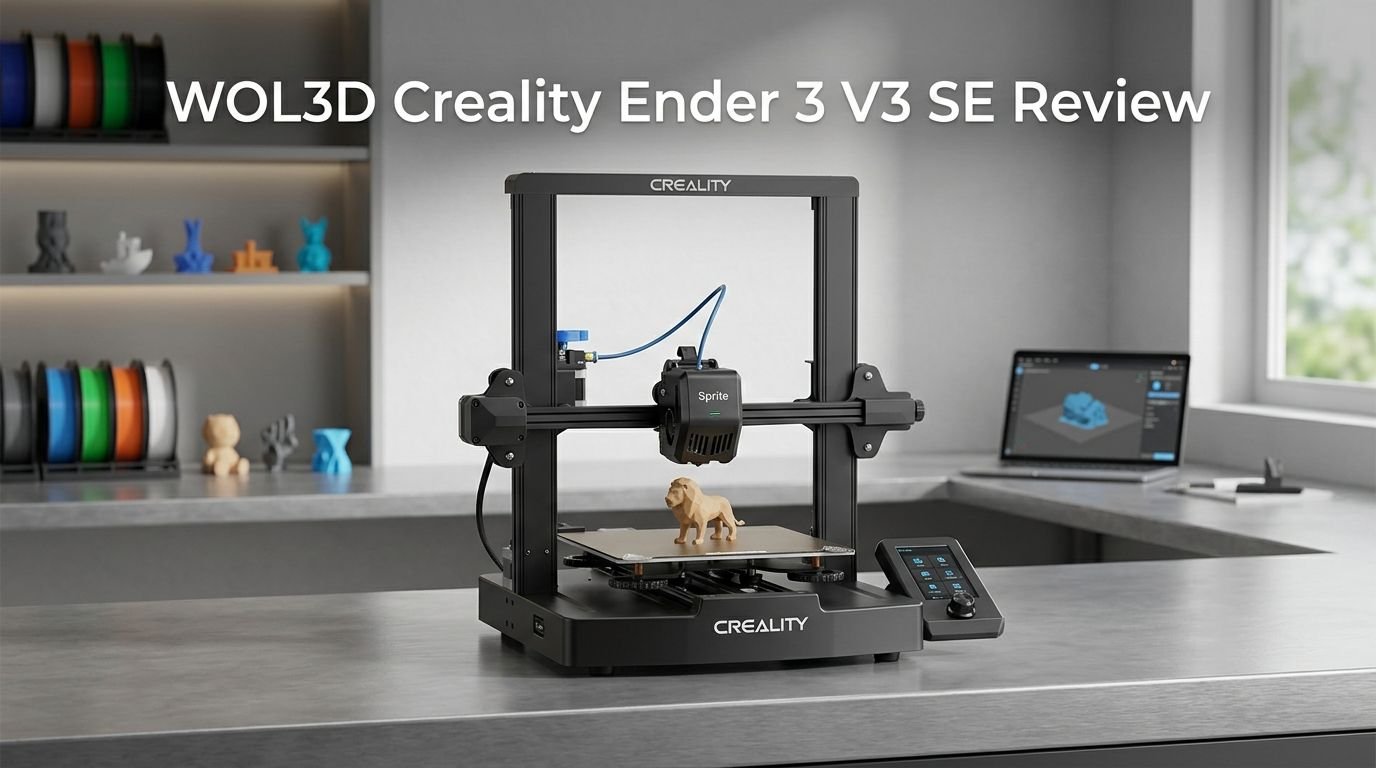
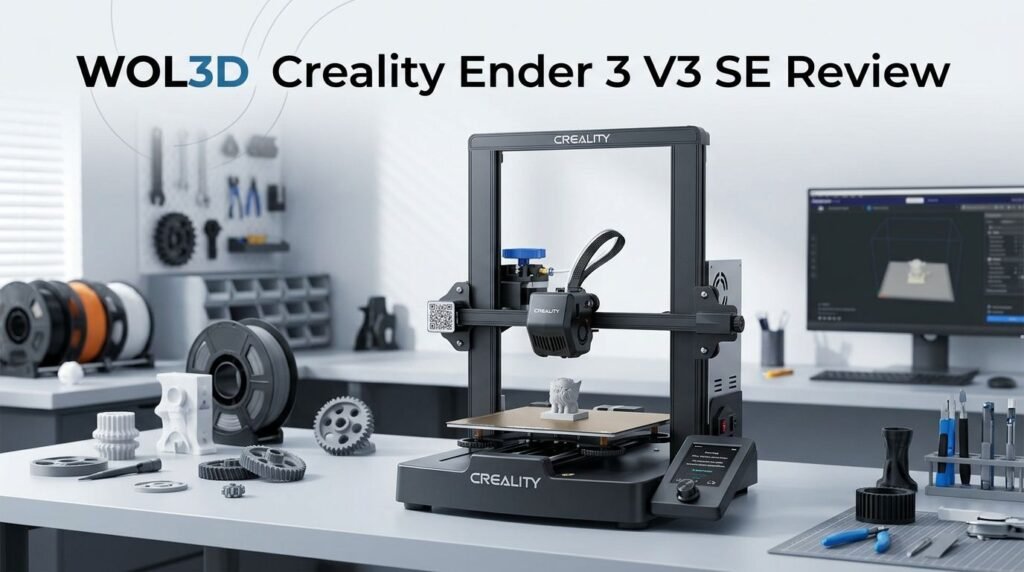
The WOL3D Creality Ender 3 V3 SE is a budget FDM 3D printer built for beginners and hobbyists. WOL3D is an authorized distributor of Creality products, and this printer carries the full Creality design and engineering behind it.
The build volume sits at 220 x 220 x 250mm. That gives you enough room for small to medium sized projects like figurines, phone stands, organizers, and prototype parts. The machine weighs just 7.12 kg, so it stays light and easy to move around your workspace.
Creality packed this model with features borrowed from its higher end machines. The CR Touch auto leveling system comes from the K1 series. The Sprite direct drive extruder comes from the Ender 3 S1. These are premium components that you rarely see at this price.
The printer uses a 3.2 inch color LCD screen with a rotary knob for navigation. The interface is clean and simple. Every option you need sits right on the home screen with clear icons and labels.
Unboxing and What Comes in the Box
The packaging of the WOL3D Creality Ender 3 V3 SE protects the printer well during shipping. Every component sits in custom foam cutouts. Nothing arrives loose or unprotected.
Inside the box, you get the partially assembled printer base and gantry frame. You also receive a full tool kit with hex wrenches, side cutters, a metal scraper, and a nozzle cleaner. A spare nozzle comes included, which is a nice touch for a budget printer.
The box contains a full sized SD card with a USB adapter. The SD card holds an assembly video, a PDF copy of the user manual, a material settings guide, and a copy of Creality Print slicer software. A small coil of white PLA filament lets you start your first print right away.
You also get a pre sliced cat model in gcode format on the SD card. This means you can test the printer immediately after setup without slicing anything yourself. The included scraper helps remove finished prints from the build plate with ease.
Assembly and First Time Setup
The WOL3D Creality Ender 3 V3 SE arrives 90% pre assembled. You do not need any advanced technical skills to put it together. The whole process takes about 15 minutes from start to finish.
The gantry frame attaches to the base with three screws per side. The base has built in alignment slots that hold the gantry in the correct position while you tighten everything. This design keeps the frame square and straight without manual adjustment.
The tool head comes pre mounted on the gantry. You do not need to install the extruder or hotend yourself. The spool holder and display screen attach with simple screws. All wiring is pre routed along the frame. You just plug in the labeled connectors.
After assembly, flip the power supply voltage switch to match your household outlet. In the US, this means setting it to 115V. The included SD card has a clear assembly video if you prefer visual instructions over the paper manual. First time users will find the process stress free and quick.
Auto Bed Leveling and CR Touch Performance
The CR Touch auto leveling system is one of the standout features of this printer. It removes the frustration of manual bed leveling that plagued older Ender 3 models.
The printer also includes pressure sensors built into the heated bed. These sensors handle Z height calibration automatically. You press the “Level” icon on the home screen, and the machine does everything else on its own.
The leveling process starts with automatic Z height detection. Helpful icons appear on the screen to show progress. After Z height is set, the CR Touch probe taps 16 points across the bed surface. It creates a compensation mesh and displays a chart showing the adjustment at each point.
The result is a well leveled bed on every print. You may still want to fine tune the Z offset by watching the first layer closely. The printer allows live adjustment during printing, so you can dial in the perfect first layer without restarting the job. This system puts the Ender 3 V3 SE on par with printers that cost twice as much.
Top 3 Alternatives for WOL3D Creality Ender 3 V3 SE

- Unparalleled Speed: With Core XY All Metal Structure, Flashforge Adventurer 5M Can realize Max...
- Details Better: 32mm³/s high flow nozzle,rapid heating to 200°C in 35s, to ensure that the...
Last update on 2026-10-21 / Affiliate links / Images from Amazon Product Advertising API Some of the links on this website are affiliate links, which means that at no additional cost to you, I earn a commission if you click through and make a purchase. I only recommend products and services that I believe will add value to my readers. Thank you for your support!

- FASTER SPEED: Newly upgraded high-speed 3D printer, 250mm/s printing speed greatly saves printing...
- SMART 3D PRINTER: compact body, simple design, use with Poloprint Cloud, massive models, novice...
Last update on 2026-10-21 / Affiliate links / Images from Amazon Product Advertising API Some of the links on this website are affiliate links, which means that at no additional cost to you, I earn a commission if you click through and make a purchase. I only recommend products and services that I believe will add value to my readers. Thank you for your support!

- Print Right Out of the Box: ELEGOO Centauri Carbon arrives fully assembled and pre-calibrated, ready...
- Built for High-Speed Printing: Unlock ultra-fast printing with it’s advanced CoreXY structure...
Last update on 2026-10-21 / Affiliate links / Images from Amazon Product Advertising API Some of the links on this website are affiliate links, which means that at no additional cost to you, I earn a commission if you click through and make a purchase. I only recommend products and services that I believe will add value to my readers. Thank you for your support!
Print Speed and Acceleration Performance
The WOL3D Creality Ender 3 V3 SE reaches a max print speed of 250mm/s. The typical printing speed sits around 180mm/s for everyday prints. This is a big jump from older Ender 3 models that topped out near 50 to 60mm/s.
The acceleration rate caps at 2500mm/s². This is not the fastest acceleration on the market. However, it keeps the printer quiet and the prints clean. Higher acceleration rates can cause ringing artifacts on surfaces. The V3 SE avoids this problem well.
In real world testing, a Speed Benchy printed in about 41 minutes using standard settings. The layers came out smooth across the hull. Only the bow of the boat showed slight imperfections, which is normal for most FDM printers. There were no layer shifts or ringing marks.
The dual Z axis design with belt synchronization helps tall prints stay stable at higher speeds. The Y axis runs on linear rods with metal wheels instead of basic rollers. This upgrade adds stiffness and reduces wobble during fast movements.
Sprite Direct Drive Extruder Deep Dive
The Sprite direct drive extruder is a key reason this printer performs so well. Creality borrowed this component directly from the Ender 3 S1 series. It sits on top of the hotend with a short filament path.
Direct drive extruders push filament directly into the hotend. This gives better control over extrusion and retraction. The short filament path reduces stringing and improves performance with flexible materials like TPU.
The extruder uses a dual gear system with a 3.5:1 gear ratio. This provides strong grip on the filament without grinding. The feeding mechanism stays consistent even during long prints.
The hotend reaches a max temperature of 260°C. This supports PLA, PETG, and TPU without issue. The front mounted cooling fan blows air over the hotend’s heat break. A second fan inside the shroud directs airflow through twin ducts aimed at the nozzle tip. This dual fan setup prevents heat creep and cools layers quickly for better overhangs and bridges.
Print Quality Across Different Filaments
The WOL3D Creality Ender 3 V3 SE produces clean and detailed prints across PLA, PETG, and TPU filaments. The combination of the Sprite extruder and stable frame keeps quality high at various speeds.
PLA prints show smooth layer lines with minimal stringing between parts. Detail on small features like text and thin walls comes through clearly. Colors pop on the surface with consistent extrusion throughout the model.
PETG prints require a slight temperature bump but produce strong functional parts. Minor wisps may appear around sharp features, but these clean up easily. The heated bed reaches 100°C, which provides good adhesion for PETG without warping.
TPU prints benefit the most from the direct drive extruder. The short filament path prevents buckling and jamming. A test print of custom caps in TPU completed in about 74 minutes at 40mm/s. The parts came out dimensionally accurate with a consistent surface finish. This is a material that many budget printers struggle with, but the V3 SE handles it confidently.
Build Plate and Heated Bed Performance
The heated bed on the WOL3D Creality Ender 3 V3 SE uses a PC spring steel sheet as the build surface. The bed heats up to a max temperature of 100°C. This covers the adhesion requirements for PLA, PETG, and TPU.
The PC coated plate provides strong first layer adhesion. Parts stick well during printing and rarely detach mid print. The spring steel base has a slight flex, which helps release finished prints by bending the plate.
However, the PC coating has a downside. It can be overly sticky with certain filaments. PLA parts sometimes bond too strongly to the surface. Removing prints may require the included scraper and some patience. The coating also picks up fingerprints and oils that affect adhesion consistency over time.
Cleaning the plate with isopropyl alcohol between prints helps maintain even adhesion. Some users upgrade to a PEI coated build plate for easier part removal. A replacement PEI sheet for this printer costs under $15 and installs in seconds with the magnetic base.
The bed mounts on linear rods instead of basic rollers. This creates a stable and level printing surface. Bed mesh compensation through the CR Touch ensures that minor surface variations do not affect print quality.
Software, Slicer, and File Transfer
The WOL3D Creality Ender 3 V3 SE works with Creality Print, the company’s own slicer software. A copy comes on the included SD card. The slicer offers pre configured profiles for the V3 SE, so you can start slicing models immediately.
The printer also works with Cura and PrusaSlicer. You will need to create a custom profile in these slicers. Base your settings on any previous Ender 3 profile and adjust the speed values to match the V3 SE’s capabilities.
File transfer happens through the SD card slot on the front of the printer. There is no Wi Fi or USB connection for direct printing. This keeps the printer simple and offline. Some users prefer this setup for reliability and security. Others may find it inconvenient compared to newer printers with wireless connectivity.
The 3.2 inch color LCD screen displays print progress, temperature readings, and estimated time remaining. The rotary knob lets you browse files on the SD card and start prints with a few clicks. The interface is clean and responsive. Even first time users will find it easy to operate.
Noise Levels and Operation Environment
The WOL3D Creality Ender 3 V3 SE runs quieter than most budget 3D printers. The typical print speed of 180mm/s allows the fans to operate at moderate levels. This reduces the overall noise footprint during long prints.
The stepper motors use silent drivers that minimize mechanical noise from the X, Y, and Z axes. You hear a soft hum rather than the harsh buzzing common on older Ender models. The loudest component is the part cooling fan, which is standard for any FDM printer.
At full speed of 250mm/s, the noise increases slightly. The acceleration and deceleration of the print head creates brief bursts of sound. Still, the printer stays comfortable for a home office or bedroom setup without disturbing others.
The machine has a compact footprint of 349 x 364 x 490mm. It fits easily on a standard desk or shelf. The power supply sits inside the base, which keeps cables tidy and the setup clean. You do not need to worry about a separate power brick taking up extra space.
Upgrades and Modification Options
The WOL3D Creality Ender 3 V3 SE benefits from a massive upgrade community. The Ender 3 platform has the largest collection of user made modifications in 3D printing.
The most popular upgrade is a PEI build plate. It replaces the stock PC coated plate and provides easier print removal. PEI plates for this printer cost under $15 on Amazon and attach magnetically.
You can also upgrade the hotend kit to a ceramic heating block. Creality sells an official upgrade that supports temperatures up to 300°C and allows high speed printing up to 600mm/s. This opens the door to materials like ABS and higher temperature PETG blends.
Adding LED lights to the gantry helps you monitor prints in low light. Many users 3D print custom light bar mounts that clip directly onto the frame. An enclosure is another popular add on for printing ABS or other materials that need stable temperatures.
The firmware supports adjustments through the SD card. Advanced users can modify start and end gcode scripts to automate tasks like purge lines and bed mesh loading. The open source nature of the Ender 3 series means custom firmware options exist for those who want full control.
Who Should Buy the WOL3D Creality Ender 3 V3 SE?
- FASTER AND LIVELY PRINTING EXPERIENCE: Ender 3 V3 SE 3d printer can print at up to speed...
- EASILY START TO PRINT: Creality Ender 3 V3 SE 3D printer is easy to put together in 3 steps within...
Last update on 2026-10-21 / Affiliate links / Images from Amazon Product Advertising API Some of the links on this website are affiliate links, which means that at no additional cost to you, I earn a commission if you click through and make a purchase. I only recommend products and services that I believe will add value to my readers. Thank you for your support!
The WOL3D Creality Ender 3 V3 SE fits beginners, hobbyists, and budget conscious makers. It is one of the easiest printers to set up and start printing with zero prior experience.
First time 3D printer buyers will appreciate the guided setup process. The auto leveling, auto filament loading, and on screen instructions remove the steep learning curve that older machines had. You go from unboxing to printing in under 30 minutes.
Hobbyists and makers who want a reliable second printer will find great value here. The low price makes it easy to justify adding one to your setup. It handles PLA prototypes, functional PETG parts, and flexible TPU accessories without complaint.
Students and educators benefit from the affordable price and safe operation. The printer works well in classroom settings where ease of use matters. The large online community provides endless project ideas and tutorials.
This printer may not suit users who need Wi Fi connectivity, ultra fast speeds above 300mm/s, or multi color printing. If those features matter to you, consider the Bambu Lab A1 Mini or Creality Ender 3 V3 KE listed in the alternatives section above.
Pros and Cons of the WOL3D Creality Ender 3 V3 SE
What we liked:
The affordable price under $220 makes this printer accessible to almost anyone. The CR Touch auto leveling works flawlessly and removes all manual calibration headaches. The Sprite direct drive extruder handles PLA, PETG, and TPU with confidence. Assembly takes just 15 minutes. The dual Z axis design keeps tall prints stable.
The 3.2 inch color screen with rotary knob is simple and effective. Print quality across all tested filaments was consistently good. The large Ender 3 community provides endless support, mods, and troubleshooting help.
What could be better:
The PC coated build plate is too sticky and hard to clean. A PEI plate upgrade is almost mandatory for the best experience. The lack of Wi Fi connectivity limits convenience. You depend on an SD card for every file transfer. The 2500mm/s² acceleration is slower than newer competitors in this price range. The printer does not support temperatures above 260°C, which limits material options to PLA, PETG, and TPU.
Final Verdict: Is the WOL3D Creality Ender 3 V3 SE Worth Buying in 2026?
The WOL3D Creality Ender 3 V3 SE remains one of the best budget 3D printers in 2026. It offers a combination of features, quality, and ease of use that few competitors match at this price point.
Yes, newer printers have arrived with faster speeds and wireless features. But the V3 SE delivers reliable print quality, simple setup, and a proven track record. The Sprite direct drive extruder handles multiple materials well. The CR Touch auto leveling works every time. The dual Z axis keeps prints consistent.
At around $186 on sale, this printer gives you exceptional value for every dollar. The massive Ender 3 community means you will never be stuck without help or upgrade ideas. For beginners and budget buyers, this printer earns a strong recommendation.
If speed and wireless features are priorities, look at the Creality Ender 3 V3 KE or Bambu Lab A1 Mini. But if you want a dependable, affordable, and well supported printer that just works, the WOL3D Creality Ender 3 V3 SE is still a smart buy in 2026.
Frequently Asked Questions
Is the WOL3D Creality Ender 3 V3 SE good for beginners?
Yes. This printer is one of the best choices for beginners in 2026. It arrives 90% pre assembled. The CR Touch auto leveling removes manual calibration. On screen instructions guide you through every step from setup to first print. You can go from unboxing to printing in under 30 minutes with no prior experience.
What materials can the Creality Ender 3 V3 SE print?
The printer supports PLA, PETG, and TPU (95A). The hotend reaches a max temperature of 260°C, and the heated bed reaches 100°C. PLA is the easiest material to start with. PETG offers stronger functional parts. TPU works well thanks to the direct drive extruder that keeps flexible filament under control.
Does the WOL3D Creality Ender 3 V3 SE have Wi Fi?
No. The Ender 3 V3 SE does not include Wi Fi connectivity. All file transfers happen through the SD card slot on the front of the machine. This keeps the printer simple and offline. If you need wireless printing, consider the Creality Ender 3 V3 KE or Bambu Lab A1 Mini instead.
How fast is the Creality Ender 3 V3 SE?
The printer has a max print speed of 250mm/s and a typical speed of 180mm/s. The acceleration rate is 2500mm/s². It prints a standard Benchy in about 41 minutes. This is significantly faster than older Ender 3 models but slower than Klipper based printers like the Ender 3 V3 KE.
What slicer software works with the Ender 3 V3 SE?
The printer works with Creality Print, Cura, and PrusaSlicer. Creality Print comes pre loaded on the included SD card with profiles ready for the V3 SE. Cura and PrusaSlicer require custom profiles, which you can base on existing Ender 3 settings with adjusted speed values.
Is the build plate on the Ender 3 V3 SE any good?
The stock PC coated spring steel plate provides strong adhesion but can be too sticky. Some users find print removal difficult with PLA. A popular and affordable upgrade is a PEI coated build plate that costs under $15 and attaches magnetically. Most experienced users recommend this swap early on.

Hi, I’m Amelia Thornton, the founder of ElectroPro.blog.
I write about smart devices, gadgets, electronics, and tech essentials from Amazon.
My goal is to help you discover reliable and innovative tech that truly makes life easier.
From home automation to everyday gear, I test and share what’s worth your investment.
Join me as I explore the smartest tech trends—one gadget at a time.