Carverall K15 Pro 7W Laser Engraver Review: Worth It?
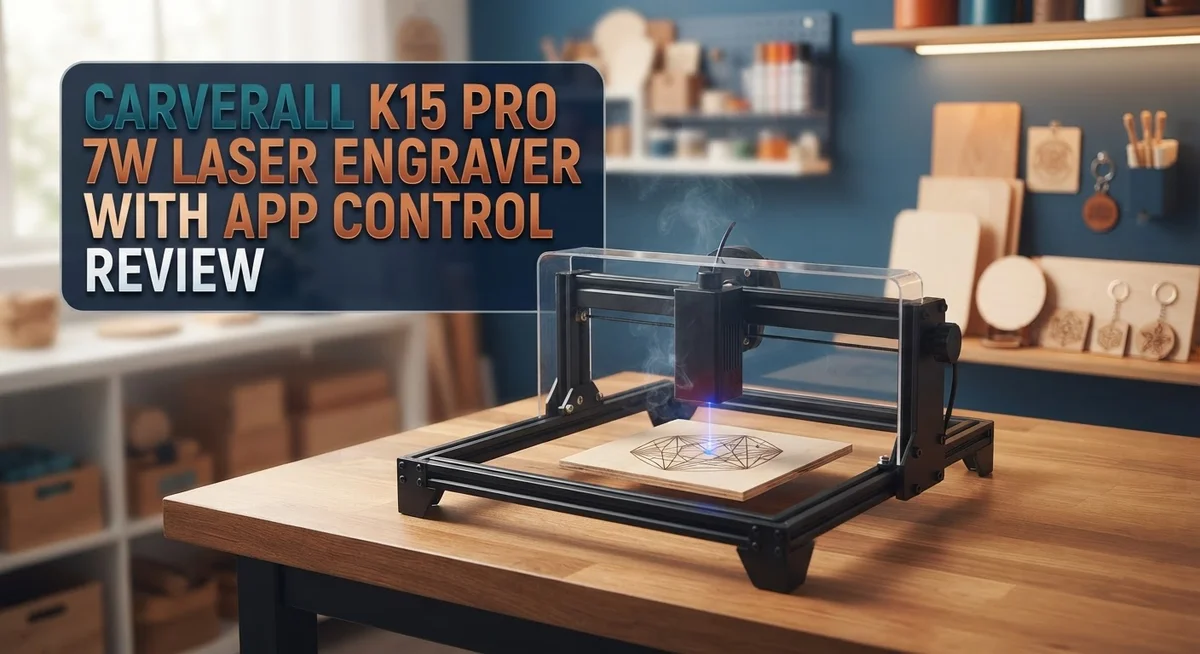
Want to turn simple ideas into custom creations? The Carverall K15 Pro 7W Laser Engraver might be your new favorite tool. This machine brings laser engraving to your desk without any fuss.
It comes pre-assembled. You can start engraving right out of the box. No complex setup needed.
The 7W laser handles wood, leather, acrylic, and even coated metal. It supports over 300 materials. That means endless project possibilities.
In a Nutshell
- Fast engraving speed: This machine moves up to 15,000mm/min. Your projects finish quicker than many other engravers.
- Flexible connectivity: Use Wi-Fi for wireless control. Or plug in via USB/Type-C for a direct connection.
- LightBurn compatible: Advanced users can switch to LightBurn software. This gives you more control over complex designs.
- Wide material support: The K15 Pro works with 300+ materials. Think cardboard, acrylic, and more beyond the basics.
- Beginner friendly, but has a curve: Setup feels simple at first glance. Still, mastering the software takes some practice.
- Mixed print quality reports: Some users notice faint or light prints. Quality control varies across units, based on forum feedback.
- Portable design: The compact build lets you move it easily. Perfect for small workshops or shared spaces.
Design and Build Quality
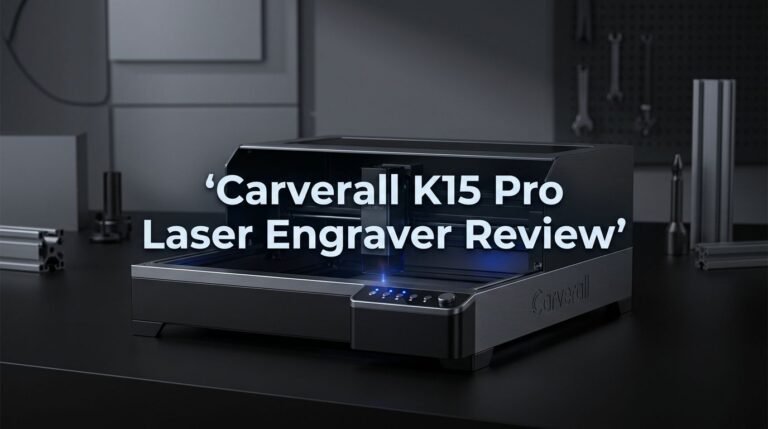
The Carverall K15 Pro feels solid in hand. The build quality shows attention to detail with a sturdy frame that handles the demands of regular engraving work. The machine arrives pre-assembled, so you don’t waste time on complicated setup.
The compact footprint measures 200×300mm for the engraving area. This A4-size workspace fits nicely on most desks or workbenches without taking over your space. The portable design means you can move it between locations easily, which appeals to users who work in shared studios or need flexibility.
Materials used in construction appear durable. The laser housing protects the 7W laser tube effectively, and the metal frame resists warping over time. Users report the device feels stable during operation, even at maximum speed of 15,000mm/min. This stability matters because vibrations can ruin precise engravings.
The precision engineering shows in the 0.01mm accuracy. The stepper motors move smoothly, and the optical system stays aligned through repeated use. This level of precision keeps your projects sharp and detailed, whether you’re engraving wood grain patterns or intricate leather designs.
The cooling system keeps the laser tube from overheating during extended sessions. Air assist comes standard, which helps clear debris and improves cut quality. The Type-C and USB ports feel sturdy, and the Wi-Fi connectivity adds convenience without compromising build integrity.
One area worth noting: some users mention the overall construction feels lighter than expected. This doesn’t mean it’s flimsy, but rather that the designers prioritized portability over extreme weight. The trade-off makes sense for a machine aimed at hobbyists and small business owners.
The aesthetic design is clean and functional. The control panel sits in an intuitive spot, and cable management stays organized. The black finish resists fingerprints better than glossy alternatives.
Overall, the K15 Pro demonstrates solid engineering. The build quality supports consistent performance across hundreds of projects. You get a machine that balances durability with portability, making it practical for various working environments.

- Wireless AI & WiFi App Control for Effortless Creation: Powered by the CutLabX app (compatible with...
- Laser Power for Versatile Cutting & Engraving: The Carverall K15 Pro Laser Engraving Machine...
Last update on 2026-10-22 / Affiliate links / Images from Amazon Product Advertising API Some of the links on this website are affiliate links, which means that at no additional cost to you, I earn a commission if you click through and make a purchase. I only recommend products and services that I believe will add value to my readers. Thank you for your support!
Key Features and Specifications
The Carverall K15 Pro 7W Laser Engraver packs impressive technical capabilities into a compact machine. You get a 7W laser that delivers sharp results across hundreds of different materials.
The engraving area spans 200×300mm, which matches standard A4 paper size. This gives you plenty of room for most personal and small business projects. The machine achieves 0.01mm precision, meaning your fine details stay crisp and accurate.
Speed matters when you’re working on multiple pieces. This engraver reaches up to 15,000mm/min, so your projects finish faster. You won’t sit around waiting for simple engravings to complete.
Connectivity options make this machine flexible for different workflows. You can control it wirelessly through Wi-Fi using the CutLabX app on your phone or tablet. Prefer a wired connection? USB and Type-C ports give you that choice too. Advanced users appreciate the LightBurn compatibility, which opens up more creative possibilities.
The machine arrives pre-assembled and ready to use. You don’t need to spend hours putting it together before your first project. The portable design means you can move it between workspaces without much hassle.
Material versatility sets this engraver apart. It handles wood, leather, acrylic, coated metal, cardboard, and over 300 other materials. Whether you’re personalizing wooden gifts or creating leather labels, this machine adapts to your needs.
App control through CutLabX software makes the learning process smoother for beginners. The interface guides you through setup and operation. However, expect some time to understand proper settings for different materials and thicknesses.
One consideration: some users report lighter or fainter print quality on certain materials. This typically improves with correct power settings and material preparation. Testing small samples before large projects helps you dial in the perfect settings.
The build quality feels solid and durable. The cooling system prevents the laser tube from overheating during longer sessions. The compact, functional design fits well in home studios, workshops, or small offices.
App Control and Software Experience
The CutLabX app transforms how you control your K15 Pro. You download it on your smartphone or tablet, then connect via Wi-Fi to start engraving remotely. This wireless approach removes the need for cables cluttering your workspace.
The app interface keeps things simple. New users appreciate the straightforward layout. You can preview your design before engraving begins. The app shows you exactly what the laser will create on your material. This preview feature prevents wasted materials and failed projects.
Setting up the software does require attention though. You’ll need to install drivers and calibrate your machine during the initial setup. Some users find this step confusing at first. Once complete, the process becomes routine. The learning curve exists, but it’s manageable for most people.
CutLabX handles file imports smoothly. You upload images, PDFs, or vector files directly from your device. The app converts these files into engraving instructions. Support for multiple file formats gives you flexibility in your design choices.
Real-time adjustments happen through the app as well. You control laser power, engraving speed, and other parameters without touching physical buttons. This remote control capability works across your home or workshop. Battery life on your phone or tablet is the only limitation.
Advanced users have another option available. The K15 Pro supports LightBurn software for those wanting more control. LightBurn appeals to experienced users who need advanced editing features. You can switch between CutLabX and LightBurn depending on your project needs.
Connection stability matters for consistent results. Most users report reliable Wi-Fi connections during engraving sessions. Occasional disconnections happen, but they’re rare. USB connectivity serves as a backup if Wi-Fi issues arise.
The software experience balances ease with capability. Beginners get a friendly starting point through CutLabX. Professionals find depth through LightBurn compatibility. Your choice depends on whether you prioritize simplicity or advanced features.
Top 3 Alternatives
xTool M1 Laser

- 3-in-1 Versatility: Laser Engraving, Laser Cutting, Blade Cutting: Meet the world's first desktop...
- Powerful Performance with High Precision: Equipped with dual laser head technology, the xTool M...
Last update on 2026-10-21 / Affiliate links / Images from Amazon Product Advertising API Some of the links on this website are affiliate links, which means that at no additional cost to you, I earn a commission if you click through and make a purchase. I only recommend products and services that I believe will add value to my readers. Thank you for your support!
The xTool M1 Laser offers portable engraving power for creators on the move. This machine works with various materials like wood, leather, and acrylic. You get app control features that let you manage projects from your phone or computer.
The M1 stands out because it combines speed with precision. Users appreciate its quick setup time and intuitive interface. The laser head moves smoothly across surfaces, delivering clean cuts and detailed engravings every time.
LaserPecker Pro

- Instant Store Customization in 15 Seconds: Start engraving during customer wait times – perfect...
- Ultra-Portable Workshop (6.02kg): Half the weight of similar engravers. 92% faster setup at craft...
Last update on 2026-10-21 / Affiliate links / Images from Amazon Product Advertising API Some of the links on this website are affiliate links, which means that at no additional cost to you, I earn a commission if you click through and make a purchase. I only recommend products and services that I believe will add value to my readers. Thank you for your support!
LaserPecker Pro brings professional-grade results to smaller workspaces. This compact engraver handles metals, plastics, and organic materials with equal skill. The app integration makes job management simple and straightforward.
What makes LaserPecker special is its focus on user experience. The device connects easily to your devices, and the software guides you through each step. Many users report consistent quality across repeated projects without complicated calibration.
Ortur Laser Master

- 10000mW Powerful Laser Engraving and Cutting - ORTUR Laser Master 2 S2 LU2-10A is newly upgraded...
- Easy Installation Laser Cutter - The assembly can generally be completed in about 10-15 minutes...
Last update on 2026-10-22 / Affiliate links / Images from Amazon Product Advertising API Some of the links on this website are affiliate links, which means that at no additional cost to you, I earn a commission if you click through and make a purchase. I only recommend products and services that I believe will add value to my readers. Thank you for your support!
Ortur Laser Master delivers industrial-strength performance for serious hobbyists and small businesses. This machine excels at processing large materials quickly. The app-based control system gives you full command over power settings and speed adjustments.
The Laser Master stands apart through its reliability and durability. It handles continuous work sessions without overheating or performance drops. Users value the straightforward software that requires minimal learning time. The machine produces sharp edges and vibrant colors on engraved surfaces.
Each option serves different needs. Choose based on your workspace size, material preferences, and production volume requirements.
Engraving Performance and Material Compatibility
The Carverall K15 Pro handles a wide range of materials with impressive versatility. You can engrave wood, leather, acrylic, coated metals, cardboard, and over 300 other materials. This breadth means you’re not limited to one type of project or material choice.
The 7W laser delivers consistent results across most materials. However, material thickness and surface finish affect your final output quality. Darker materials tend to produce sharper, more defined engravings compared to lighter surfaces.
Speed and precision work together on this machine. The engraver reaches up to 15,000mm per minute, which means your projects finish quickly. The 0.01mm precision ensures fine details come through clearly on compatible materials. This combination makes the K15 Pro suitable for detailed artwork and text.
One important consideration: some users report lighter or faint prints on certain materials. This happens most often with lighter colored or highly reflective surfaces. Testing your material before committing to a full project helps you avoid disappointment. Adjusting power settings and speed through the CutLabX app can improve results on problem materials.
Wood performs exceptionally well with this engraver. You get rich, dark lines that stand out beautifully. Leather engravings also look professional and clean. Acrylic produces crisp edges, though some users prefer slightly higher power settings for deeper marks.
Coated metals work nicely when you use the correct settings. The laser removes the coating layer to reveal contrasting colors underneath. Cardboard and paper materials engrave quickly, making them ideal for high volume work.
The key to good results is material preparation. Clean your material surface before engraving. Remove dust and debris that might scatter the laser beam. Secure your material flat against the work bed to ensure consistent focus.
The precision engineering of the K15 Pro means you can tackle intricate designs. Small text, detailed patterns, and fine lines all come through when your material cooperates. Experimenting with different materials helps you discover which ones work best for your specific projects.
Speed, Precision, and Print Quality
The Carverall K15 Pro delivers impressive speed capabilities that matter for serious users. This machine reaches up to 15,000mm per minute, which means you finish projects faster without sacrificing quality. When you’re engraving multiple items, this speed advantage adds up quickly.
Precision stands out as a core strength of the K15 Pro. The laser achieves 0.01mm accuracy, so fine details come through cleanly. This level of precision lets you work on intricate designs, small text, and detailed graphics without worry. Your artwork translates to the material exactly as you intend.
The print quality experience deserves honest attention here. Most users report crisp, clean results on wood and acrylic materials. However, some feedback mentions that certain materials produce lighter or fainter engravings than expected. This typically happens when material selection or laser power settings need adjustment. The solution usually involves testing different power levels before your final run.
Speed and precision work together seamlessly on this machine. You don’t sacrifice accuracy for fast engraving. The K15 Pro maintains consistent quality even at higher speeds, which is rare in this class of engraver.
Material compatibility plays a big role in your results. The 7W laser handles wood beautifully, producing dark, crisp lines. Acrylic engraves with excellent contrast. Leather burns cleanly with proper settings. Coated metals work well when you dial in the right power and speed combination. Cardboard and paper materials respond quickly to the laser.
The key to optimal print quality involves three factors: material preparation, power settings, and speed adjustment. Clean your material surface before engraving. Test your settings on scrap pieces first. Start with recommended power levels and adjust based on your results.
Real-time adjustments through the CutLabX app help you fine-tune performance on the fly. You can modify settings without stopping the machine, which saves time and reduces waste. This flexibility makes the K15 Pro responsive to your specific material needs and design requirements.
Pros and Cons
Pros
- Mobile control through CutLabX app lets you adjust settings in real time from your phone or tablet
- Works with LightBurn software, giving you flexibility if you prefer advanced design tools
- Handles 300+ materials including wood, leather, acrylic, cardboard, and coated metals
- Pre-assembled and portable, so you can set it up quickly without complex installation
- Achieves 0.01mm precision at speeds up to 15,000mm/min for both detailed and fast jobs
Cons
- Some users report lighter or faint print quality on certain materials, requiring extra power adjustments
- Software setup demands attention to detail; beginners may need time to learn proper configuration
- Quality control concerns have appeared in user forums, suggesting inconsistency between units
Who Should Buy It
The Carverall K15 Pro works best for creators who want mobile control without sacrificing serious engraving power. If you manage projects from your phone or tablet, the CutLabX app becomes your secret weapon. You adjust settings in real time while your designs come to life.
Hobbyists and small business owners find this machine ideal. You can engrave wood signs, leather goods, acrylic awards, and personalized gifts without investing in expensive industrial equipment. The portable design means you work from your workshop, garage, or even a small studio space.
Designers who use LightBurn software appreciate the flexibility here. You import complex artwork, fine tune details, and execute professional results. The 0.01mm precision lets you tackle intricate patterns that demand accuracy.
This engraver suits you if you value speed and efficiency. At up to 15,000mm/min, you complete batch jobs faster than older machines. Small production runs become manageable without long wait times.
However, the K15 Pro demands your attention to detail. You need patience during software setup. Beginners should expect a learning curve before achieving optimal results. If you want plug and play simplicity, this may frustrate you initially.
Material preparation matters significantly with this machine. You’ll get the best results when you understand how different surfaces respond to the 7W laser. Wood performs exceptionally well. Coated metals work nicely when settings are correct. Some users report lighter prints on certain materials, so you may need to experiment with power levels.
Skip this machine if you need industrial volume production. The A4 size engraving area limits larger projects. You won’t handle massive batch orders efficiently.
The K15 Pro shines for creative professionals, Etsy sellers, and makers who blend artistry with technology. You get app control convenience, solid precision, and enough power for most materials. Your willingness to learn software and adjust settings determines your success with this engraver.
Final Verdict
The Carverall K15 Pro earns its place as a smart pick for creators who want app powered control in a compact engraver. Its blend of mobile convenience and serious engraving capability sets it apart from older, manual only machines.
This engraver rewards patience during setup. Once you dial in your settings, the output quality becomes consistent and reliable across many materials.
Quality control remains a point worth watching. Some buyers report inconsistent units, so test your machine thoroughly right after unboxing.
If you run into faint prints, don’t panic. Small tweaks to power and speed settings usually solve the issue within a few test runs.
The CutLabX app changes how you interact with your engraver. You gain freedom to adjust projects from your phone, which saves time during busy work sessions.
This machine fits a specific type of user well. Side hustlers, craft sellers, and hobbyists who value flexibility will likely enjoy this tool the most.
Online communities and user forums offer helpful troubleshooting tips. Many common issues already have shared solutions from other K15 Pro owners.
We recommend starting with scrap material before tackling your main project. This habit helps you learn the machine’s behavior without wasting good supplies.
For creators who want a portable setup with smartphone control, the K15 Pro delivers real value. Its strengths outweigh its minor quirks for most casual and semi professional users.
Industrial users or those needing large format engraving should look elsewhere. The A4 sized work area and occasional print inconsistencies may not suit high volume production needs.
Overall, the Carverall K15 Pro stands out as a thoughtful choice for modern makers. It combines technology, portability, and creative freedom in one package.
Give yourself time to learn the software, and this engraver will reward you with sharp, professional results across countless projects and materials.
Frequently Asked Questions
Can I control the K15 Pro from my phone?
Yes, you can. The CutLabX app lets you manage engraving jobs straight from your mobile device. Wi-Fi connectivity makes this possible. You also get USB and Type-C options if you prefer a wired connection. The app works smoothly for most users, though first-time setup needs your attention.
What materials can this engraver handle?
The K15 Pro works with over 300 materials. Wood, leather, acrylic, and cardboard are common choices. Coated metals also work well. You can even engrave on some plastics. Test unfamiliar materials on scraps first to see how they react to the laser.
Is the K15 Pro good for beginners?
It is. The machine arrives pre-assembled and ready to use. LightBurn software compatibility helps too. However, you’ll need time to learn proper settings. Material prep and power adjustments require practice. Don’t rush your first projects. Online communities offer solid troubleshooting help when you get stuck.
Why do some users report faint prints?
Light or faint engraving usually means power settings need adjustment. Different materials behave differently. Some users don’t calibrate their machines properly at first. Quality control varies between units, so test yours thoroughly before major jobs. Checking your laser power and speed settings often fixes this issue.
How fast does it engrave?
The K15 Pro reaches up to 15,000mm per minute. This speed handles batch jobs quickly. You get both speed and precision at 0.01mm accuracy. The 200×300mm engraving area works for A4-size projects and smaller items.

Hi, I’m Amelia Thornton, the founder of ElectroPro.blog.
I write about smart devices, gadgets, electronics, and tech essentials from Amazon.
My goal is to help you discover reliable and innovative tech that truly makes life easier.
From home automation to everyday gear, I test and share what’s worth your investment.
Join me as I explore the smartest tech trends—one gadget at a time.