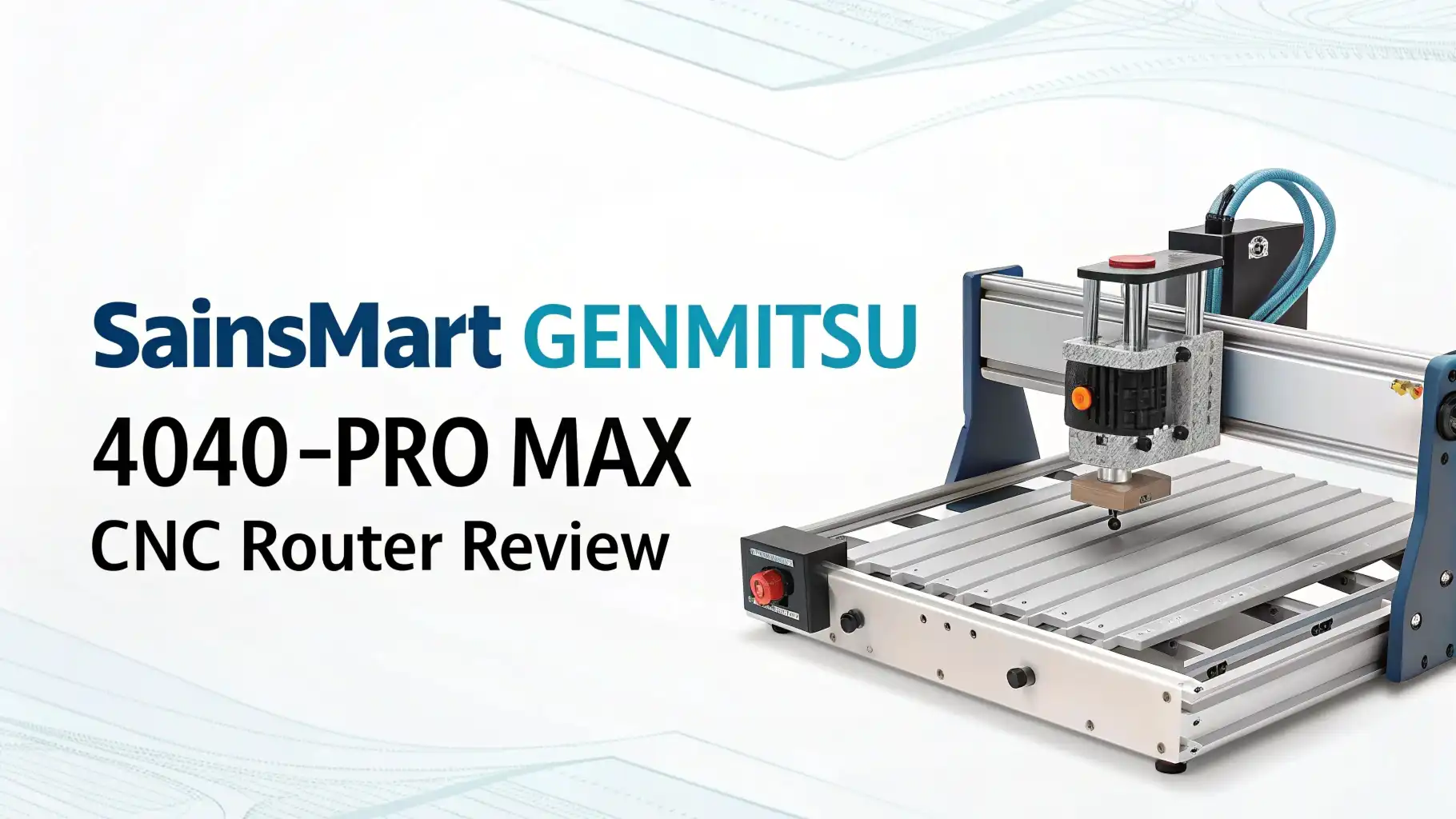
SainSmart Genmitsu 4040-PRO MAX CNC Router Review In 2026
Ready to turn your workshop into a mini manufacturing hub? The SainSmart Genmitsu 4040-PRO MAX CNC Router is making serious waves in 2026 as one of the most capable desktop CNC machines you can buy without breaking the bank.
Whether you’re a hobbyist dreaming of creating custom wooden signs, a maker looking to prototype aluminum parts, or an entrepreneur wanting to start a small business, this machine might just be your golden ticket.
Picture this: a robust CNC router sitting on your workbench, ready to carve intricate designs, cut precise parts, and bring your digital designs into the physical world.
Key Takeaways:
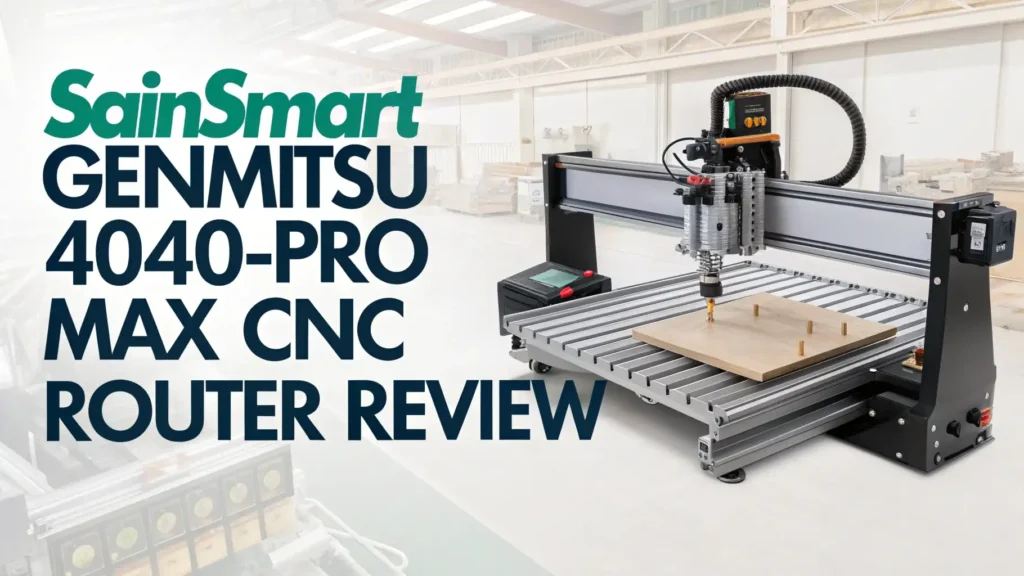
- Impressive Working Area: The machine offers a generous 15.75 x 15.75 x 3.07 inches working space, giving you enough room to tackle most hobby and small business projects without feeling cramped.
- Powerful 710W Spindle: Unlike many budget CNCs that struggle with harder materials, this beast comes equipped with a 710W compact router that can handle everything from softwoods to aluminum with the right settings.
- Linear Rail System: The upgraded X-axis and Z-axis linear guideway structure provides smooth, precise movement that translates to cleaner cuts and better surface finishes on your projects.
- Quick Assembly Time: Forget spending entire weekends putting together complicated machinery. The semi-assembled modular design means you can have this machine up and running in under 30 minutes.
- GRBL Control System: The machine runs on the popular GRBL control board with 32-bit MCU, making it compatible with tons of free software options like Easel, Candle, and Universal Gcode Sender.
- Expandability Options: From rotary axis attachments for cylindrical carving to laser modules for engraving, this machine grows with your skills and ambitions.

- Next-Generation Precision: Advanced X-axis and Z-axis linear guideway structures for enhanced motion...
- Reinforced Spoilboard with Integrated T-Track: The upgraded spoilboard features a central aluminum...
Last update on 2026-07-27 / Affiliate links / Images from Amazon Product Advertising API Some of the links on this website are affiliate links, which means that at no additional cost to you, I earn a commission if you click through and make a purchase. I only recommend products and services that I believe will add value to my readers. Thank you for your support!
SainSmart Genmitsu 4040-PRO MAX CNC Router
The Genmitsu 4040-PRO MAX represents a significant upgrade in the desktop CNC category. This machine comes from SainSmart, a company that has built a solid reputation over the years for delivering reliable open hardware and manufacturing tools to makers worldwide.
What sets this particular model apart is its combination of professional features at a price point that won’t make your wallet cry. The machine features an all-metal construction that provides stability during operation, reducing vibrations that can ruin your cuts.
The 710W spindle is the real star here, providing enough power to tackle materials that would make lesser machines whimper and give up.
The working area measures 400 x 400 x 78mm, which translates to roughly 15.75 x 15.75 x 3.07 inches in freedom units. This size hits a sweet spot for most users, large enough for meaningful projects but compact enough to fit on a standard workbench.
You can cut full-sized cutting boards, create decorative wall art, mill custom PCBs, or fabricate small mechanical parts without constantly fighting size limitations.
The machine ships semi-assembled, which is a huge time saver. You’re not starting from a pile of random parts and screws. Instead, the major assemblies come pre-built, and you just need to bolt them together and do some basic calibration.
Design and Build Quality That Inspires Confidence
When you unbox the 4040-PRO MAX, the first thing you’ll notice is the solid construction. This isn’t some flimsy toy made from thin aluminum extrusions. The frame uses reinforced metal components that provide the rigidity needed for accurate machining.
Every cut, every carve, every engraving depends on the machine staying rock solid while the spindle does its work. Vibration is the enemy of precision, and this machine tackles that problem head-on with its beefy construction.
The linear rail system is where this MAX version really shines compared to standard models. Traditional lead screw systems work fine for basic operations, but linear rails take things to another level.
They provide smoother motion, better accuracy, and improved load handling. This means your cuts will be more consistent, your surface finishes will be cleaner, and the machine will maintain its precision even after thousands of hours of operation.
The rails are properly lubricated from the factory, though you’ll want to maintain them regularly for best results.
The Z-axis carriage deserves special mention because it features a redesigned structure that makes swapping spindles easier than ever. Want to upgrade to a different router or add a laser module? No problem.
The modular design encourages experimentation and upgrades. Speaking of the spindle, that 710W compact router is mounted securely and provides excellent runout characteristics, meaning your bits will spin true and your cuts will be accurate.
Top 3 Alternatives for SainSmart Genmitsu 4040-PRO MAX

- All-Aluminum Structure & Enhanced Stability: Engineered with an all-metal framework and linear rail...
- Upgraded Dust-Proof Controller & User-Friendly Design: Features a compact, dust-resistant controller...
Last update on 2026-07-27 / Affiliate links / Images from Amazon Product Advertising API Some of the links on this website are affiliate links, which means that at no additional cost to you, I earn a commission if you click through and make a purchase. I only recommend products and services that I believe will add value to my readers. Thank you for your support!

- Structure Stability: Stability is enhanced with a new steel HSS frame. Each axis features two 16 mm...
- Upgraded Control Box and Mainboard: The upgraded control box features essential functions like...
Last update on 2026-07-27 / Affiliate links / Images from Amazon Product Advertising API Some of the links on this website are affiliate links, which means that at no additional cost to you, I earn a commission if you click through and make a purchase. I only recommend products and services that I believe will add value to my readers. Thank you for your support!

- Small home machine for light-duty work, with a robust and rigid structure. Repeatability accuracy...
- [800w Trim Router & Upgradeable 1.5kw Spindle ] Comes with 800W trim router & Er11-1/8" collet with...
Last update on 2026-07-27 / Affiliate links / Images from Amazon Product Advertising API Some of the links on this website are affiliate links, which means that at no additional cost to you, I earn a commission if you click through and make a purchase. I only recommend products and services that I believe will add value to my readers. Thank you for your support!
Performance That Delivers Real Results
Let’s talk about what this machine can actually do when you put it to work. The 710W spindle isn’t just a number on a spec sheet. It translates to real cutting power that handles a wide variety of materials. Hardwoods like oak and maple? No problem.
Softwoods like pine and cedar? Cuts through them like butter. Plywood and MDF? Perfect for signs and furniture components. Acrylic and plastics? Clean cuts without melting when you use proper speeds and feeds.
But what about aluminum? This is where many budget CNCs fall flat on their face. The 4040-PRO MAX can indeed cut aluminum, but you need to approach it correctly. Use sharp carbide bits, proper cutting speeds, appropriate depth of cut, and cooling or lubrication.
Take shallow passes, be patient, and this machine will reward you with clean aluminum parts. Users have successfully created custom brackets, enclosure panels, and mechanical components. Just don’t expect to hog out huge chunks of metal in one pass. This is a desktop machine, not an industrial mill.
The linear rail system contributes significantly to performance. Your cuts will have consistent quality from start to finish. The machine maintains accuracy across the entire working area, not just in one corner.
This consistency is crucial when you’re creating parts that need to fit together or when you’re producing multiple identical pieces. The motion is smooth and quiet compared to cheaper lead screw systems, making the machine more pleasant to operate during those long carving sessions.
Assembly and Setup: Easier Than You Think
One of the biggest compliments you can give a CNC machine is that it doesn’t require an engineering degree to assemble. The 4040-PRO MAX ships as a semi-assembled kit with major sub-assemblies already put together.
The frame, the gantry, the Z-axis, they all come pre-built. Your job is to bolt these modules together, make some basic adjustments, and run through calibration. Most users report getting the machine assembled and ready for first cuts within 30 to 60 minutes.
SainSmart provides detailed assembly instructions with clear photos and step-by-step guidance. There are also numerous YouTube videos from both the company and users showing every step of the process.
The hardware is organized and labeled, no mystery screws or missing parts. You’ll need some basic tools like hex wrenches and screwdrivers, but nothing exotic. The machine uses standard metric hardware throughout, making future maintenance and upgrades straightforward.
After assembly, you’ll need to do some basic setup. This includes squaring the machine, which ensures all axes are perpendicular to each other. Checking belt tension to make sure motion is smooth without backlash. Installing and configuring your control software.
Creating and surfacing your spoilboard, which is the sacrificial work surface that gets cut into during through-cuts. The documentation walks you through all these steps, and the online community is incredibly helpful if you run into any snags.
Software Compatibility and Control Options
The machine runs on GRBL firmware with a 32-bit MCU, which is fantastic news for several reasons. GRBL is the most popular open-source CNC control system, meaning you have tons of software options.
You’re not locked into proprietary software that might be abandoned or require expensive updates. You can use Easel for beginner-friendly cloud-based design and control.
Try Candle for a simple desktop interface. Experiment with Universal Gcode Sender for advanced features. Run EstlCAM for toolpath generation. The choice is yours.
For design work, you can use whatever CAD or CAM software you prefer. Fusion 360 is popular among hobbyists and offers powerful CAM capabilities. Carbide Create provides an easy entry point for beginners.
VCarve is the gold standard for sign making and decorative work. Inkscape with extensions can generate simple toolpaths. FreeCAD offers open-source 3D modeling and CAM. All of these work perfectly with the machine because they export standard G-code that GRBL understands.
The machine also supports offline control modules as an optional upgrade. This means you can load your G-code onto an SD card or USB drive and run jobs without keeping your computer connected.
This is incredibly convenient for long running jobs, freeing up your computer for other tasks. The offline controller features a simple interface with a rotary dial and screen, making it easy to start jobs, pause for tool changes, and adjust feed rates on the fly.
Material Versatility: What Can You Actually Cut?
Let’s get specific about materials because this is what really matters. Wood and wood products are the sweet spot for this machine.
You can carve beautiful relief sculptures in hardwood, cut intricate joinery for furniture, create custom signs from cedar or redwood, mill custom guitar bodies, or make decorative boxes from exotic woods. The machine handles everything from balsa to oak with appropriate bit selection and cutting parameters.
Plastics and acrylics work beautifully. Cut custom enclosures for electronics projects. Create display stands and point-of-sale materials. Make custom keychains, jewelry, and accessories.
Acrylic engraves and edge-lights gorgeously, perfect for illuminated signs. HDPE and delrin machine well for functional parts. Just be mindful of chip evacuation to prevent melting.
Soft metals like aluminum, brass, and copper are definitely possible but require more care. Use proper cutting tools, typically single flute or two flute carbide end mills. Keep cutting speeds appropriate, usually higher RPM with slower feed rates.
Use cutting fluid or WD-40 for lubrication and cooling. Take shallow depth of cuts, maybe 0.5mm to 1mm at a time. Be patient and let the machine do the work. Many users successfully create custom brackets, nameplates, jewelry, and small mechanical parts from aluminum.
PCB milling is another popular application. Create custom circuit boards for electronics projects without waiting for overseas manufacturers.
The machine provides the precision needed for fine traces and tight component spacing. You’ll want to use specialized PCB engraving bits and isolation milling techniques, but the results are impressive.
Upgrade Path and Expandability
One of the smartest things about investing in the 4040-PRO MAX is that you’re not locked into a fixed configuration. The machine serves as an excellent platform for expansion and upgrades.
Want to add laser engraving capabilities? Bolt on a diode laser module and you can engrave photos on wood, etch designs on anodized aluminum, or cut thin materials like paper and cardboard. The Z-axis carriage makes swapping between spindle and laser quick and easy.
The rotary axis attachment opens up a whole new dimension of possibilities. Mount cylindrical objects like table legs, baseball bats, or drinking glasses and carve complex 3D designs that wrap around the surface.
Create custom chess pieces, decorative spindles, or personalized rolling pins. The 4th axis rotary module integrates smoothly with the machine and is supported by popular CAM software.
Dust collection is essential for clean operation and machine longevity. Several companies make dust shoe attachments specifically designed for this machine.
A good dust shoe surrounds the bit and sucks away chips and dust before they can cover your work or gum up your linear rails. This improves cut quality, reduces cleanup time, and helps your machine last longer.
Some users upgrade the spindle to more powerful options or add automatic tool changers for production work. Others build enclosures to contain noise and dust.
The machine’s open design and standard mounting patterns make all these modifications straightforward. The active online community shares upgrade ideas, designs, and tips constantly.
Real-World Applications and Project Ideas
What can you actually make with this machine? The possibilities are genuinely extensive. Sign makers love this size machine because it handles most commercial sign sizes.
Create custom business signs, home address plaques, memorial markers, or decorative wall art. The combination of V-carving and profile cutting opens up incredible design possibilities.
Furniture makers and woodworkers use these machines for joinery, inlays, and decorative elements. Cut perfect dovetails every time.
Create intricate Celtic knot inlays for cutting boards. Mill decorative moldings and trim pieces. Make custom drawer pulls and cabinet hardware. The precision and repeatability allow consistent results impossible to achieve by hand.
Electronics enthusiasts mill custom PCBs, create enclosures, and fabricate mounting brackets. The machine provides the precision needed for functional parts that actually work together. Make custom panels for synthesizers, cases for Raspberry Pi projects, or mounting plates for robot builds.
Artists and creators find endless possibilities. Carve custom stamps and printing plates. Create relief sculptures and 3D artwork. Make custom jewelry molds. Produce small batch runs of products for Etsy or craft shows. The machine handles both one-off custom pieces and small production runs equally well.
Noise Levels and Workshop Considerations
Let’s be honest about the noise because you need to know what you’re getting into. The 710W spindle is basically a trim router, and it sounds like one. When cutting, expect noise levels similar to a shop vacuum or circular saw. It’s not quiet.
You’ll want hearing protection for extended operation. If you’re working in a home workshop with neighbors close by, you’ll want to consider operating hours and possibly building an enclosure.
The motion system itself is actually quite quiet thanks to those linear rails. The stepper motors make some noise, but it’s not excessive.
The main sound comes from the spindle and the cutting action itself, which varies depending on material. Cutting soft woods is relatively quiet. Milling aluminum creates more noise and high-pitched sounds that can be unpleasant.
Workshop space requirements are reasonable. The machine itself has a footprint of approximately 28 x 28 inches, but you’ll want clearance around it for access, dust collection, and material handling.
Plan on dedicating a 4 foot by 4 foot area for comfortable operation. You’ll also need a sturdy workbench or table that can support the machine’s weight without flexing during operation.
Maintenance and Long-Term Ownership
Like any precision tool, the 4040-PRO MAX needs regular maintenance to perform its best. The good news is that maintenance is straightforward and doesn’t require special skills. Lubrication is the most important regular task.
The linear rails need occasional lubrication with lightweight machine oil. The lead screws on the axes also benefit from periodic greasing. A few minutes of maintenance every few weeks keeps everything running smoothly.
Belt tension needs checking occasionally. Belts can stretch over time, leading to backlash and reduced accuracy. Adjusting tension is simple with the provided adjusters.
Electronics are generally maintenance-free, but keeping dust out of the control board area helps longevity. Bits and tooling require the most regular attention. Keep your bits sharp, clean off built-up resin or aluminum, and replace them when they start producing rough cuts.
The machine community is incredibly valuable for long-term ownership. Online forums, Facebook groups, and YouTube channels provide troubleshooting help, upgrade ideas, and project inspiration.
SainSmart offers reasonable customer support, though the community often provides faster answers because someone has already solved your exact problem.
FAQs
How difficult is the Genmitsu 4040-PRO MAX to set up for complete beginners?
The setup process is surprisingly beginner-friendly. The semi-assembled design means you’re not starting from scratch. Most people complete assembly in 30 to 60 minutes using the provided instructions. The hardest part for beginners is usually learning the software and understanding feeds and speeds for different materials, but excellent tutorials are available online.
Can the 4040-PRO MAX really cut aluminum or is that just marketing?
Yes, this machine can cut aluminum, but with important caveats. You need proper carbide tooling, appropriate cutting parameters, shallow depth of cut, and ideally some cooling or lubrication. Don’t expect to remove large amounts of material quickly. Take your time with conservative settings and the machine will produce clean aluminum parts. Many users successfully create brackets, enclosure panels, and small mechanical components.
What software do I need to operate this CNC router?
You’ll need two types of software. First, CAD and CAM software to design your parts and generate toolpaths. Popular free options include Fusion 360 (with free hobbyist license), Carbide Create, and Inkscape. Second, you need control software to send G-code to the machine. Options include Easel (web-based, very beginner-friendly), Candle, Universal Gcode Sender, and bCNC.
How loud is this machine during operation?
The spindle produces noise comparable to a trim router or shop vacuum, typically around 80 to 90 decibels depending on material and cutting parameters. Hearing protection is recommended for extended operation. The motion system itself is relatively quiet, so the main noise comes from the spindle and cutting action.
What kind of maintenance does the 4040-PRO MAX require?
Regular maintenance is straightforward. Lubricate the linear rails and lead screws every few weeks of operation. Check belt tension monthly. Clean dust and debris from the machine regularly. Keep cutting bits sharp and clean. Verify machine squareness occasionally. These simple tasks take just a few minutes but significantly extend machine life and maintain accuracy.
Can I use this machine to start a small business?
Absolutely. Many users operate successful small businesses with this exact machine. The working area is large enough for commercial sign work, custom cutting boards, personalized gifts, and small production runs. The machine provides the precision and repeatability needed for customer work. Your business success will depend more on your design skills, marketing, and customer service than machine limitations.

Hi, I’m Amelia Thornton, the founder of ElectroPro.blog.
I write about smart devices, gadgets, electronics, and tech essentials from Amazon.
My goal is to help you discover reliable and innovative tech that truly makes life easier.
From home automation to everyday gear, I test and share what’s worth your investment.
Join me as I explore the smartest tech trends—one gadget at a time.